Handle invalid credit card details quickly to ensure a smooth reservation process. Credit cards may be marked as invalid for several reasons, such as expiration or a declined status from the bank. Once marked invalid in Guesty, take action to resolve the issue—otherwise, the reservation may be canceled.
- Contact the guest and request an alternative payment method.
- Add the new credit card details to the reservation.
- Collect the payment manually once the new payment details are added.
Tip:
Turn on payment notifications in Guesty to stay up to date on payment issues.
Learn more about Guesty's credit card verification with payment processors.
Booking.com
When to report invalid payment method or failed payment
You can report a missing or invalid payment method, or a failed payment, to Booking.com only before check-in. After check-in, Booking.com’s reporting option becomes unavailable. If you need to confirm exact cut-off times or receive an error when trying to report, contact Booking.com support directly.
Fix missing CVC codes
Booking.com lets you set a CVC code requirement at the listing level. If the guest’s card is marked invalid, check that the listing’s CVC policy is configured correctly in Guesty.
Report credit card issues to Booking.com
If the reservation was made with an invalid credit card via Booking.com, follow the steps below to report the issue before check-in. Once you report it, Booking.com contacts the guest to request an updated payment method.
Step by step:
- Sign in to your Guesty account.
- In the side navigation menu, click
 Reservations.
 - Select the relevant reservation.
- In the left submenu, click Payments.
- In the top-right corner, click Report invalid CC to booking.com.
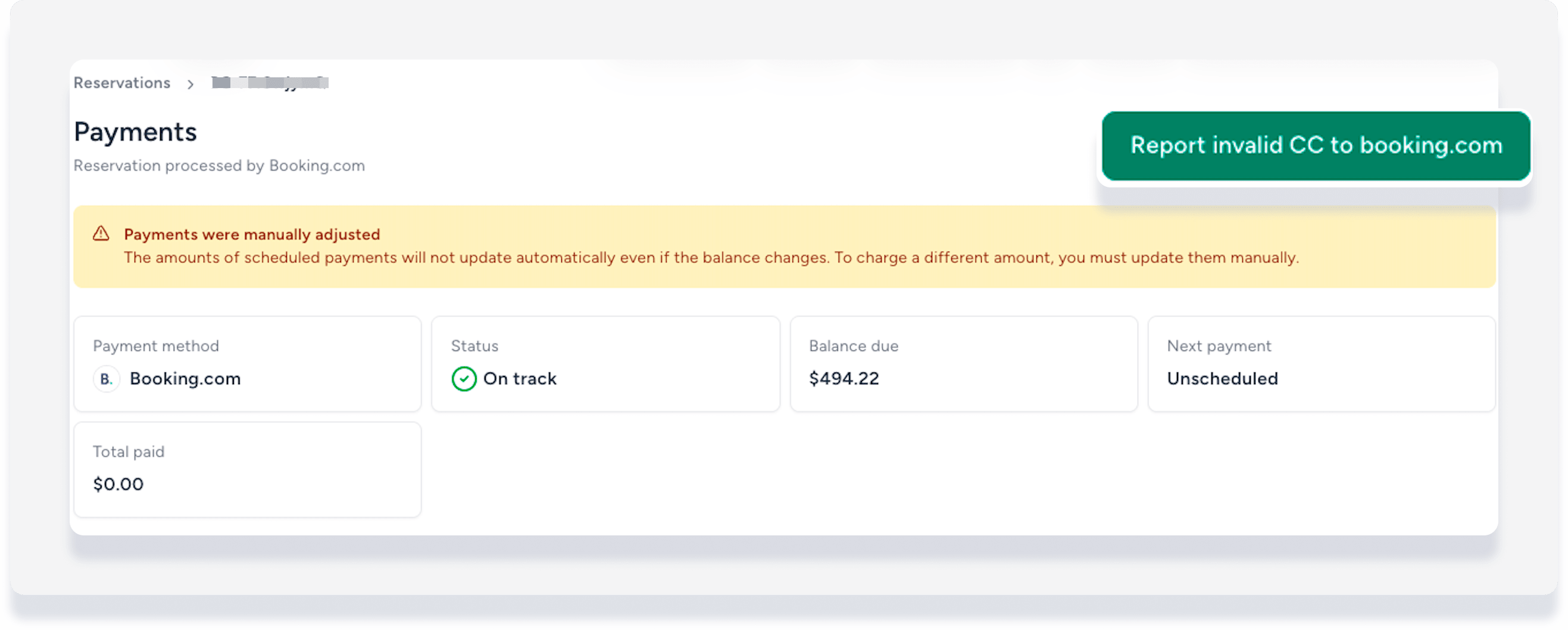
- In the pop-up, click Report invalid CC to Booking.com to confirm.
Booking.com notifies the guest to update their credit card details. The guest update window depends on the reservation timing:
- More than 48 hours before check-in: Guest has 24 hours to update the details.
- 24 to 48 hours before check-in: Guest has 12 hours to update the details.
- Same-day reservations made before 3pm: Guest must update by 3pm.
- Same-day reservations made after 3pm: Guest has 1 hour to update the details.
If the credit card details are not updated on time, you can cancel the reservation in Guesty.
Note:
After check-in, you cannot report payment method issues to Booking.com via Guesty. Use manual resolution steps instead.
If reporting to Booking.com is no longer possible
- Enter the new payment method manually in Guesty for the reservation.
- Contact the guest and collect payment directly.
Vrbo
Important:
This information applies only to the Vrbo full sync connection type.
Vrbo validates your guest's credit card information. If your guest's payment method becomes invalid, update the payment method manually in Guesty.
