Managing property owners requires transparency and efficient communication. Use the Owners Portal to streamline daily tasks, from connecting properties to sharing resources. By automating support and providing clear instructions, you build trust and reduce time spent on repetitive queries.
Manage owners
Efficiently handle all owner-related tasks and settings to ensure transparency and trust.
- Create a new owner and connect specific properties to their respective owners.
- Set up the Owners Portal so owners can view their properties in one place.
- Manage owner portal settings to control exactly what each owner can see or edit within their portal.
- Invite owners to the Owners Portal so they can view property data, track earnings, and block dates for personal stays.
- Display the owner's revenue in the Owners Portal to help owners track their earnings.
- Set up a custom reservation report to control the information owners see.
- Help owners create, edit, or cancel personal stays.
- Manage owners' reservations.
Enable the Help Center
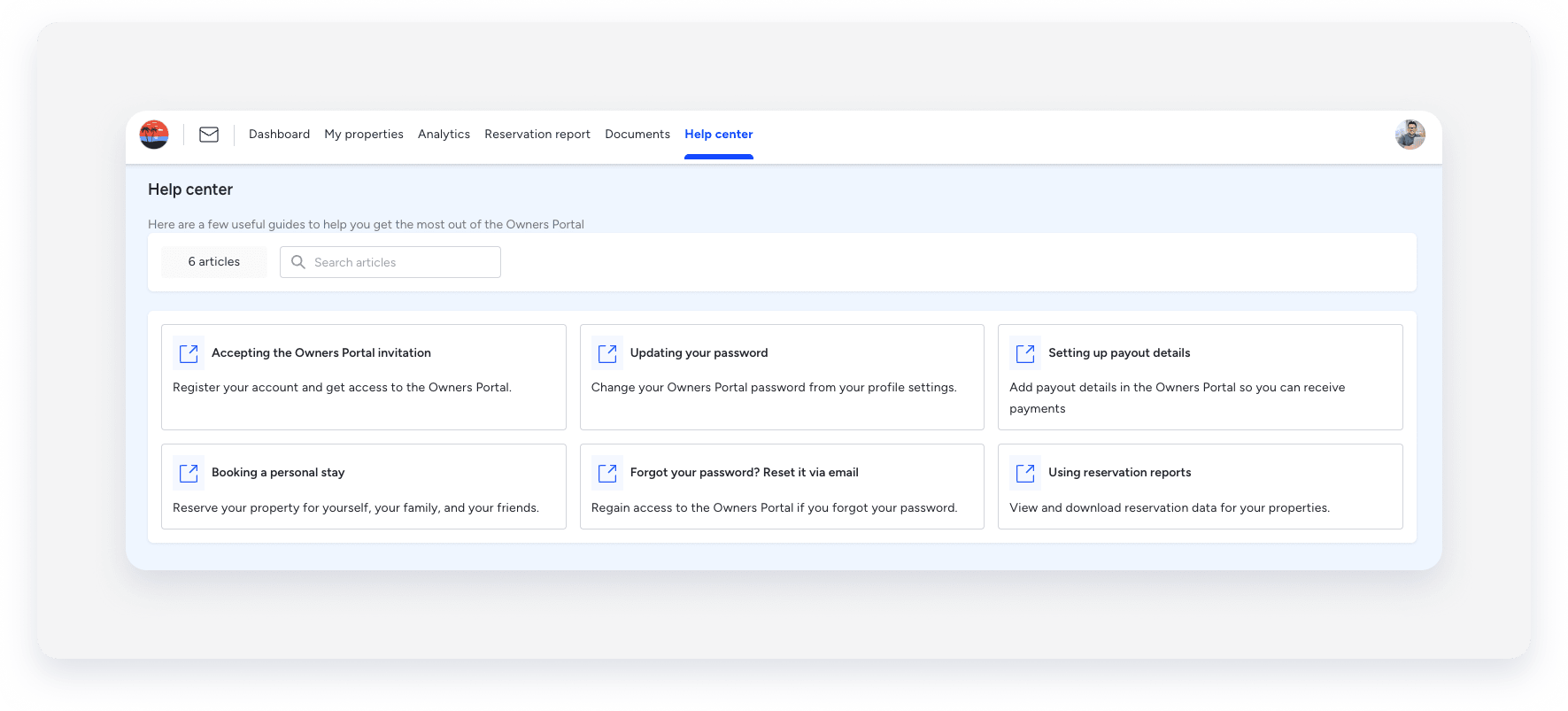
Let owners find their own answers by enabling the Help Center in their Portal (under the "Extras" section). Once enabled, owners see a Help Center tab in the Owners Portal where they can download articles as PDF files.
Share PDF manuals
Send these Help Center owners articles directly to owners or upload them to the Documents page in the Owners Portal.
- Accepting an invitation to the Owners Portal
- Updating your Owners Portal password via the Owners Portal
- Adding payout details in the Owners Portal
- Booking a personal stay
- Resetting your Owners Portal password via email
- Using the reservations report
Tip:
Sharing these manuals during the onboarding process helps owners feel confident using the portal from day one.
