A Legal Entity Identifier (LEID) is a unique legal identity number assigned to every Booking.com account and required for operation.
Every new Booking.com account has an LEID assigned to it and existing accounts receive LEID numbers retroactively. If your Booking.com account was connected to Guesty before receiving an LEID, this LEID information isn't automatically imported into Guesty.
Multiple associated Guesty accounts can use the same LEID. Find your LEID on the Booking.com integration page in Guesty.
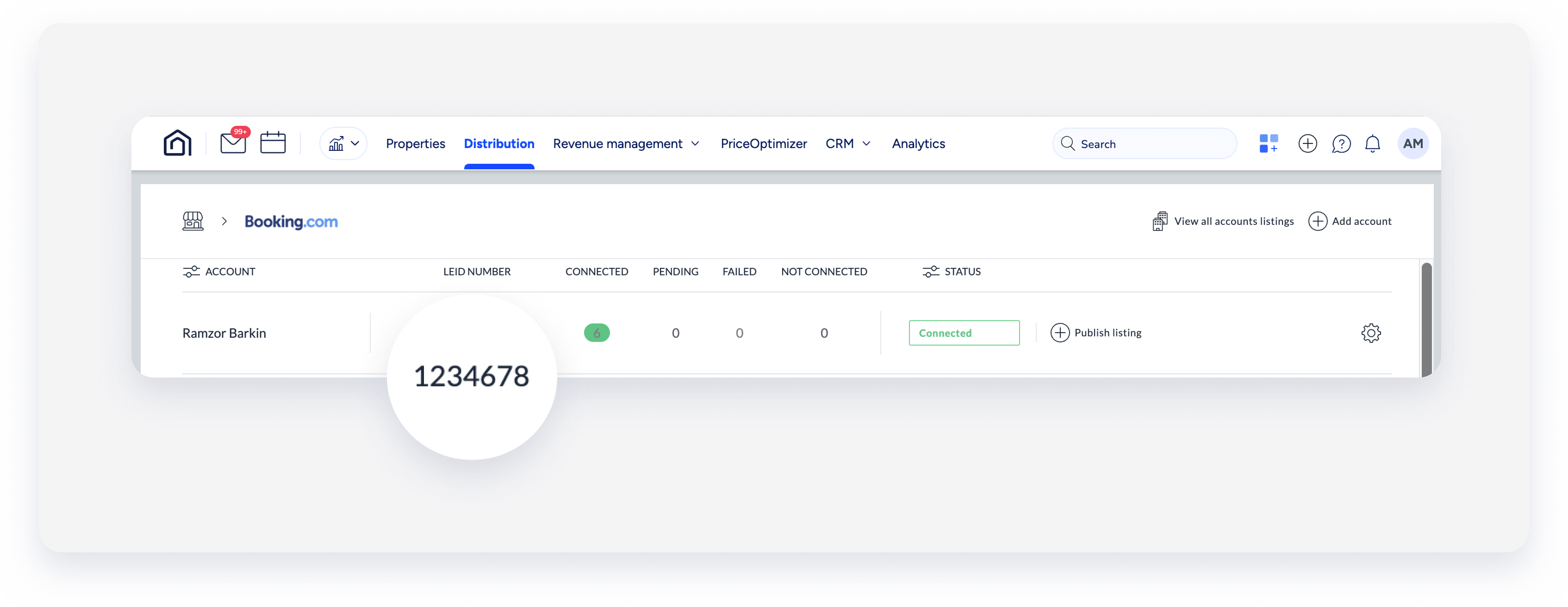
When you link an existing Booking.com listing, a hotel ID is automatically allocated and linked to the corresponding listing in Guesty under the relevant LEID account.
If you don't see an LEID for a Booking.com account in Guesty, no LEID is assigned or the LEID is missing, contact us to update the LEID. Alternatively, you can reconnect the Booking.com account to automatically import LEID into Guesty. When you reconnect a Booking.com account with an LEID, it will be stored as a new account on the Booking.com integration page in Guesty.
