This article explains how to set the net rental income (NRI) calculation when creating a business model, which impacts how your commission is calculated and how your posting journal is recorded in Guesty Accounting.
If you haven't signed up for Accounting, please contact us. If your Accounting onboarding call is already scheduled, review our checklist to prepare for a smooth process. Creating your first business model also activates Accounting.
Important:
Tier-based or conditional commission splits are not supported in business models. For example, you can't set up the owner share as 80% of monthly revenue when the revenue is less than or equal to $X, and 75% when it is higher than $X.
Set your NRI calculation
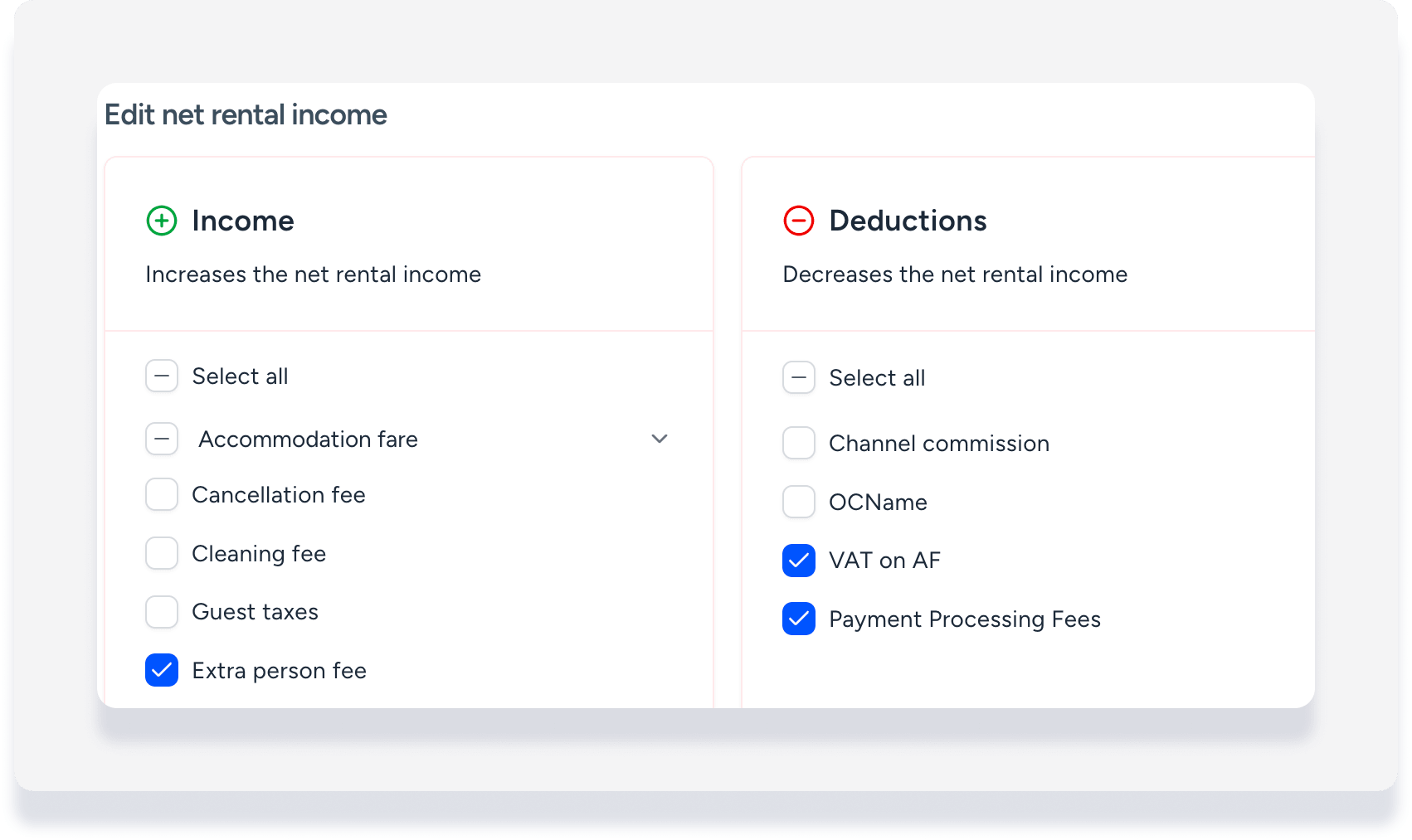
Your commission is calculated from the NRI set in each business model. The default for NRI is accommodation fare only. Select fees, taxes, and expenses to adjust the calculation and accurately reflect your existing accounting setup.
Income
Items added to the "Income" section increase your NRI. You can select the following:
- All or specific fees
- All or specific taxes
- Weekly discount
- Applies to weekly and monthly discounts
- Decreases the NRI
Deductions
Items selected in the "Deductions" section are subtracted from and decrease your NRI. You can select the following:
- Channel commission
- We recommend selecting both "channel commission" and "pre-deducted channel commission". Learn more about the two types.
- All or specific flat fee expenses
-
All or specific percentage expenses, such as payment processing fees
Note:
If you include percentage expenses in the calculation, you can't set a minimum commission amount.
How your NRI calculation impacts the posting journal
One journal entry, "net rental income", is created as a total of all items that are part of the NRI calculation. Fees or taxes added to the NRI calculation do not have a separate journal entry created.
Since a separate journal entry is not created for the Accounts payables (Taxes and VAT) ledger when taxes are included as income in the NRI calculation:
- These taxes can't be assigned remittance to the PMC or owner
- You need to calculate the tax remittance amount outside of Guesty
Assume you set your gross revenue base to include the accommodation fare and the cleaning fee:
- Accommodation fare: $1,000
- Cleaning fee: $100
- Gross Revenue Base: $1,100
You create two new expenses:
- Fixed owner charge of $50 per stay
- Credit card fee of 3% based on the accommodation fare
Owner Charge = $50
Credit card fee = $30 (3% of $1,000)
You select the credit card fee and the owner charge as deductible expenses. Your NRI is calculated as follows:
- Gross revenue base ($1,100)
- Minus credit card fee (-$30)
- Minus owner charge (-$50)
- Net rental income = $1,020
When any reservation details change, the system automatically recalculates your gross revenue base, all expenses, and the final NRI to ensure your financial data is always up to date.
Tip:
To master business models, visit Guesty Academy for interactive courses and step-by-step video tutorials.
