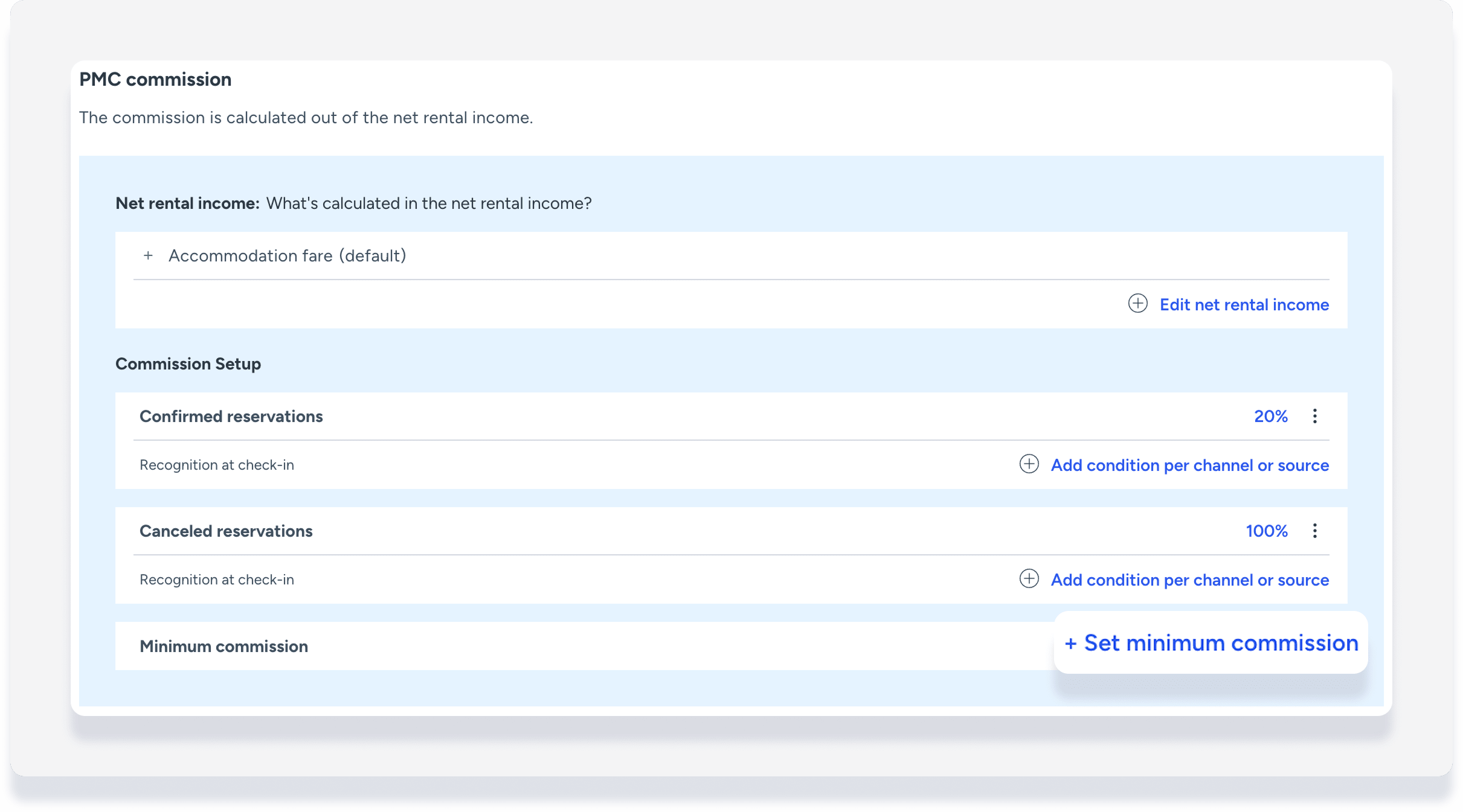
Set a minimum PMC commission in the business model to ensure that you never earn less than a specific amount per reservation. If the calculated percentage commission exceeds the minimum, you always receive the higher amount.
For example:
- Net rental income: $1,000
- Commission percentage (15%): $150
- Minimum commission: $200
- Your commission is $200 based on the minimum set amount, instead of $150 calculated by percentage.
If a reservation changes and net rental income adjusts, the minimum commission setting is checked again and the commission is updated if needed.
Notes and limitations
Important:
Do not use minimum commission if your net rental income calculation includes percentage expenses. The minimum will not work with this setup.
- The minimum commission fixed amount uses your account's default currency. You cannot set the minimum in a different currency.
- Minimum commission is calculated net. If you configure VAT or GST tax on the PMC commission, it's charged on top of the minimum commission amount.
- To apply the minimum commission retroactively, reprocess existing reservations.
Set minimum commission in a business model
Step by step:
- Sign in to your Guesty account.
- In the top navigation bar, click the mode selector and select Accounting mode.
- Click Business models.
- Click an existing business model, or click Add business model at the top right.
- To the right of "Minimum commission", click Set minimum commission.
- In the pop-up, enter a flat amount for the minimum commission amount.
- Click Save.
- If you're creating a new business model, fill in the rest of the fields.
- At the top right, click Create business model, or Save and update.