The additional fees interface displays the fee type visible to guests on each of your connected channels. This is refered to as "reverse mapping". Channel support for fee types varies.
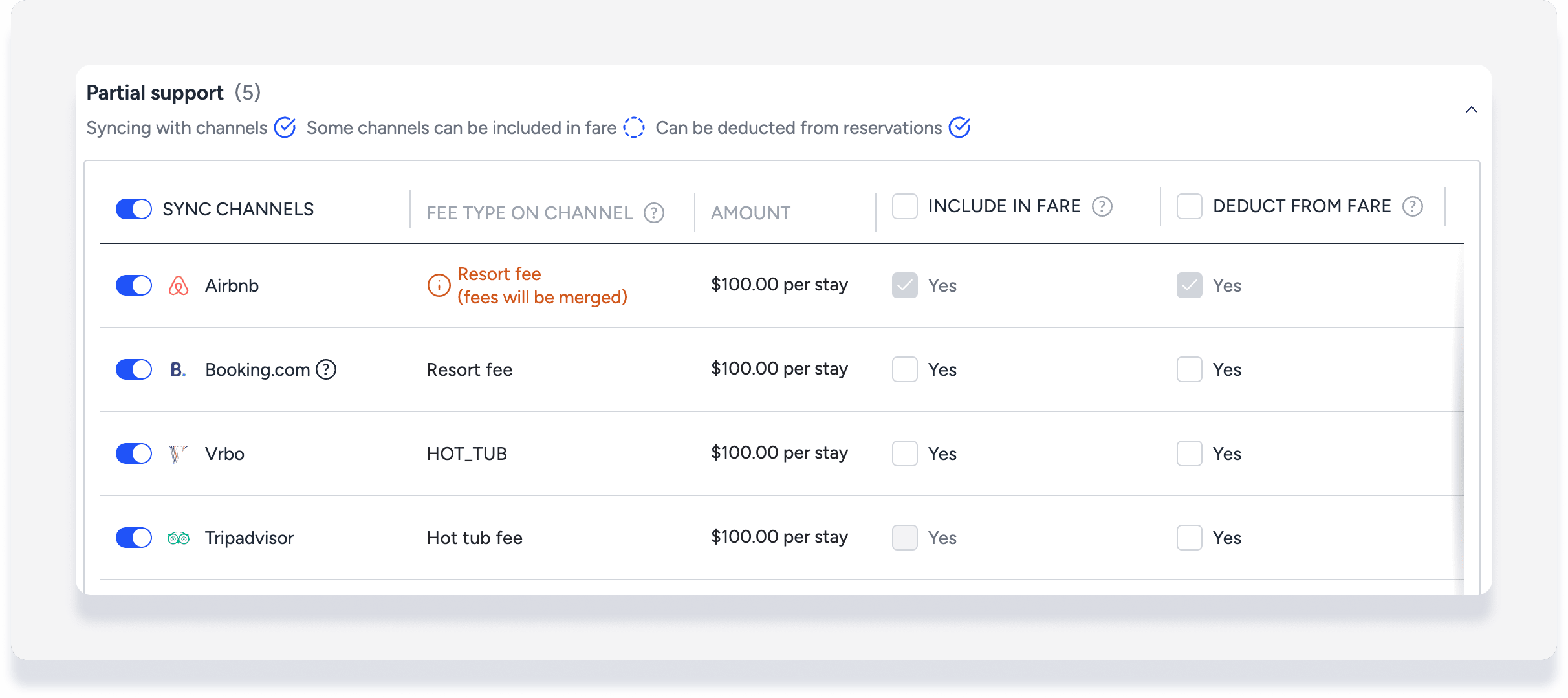
From the example above, the Guesty fee type "Hot tub" appears as "HOT_TUB" in Vrbo, "Hot tub fee" in Tripadvisor, but as "Resort fee" in Booking.com and Airbnb.
Edit and select a different fee type supported by a channel at any time. Some channels support only limited fee types, so the fee booked by a guest can have a different name from the fee type set up in Guesty. In some cases, one channel fee type may map to multiple Guesty fee types.
If a Guesty fee and another Guesty fee are both mapped to the same channel fee type, Guesty notes that "fees will be merged." In this case, Guesty merges the values and syncs them as one fee with the channel.
Accounting users: learn more about Accounting and additional fee reverse mapping.
Fee display in guest folio breakdown
Each additional fee displays three names in the guest folio for clarity:
Guesty fee type * Fee type on channel * Guesty fee name
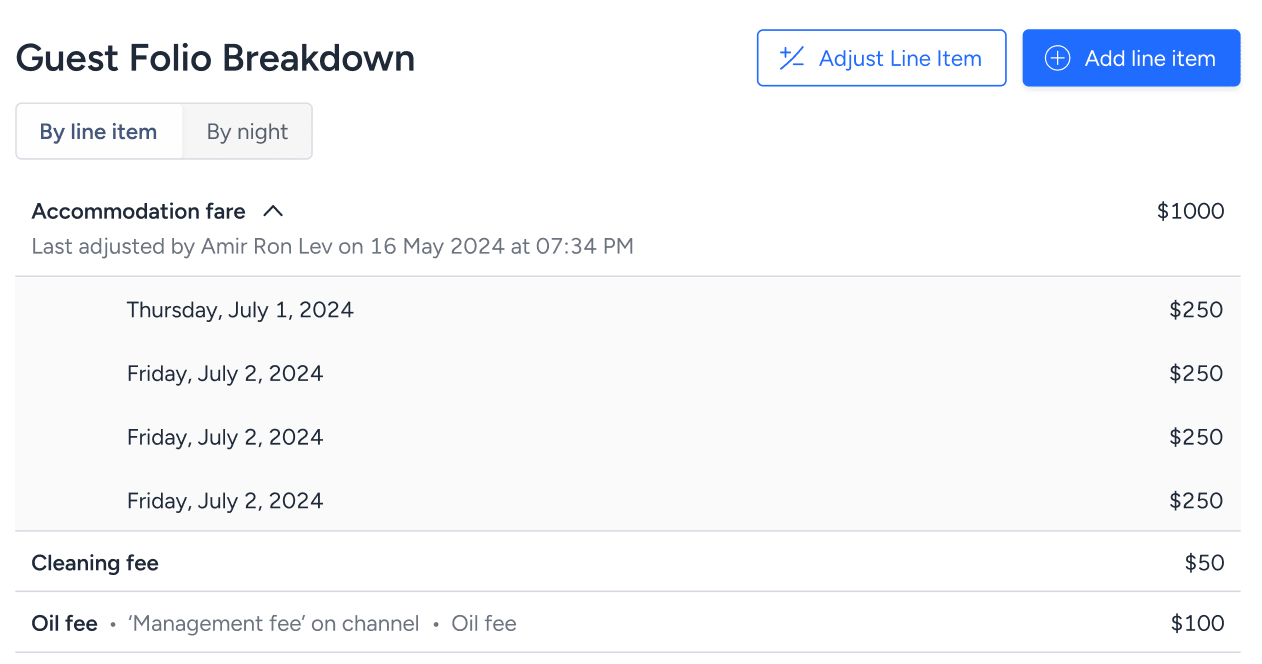
From the above example:
- "Oil fee" = Guesty fee type
- "Management fee" = Fee name from the booking channel
- "Oil fee" = Guesty fee name
Guesty fee type is how the fee appears throughout Guesty, including in reservation reports, Accounting reports, and owner statements.
Guesty fee name is a freeform field for your internal use. For example, create fee type "Activities" with the fee name "Paddleboarding." Guests will not see this name unless you set it as an upsell on your Guesty Website.
Multiple Guesty fees mapped to same channel fee
If a channel supports a limited number of fee types, multiple Guesty fee types can map to the same channel fee type. Guesty shows all relevant Guesty fee types in the guest folio.

In this example, when the guest made their reservation on the channel, they saw one "Management fee" for $200. In Guesty, "Management fee" is mapped to two different fee types. Both appear in the guest folio, and Guesty splits the total amount between them.
Note:
If the Guesty fee types have different values, Guesty splits the total amount proportionally.
Channel fee is not mapped to a Guesty fee
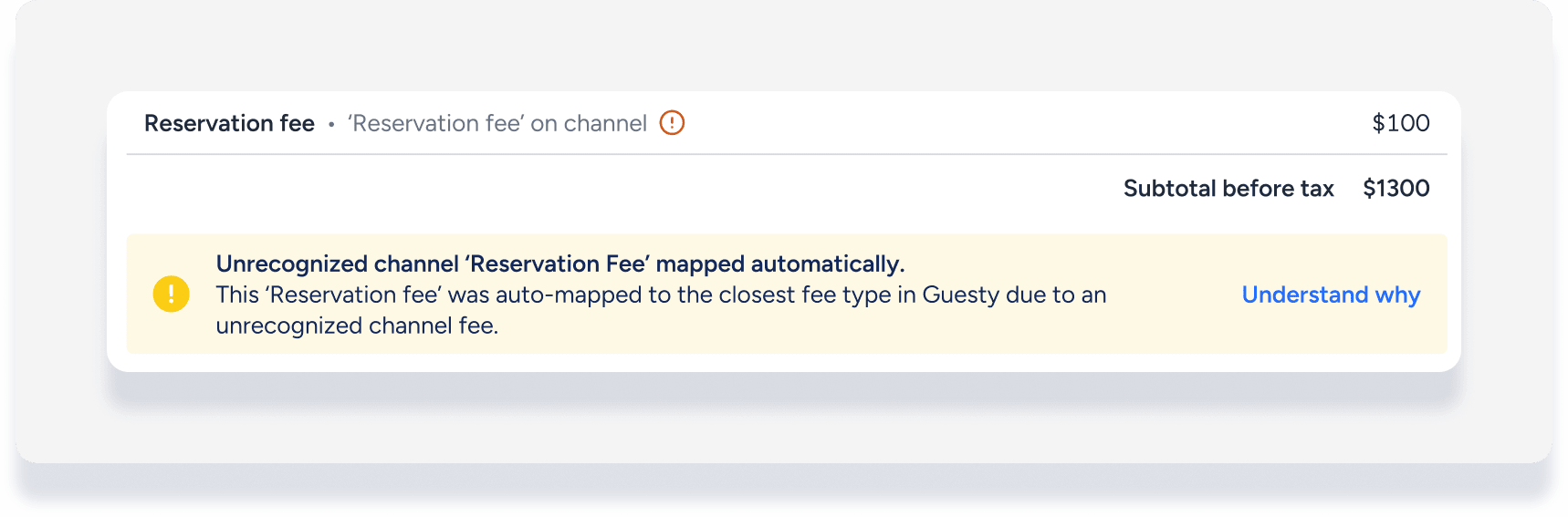
If a reservation from a channel includes a fee not defined in Guesty, Guesty automatically maps it to the closest Guesty fee type. The guest folio warns you when this happens:
Adjust mapped fees manually
If a channel fee is not automatically mapped to your preferred Guesty fee type, manually adjust the guest folio by setting the mapped Guesty fee amount to zero, and add a line item with your preferred fee mapping.
Tip:
Update your channel and Guesty fee mappings regularly to keep guest folios accurate and easy to reconcile.
