El desglose del folio del huésped proporciona un resumen preciso de los servicios de reserva por noche. Utilice el folio del huésped para realizar un seguimiento de los detalles financieros y garantizar que los precios coincidan en los diferentes canales de reserva.
Acceda al folio del huésped
Paso a paso:
- Inicie sesión en su cuenta de Guesty.
- Navegue hasta la reserva correspondiente.
- En el submenú de la izquierda, haga clic en Folio del huésped y factura del huésped.
En el folio del huésped, puede alternar entre dos vistas: un desglose de la tarifa por partida, como la tarifa del alojamiento, los impuestos y los cargos adicionales, o un desglose de la tarifa por noche.

Reservas en Booking.com
Guesty muestra los impuestos como partidas separadas en la factura a efectos contables. Dado que Booking.com no muestra los impuestos como conceptos separados, Guesty deduce el importe gravado de la tarifa del alojamiento y lo añade como un artículo de la factura si los impuestos están incluidos en el precio de Booking.com.
Cómo se calculan las tarifas por noche
Las tarifas por noche se mantienen fijas una vez realizada la reserva. La única excepción es cuando un canal de reserva actualiza las tarifas para fechas futuras.
Tarifas por noche para la tarifa del alojamiento
El método utilizado para calcular las tarifas por noche depende del canal de reserva:
- Rates calculated by the booking channel: Booking.com and Expedia send nightly rates using their own defined ratios. Guesty displays these rates exactly as received.
- Rates calculated by Guesty: If a booking channel doesn't provide nightly rates, Guesty checks the pricing on the listing's calendar for the booked dates and applies that same ratio to the reservation.
- Night 1: $100
- Night 2: $150
- Night 3: $250
Guesty determines the ratio for each night by dividing the calendar rate by the total accommodation fare. If the actual reservation accommodation fare is $650, the breakdown is:
- Night 1 = 0.2 x 650 = $130
- Night 2 = 0.3 x 650 = $195
- Night 3 = 0.5 x 650 = $325
Nightly rates for non-accommodation fares
Guesty divides the total non-accommodation fare by the number of nights in the reservation. These items appear on a "per night" or "per night per stay" basis. If not split, they appear as a single sum.
Note:
For Accounting users, Guesty calculates these nightly rates to support the nightly recognition setting defined in your business model.
Breakdown of items within the accommodation fare
Markups, markdowns, extra person fees, and length-of-stay discounts appear as separate line items within the guest folio.
Channel-specific breakdowns
- Fees and discounts: Extra person fees or weekly/monthly discounts only appear if the booking channel communicates them to Guesty.
- Markups and markdowns: All connected channels with a markup or markdown display this breakdown. Guesty calculates this based on the accommodation fare in Guesty, which might differ from the channel's calculation.
This breakdown is for internal information and does not appear on the invoice sent to guests. However, it is available through the OpenAPI and Booking Engine API and may appear in guest-facing interfaces depending on your implementation.
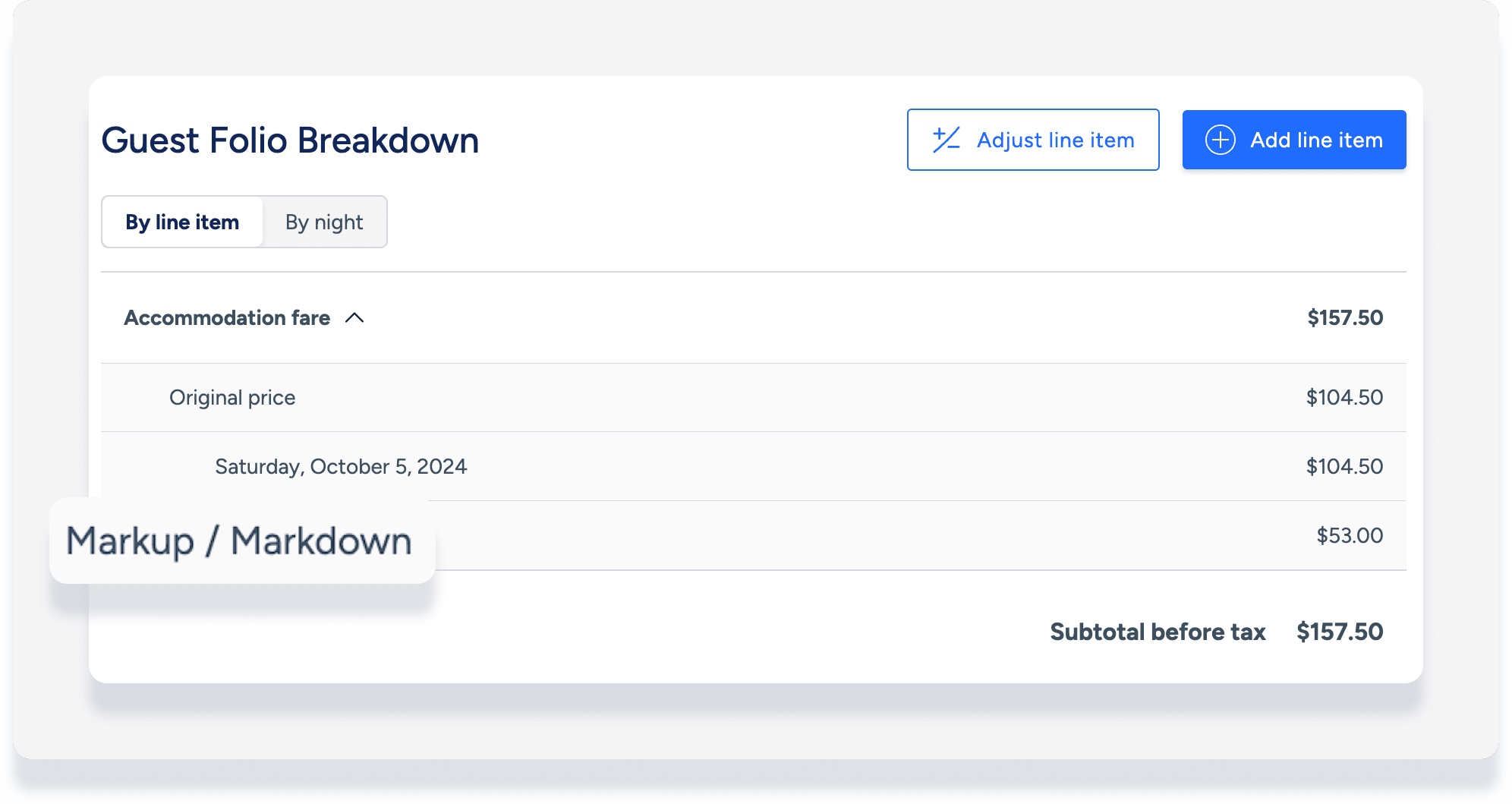
Added or adjusted line items
Manually add or adjust line items in the guest folio to keep your records accurate. See instructions for Accounting users here. The guest folio also automatically displays adjusted line items for:
The guest folio also displays an adjusted line item for:
- Cambios en la reserva realizados a través del canal de reserva
- Resoluciones de los huéspedes enviadas desde el Centro de Resolución de Problemas de Airbnb (ARC).
