Larger buildings are often rented in more than one way. Guests might book a single apartment, two apartments together, a full floor, or the entire building for an event. Multi-level combo properties let you match this structure in Guesty. You can offer each option as its own property while availability stays synced across the whole building.
Multi-level combos build on combo properties; learn how to configure a combo property.
How multi-level combos work
A multi-level combo links combo properties to each other to match how your building is rented. Guesty syncs availability across the entire structure using Smart Calendar Rules: a reservation on any property blocks every property that shares the same space, at every level. Properties that don't share space stay available.
You can structure multi-level combos in the following ways:
Multiple levels
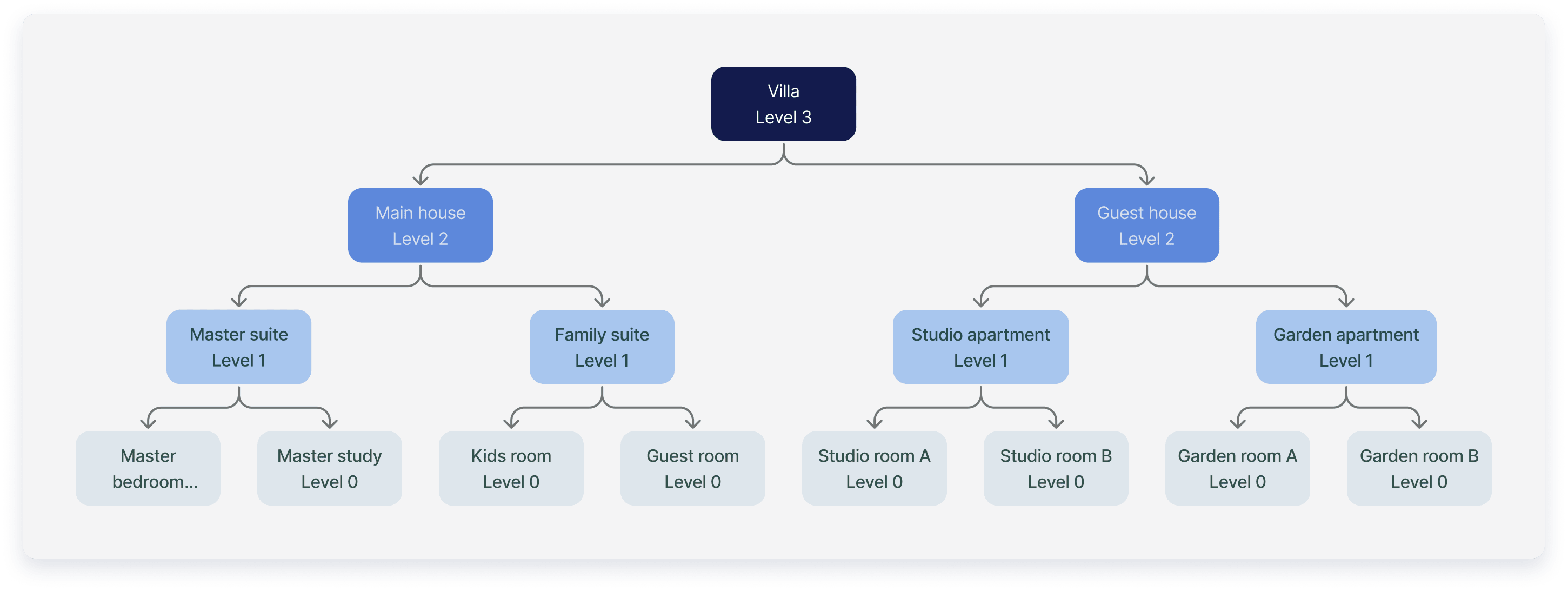
Link combos inside other combos to create up to six levels. A villa, for instance, can be rented by the room, by the suite, by the house, or as a whole.
|
For example: A reservation for the Master Bedroom blocks the Master Suite, the Main House, and the Villa. The Master Study, the Family Suite, and the Guest House stay available |
Shared properties
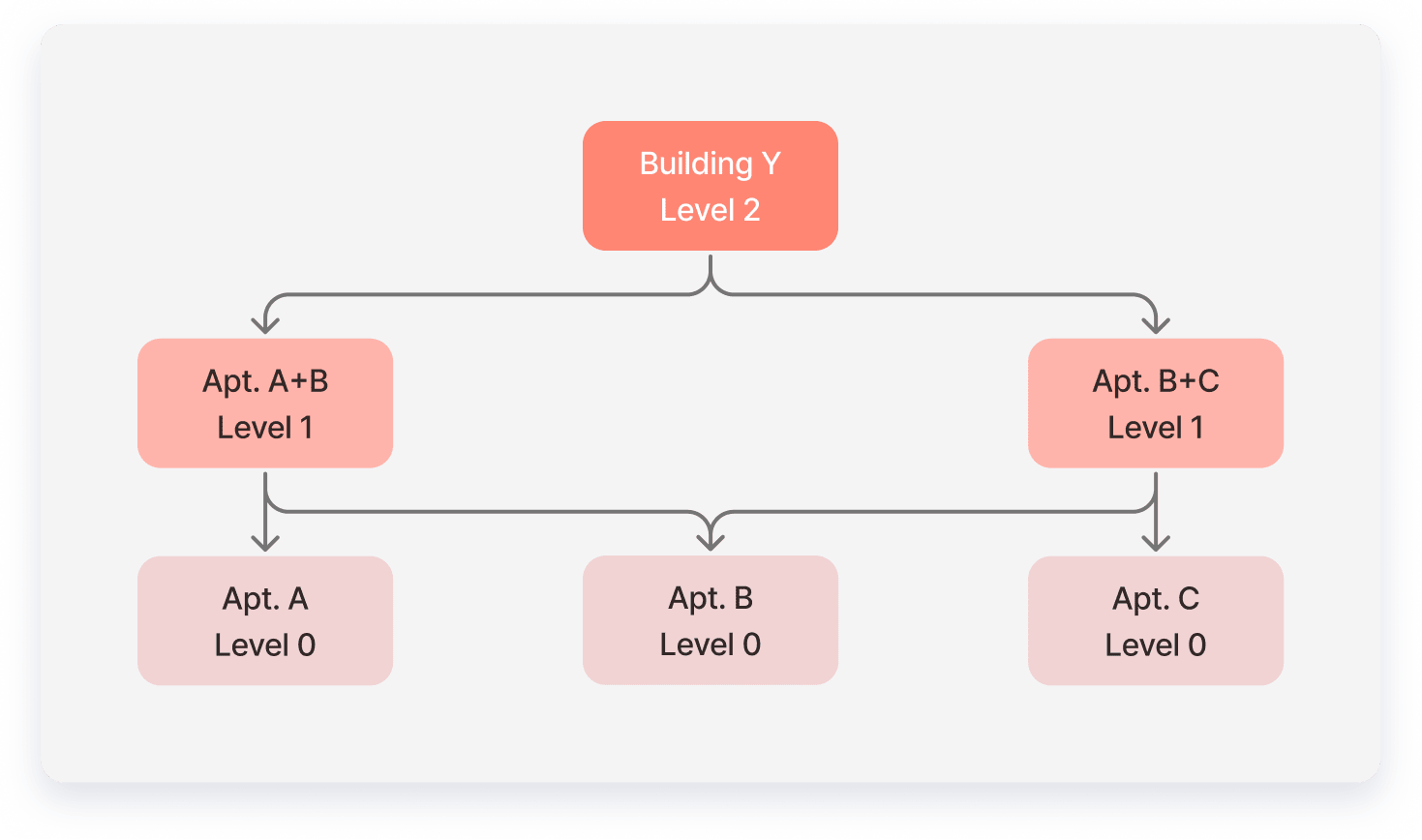
Link the same property to more than one combo, even when neither combo is part of the other. This lets you sell overlapping combinations of the same space.
|
For example: Apartment B is linked to both the A+B and B+C combos. A reservation for A+B blocks Apartments A and B, the B+C combo, and Building Y. Apartment C stays available. |
Editing permissions
You can edit the full structure only from the top-level property. Nested combos and lowest-level properties show the structure as read-only, with a link to the top-level property.
Billing
Only the properties at the lowest level of the structure are billed. Combos at higher levels, including the top-level property, aren't billed. If a lowest-level property has variants, it's billed as a property variant.
|
For example: In the villa structure, only the eight rooms are billed. The suites, the apartments, the Main House, the Guest House, and the Villa aren't billed. |
Because billing depends on a property's level, changing the structure can change which properties are billed:
- Linking properties to a lowest-level property: The property becomes a combo and is no longer billed. The properties you link to it are billed.
- Unlinking all properties from a combo: The combo becomes a lowest-level property and is billed.
- Deactivating or deleting the last active property in a combo: Billing starts for the combo directly above it.
Create a multi-level combo
Link properties from the higher-level property: open it and link the properties directly below it. You can build the levels in any order, and each property you link can be a regular property or an existing combo.
To create a multi-level combo:
- Open each property that contains other properties and configure it as a combo property.
- To share a property between combos, link it from each combo it belongs to.
- (Optional) Assign variants to a combo.
When you link an existing combo, its full structure appears under the "Combo properties" section of the higher-level property.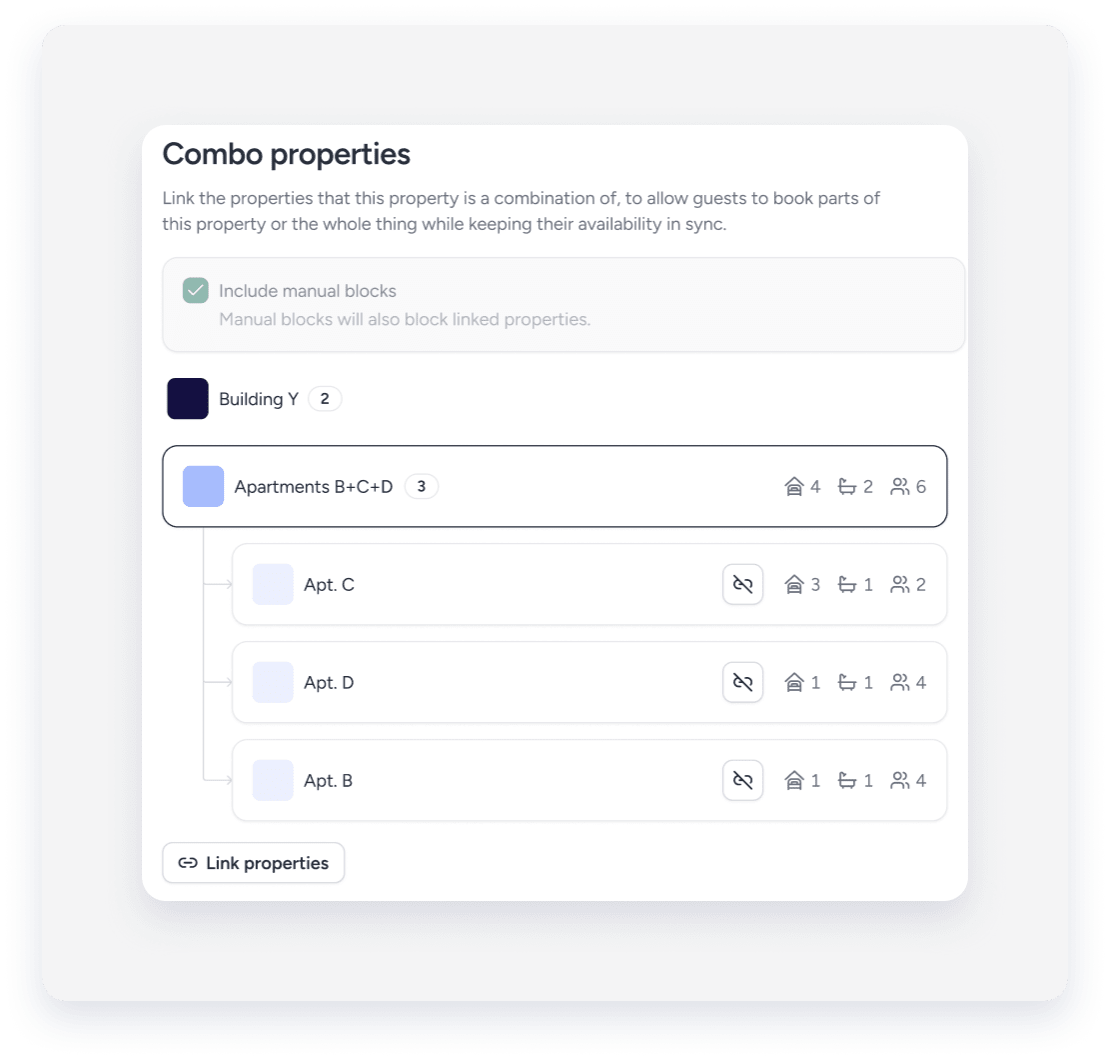
Delete a combo in a multi-level structure
When you delete a combo, its linked properties are removed from the structure. Their availability no longer syncs with the other properties in the building, which can lead to double bookings.
Note:
Before deleting a combo, check the calendars of its linked properties for overlapping bookings.
Deleting a combo can change which properties are billed. Learn more about billing for multi-level combos.
