Include cleaning and additional fees along with accommodation fare in your markup calculation. Guesty provides a clear breakdown of markups applied to fees, allowing you to monitor your margins and maintain accurate accounting. The markup can be configured for all connected booking channels and applies to newly created reservations.
Tip:
This aligns with Airbnb’s single fee structure.
Configure markup
Step by step:
- Access you markup settings on the account or listing level.
- To the right, click Edit.
- Under Airbnb, Booking.com, or Vrbo, select cleaning fee and/or additional fees to include with accommodation fare in the markup calculation.
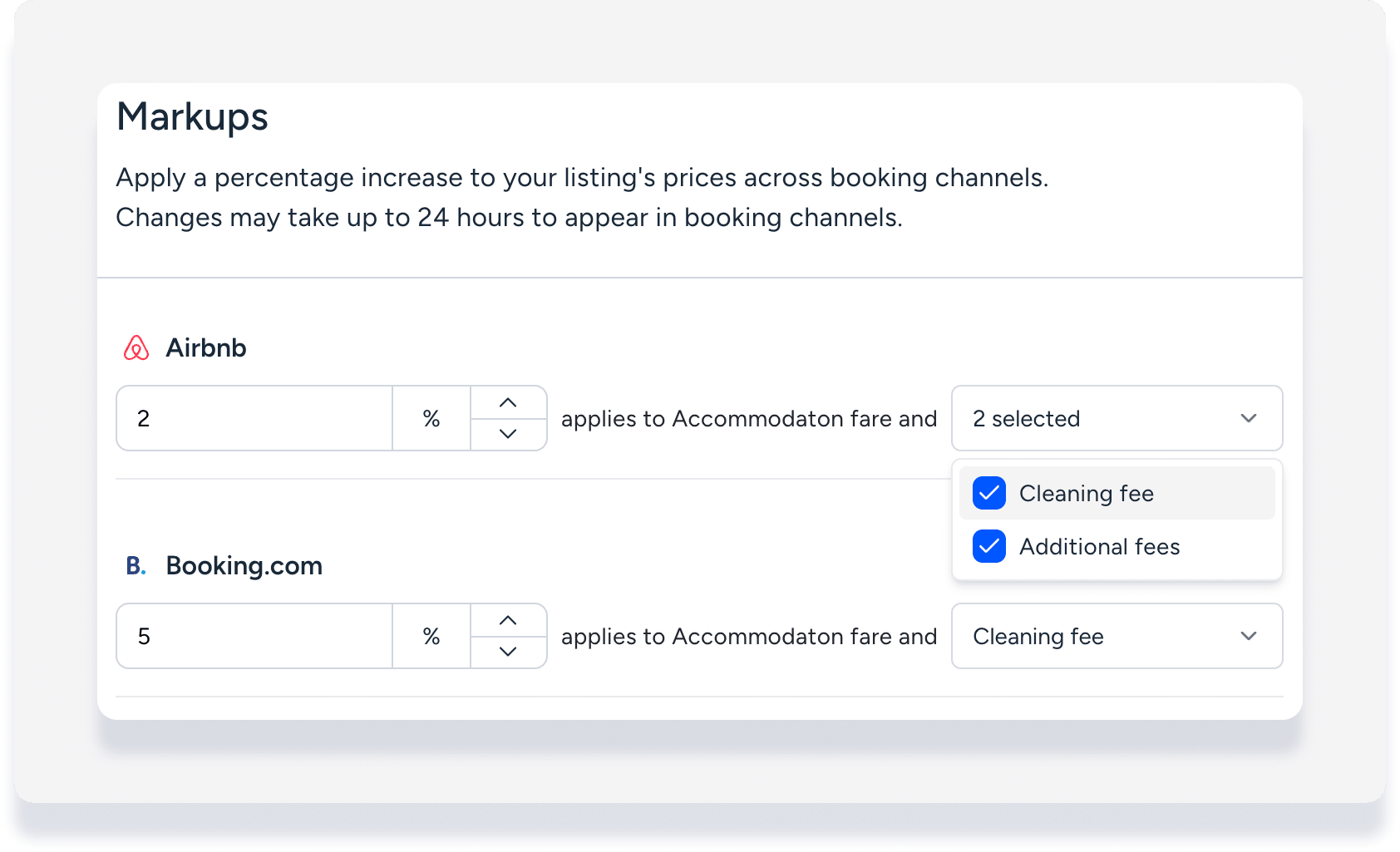
- Click Save.
The new or updated configuration will apply to newly created reservations.
View markup data in a reservation
Follow the steps below to review the specific markups directly within the reservation details.
Step by step:
Access a reservation's guest folio.
Each item included in the calculation (accommodation fare, cleaning fee, additional fees) has the markup applied in the amount displayed.
-
Click Accommodation fare to view the markup on this item in the side panel.
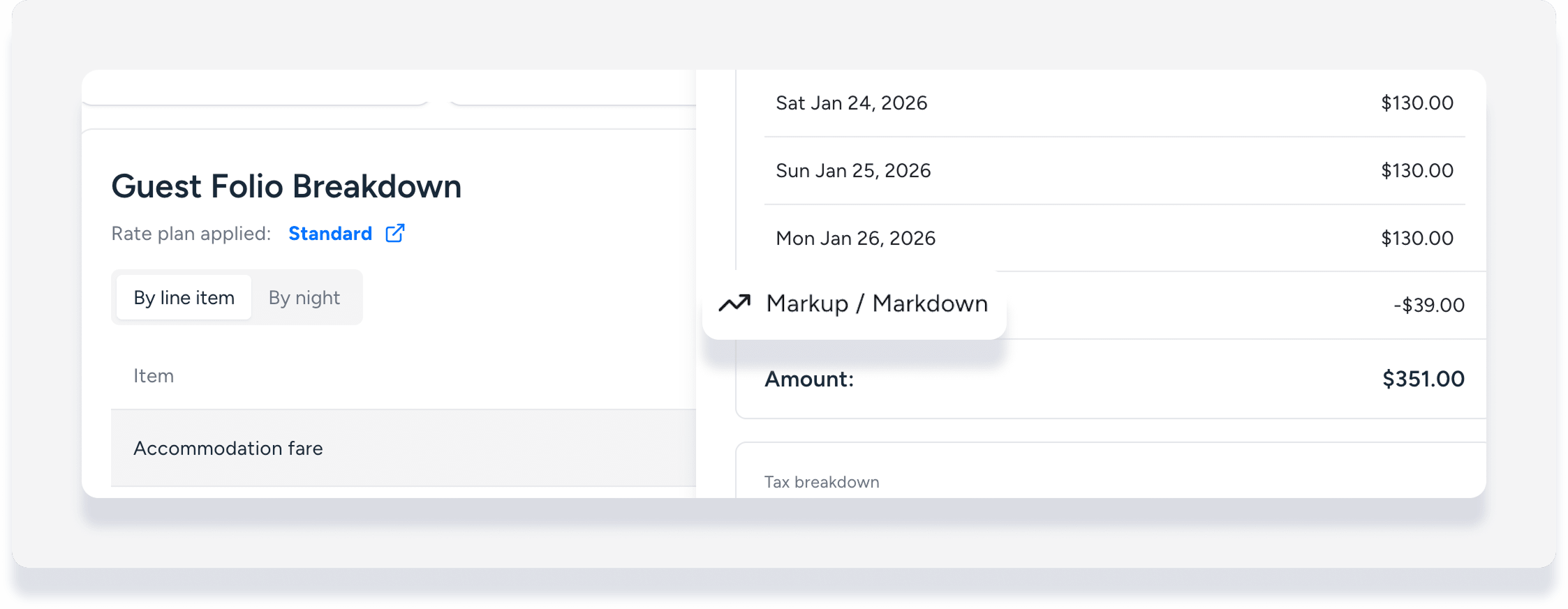
Reporting on markups
Track markup revenue by running a reservations reports with the added column "markup on fees". This data provides a full audit trail, helping you compare reservation financials against your fee setup without manual corrections.
Note:
Accounting users, learn about the implication for markup on fees in accounting.
