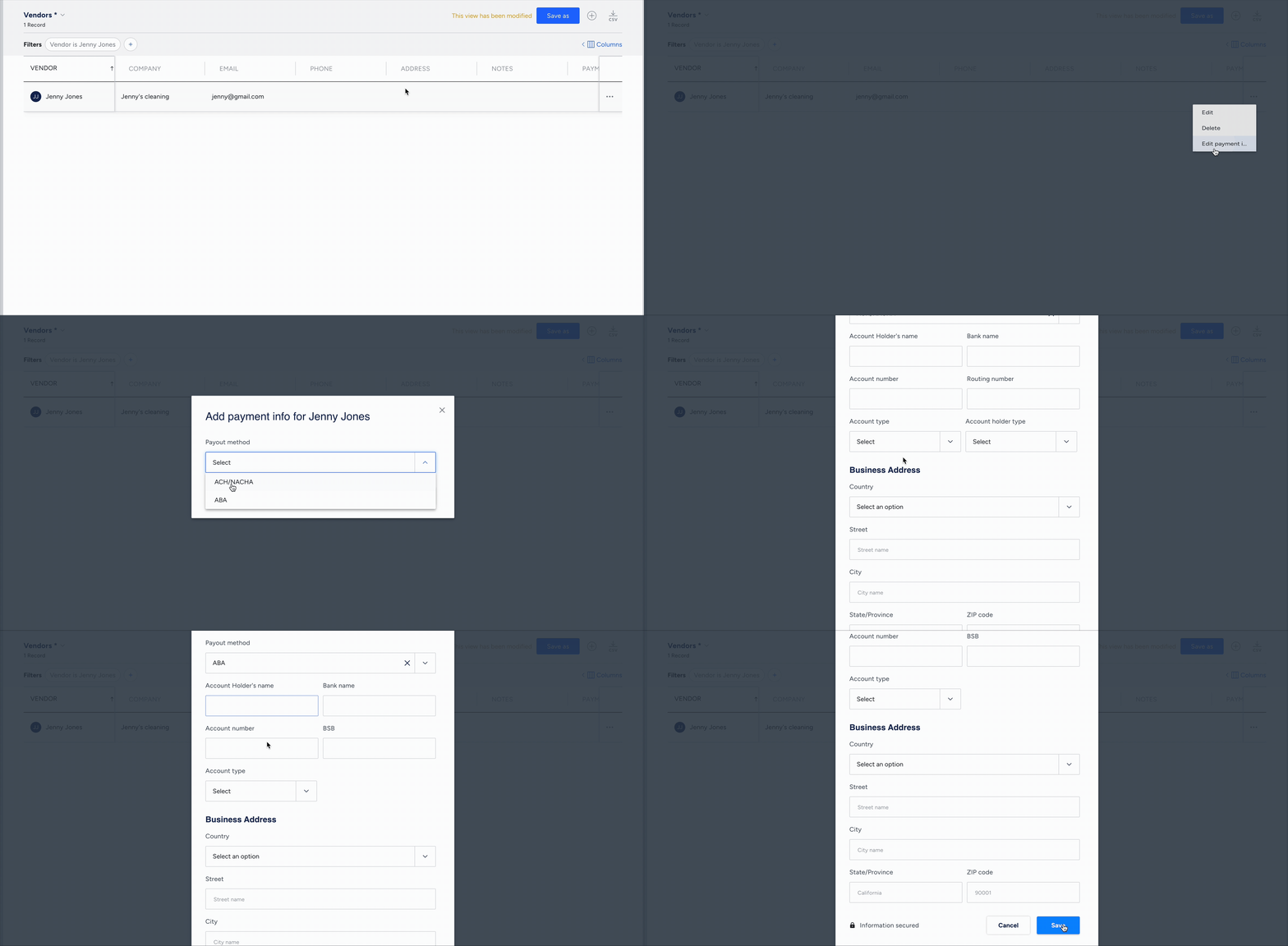
Add or update your vendors' payout method and bank details. The bank detail fields change based on the payout method you select.
Payout method options
- ACH/NACHA
Available for Accounting by Guesty users based in the US.
Generate NACHA (National Automated Clearing House Association) bank files. This enables efficient ACH transfers for vendor payouts. Learn more about creating a NACHA file payout.
In pilot: Learn more about making ACH transfers directly from Guesty.
- ABA
Available for Accounting by Guesty users based in Australia and New Zealand.
Generate ABA (Australian Bankers' Association) bank files. This enables efficient Direct Entry transfers for vendor payouts. Learn more about creating an ABA file payout.
- Check
Use this option to record a payment made by check to an owner for your Guesty accounting reports. Post a single payout, or post several payouts at once in bulk. Learn more about creating a payout.
Available for Accounting by Guesty users in the US, Canada, and Australia: Process payments through direct check printing. Learn more about Printing checks in Accounting.
Add payout method and bank details
Step by step:
- Sign in to your Guesty account.
- In the side navigation menu, click
 Accounting to open the dropdown menu.
 - Under Accounting setup, select Vendors.
- To the right of the relevant vendor, click
 then select Edit payment info.
 - Select the payout method.
- Enter the relevant bank information, then click Save.