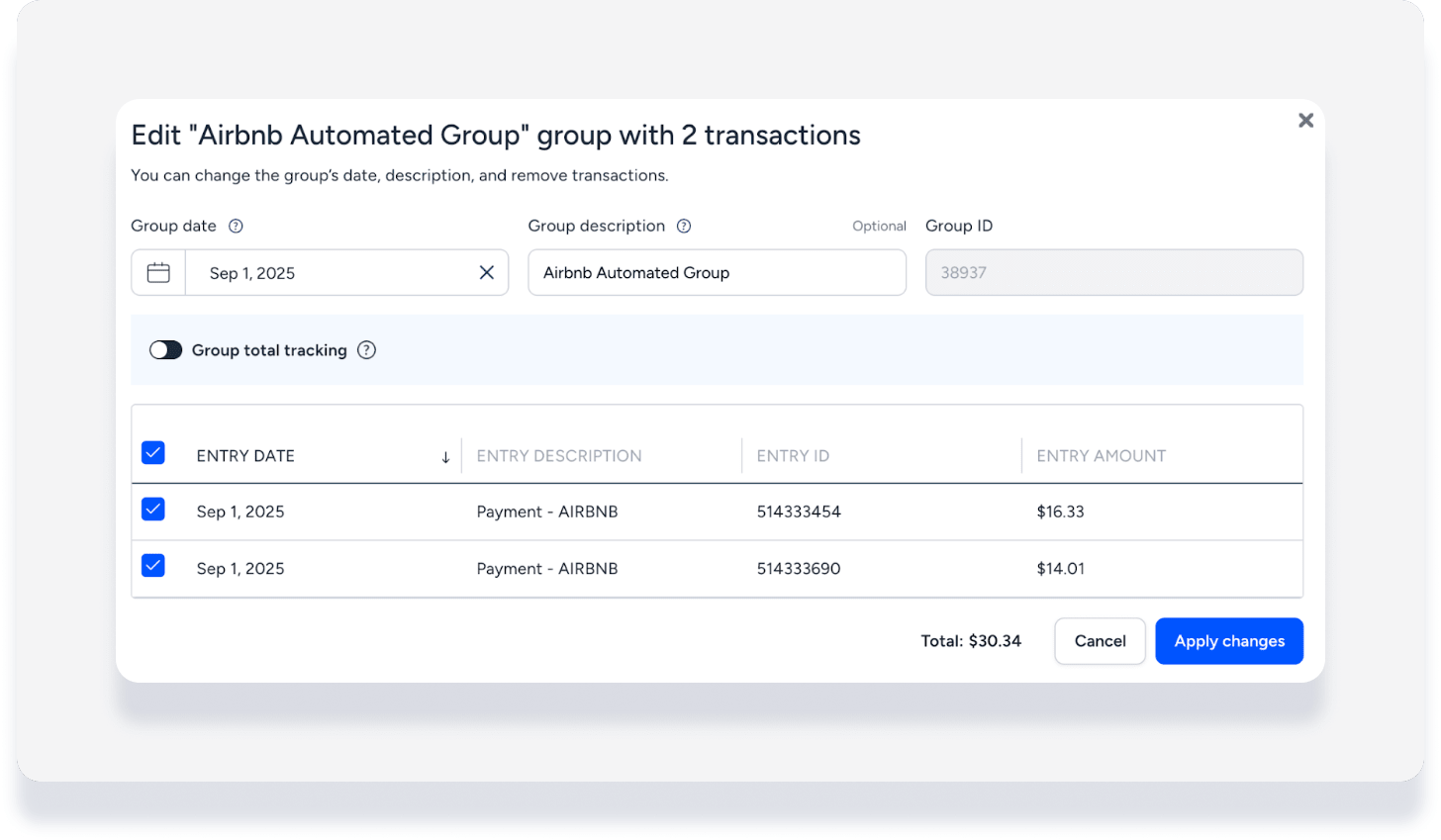
Group Airbnb transactions into daily batches automatically. This simplifies bank reconciliation, reduces manual work, and minimizes errors, even if you connect multiple Airbnb accounts to one Guesty account. The system associates and groups transactions per Airbnb account based on their unique payout IDs.
Learn more about managing group transactions.
Important:
This feature is not retroactive. It only applies to new Airbnb transactions after you enable it. You can manually group past reservations.
Activate Airbnb group transactions automation
- Sign in to your Guesty account.
- In the side navigation menu, click
 Accounting to open the dropdown menu.
 - Under Accounting setup, select Automations.
- Under "Airbnb Automations", toggle on Automatically group transactions.
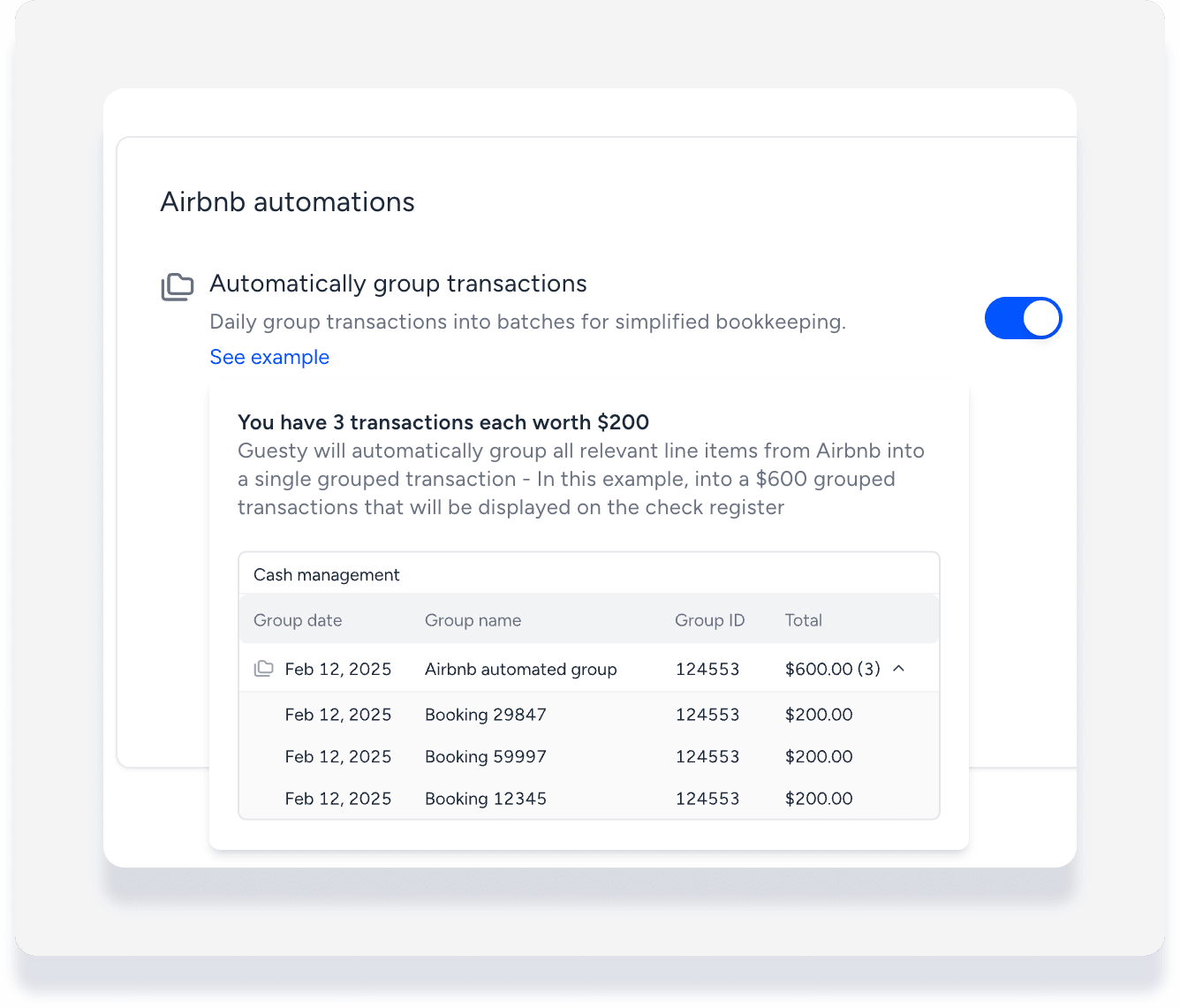
Once activated, new transactions group automatically based on payout ID. They appear as one line in the Check Register, showing the total deposit amount from Airbnb, just as it shows on your bank statements.
View Airbnb group transactions
Step by step:
- Sign in to your Guesty account.
- In the side navigation menu, click Accounting to open the dropdown menu.
- Under Cash management, select Check register.
- Filter for description "Airbnb automated group". Group transactions are identified by
 .
. - To the right of the relevant group, click
 and select Edit or View.
Note:
Group transactions that are reconciled cannot be edited. You can still view the specific transactions within the group.
Edit a group transaction
- To the right of the relevant group, click and select Edit.
- In the pop-up, edit as needed:
- Change the group date
- Change the description name
- Ungroup transactions
- Click Apply changes.