When you manage multiple Guesty Booking Engines, including those embedded on external sites, it's important to track which source generates each reservation. This gives you clear visibility into your most valuable booking channels so that you can plan marketing efforts and optimize your booking strategy.
Use the source (website name) data to:
- Identify which of your Guesty Booking Engines generate the most reservations
- Analyze guest segments from your direct booking sources
- Optimize marketing spend based on booking source performance
- Track the effectiveness of different website integrations
Limitations
Keep these limitations in mind when using website name data:
- Website names only appear for the Guesty Booking Engine, Guesty Websites, or Guesty Booking Engine API reservations.
- The website name field isn’t displayed for reservations from other channels, or if you manually change the source after booking.
- Website name data isn't currently available through the Open API endpoint.
- Reservations created before March 2025 don't show website names in reservation reports.
View website names in reservation details
To see the reservation source of a single reservation, follow the instructions below to open the reservation details.
Step by step:
- Sign in to your Guesty account.
- In the side navigation menu, click
 Reservations.
 - Click the relevant reservation.
- In the “Summary” section, the website name is displayed based on your booking source:
-
Guesty Booking Engine reservations: Shows the business name from your Guesty Booking Engine settings.
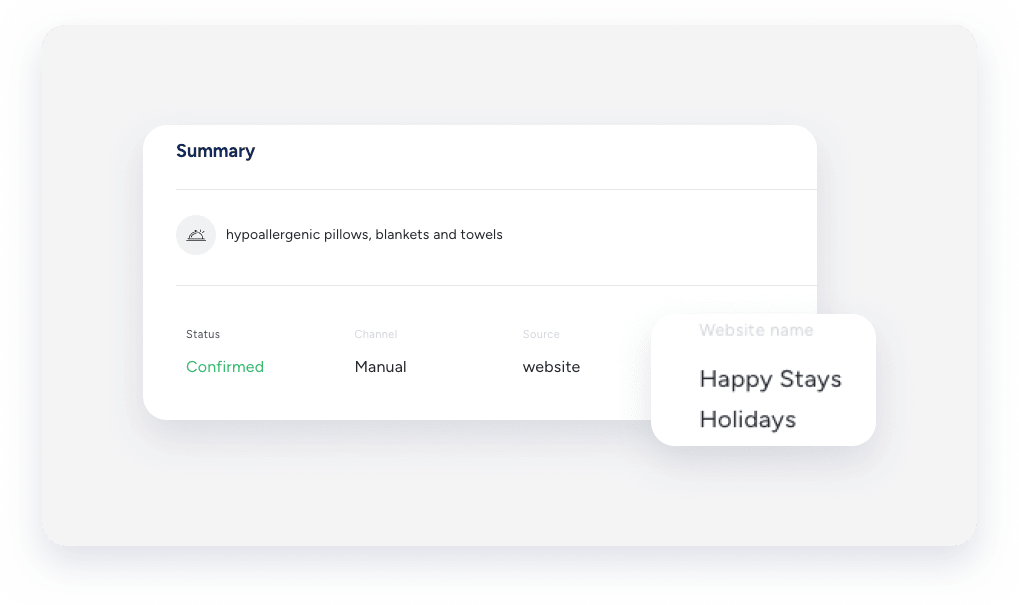
- Guesty Booking Engine API reservations: Shows the nickname from your Guesty Booking Engine API configuration.
-
Tip:
You can also view the website name in the reservation summary of the Inbox widget.
View website names in reservation reports
Follow the instructions below to create a report to analyze source performance by adding the website name data to a reservations report.
Step by step:
- Sign in to your Guesty account.
- In the side navigation menu, click Reservations.
- Click Columns in the top-right.
- In the right side panel, click
 and enter "Website name".
 - Toggle on Website name.
-
Click X to close the right side panel.
The "Website name" column will be displayed.
- Click Save as to save this view.