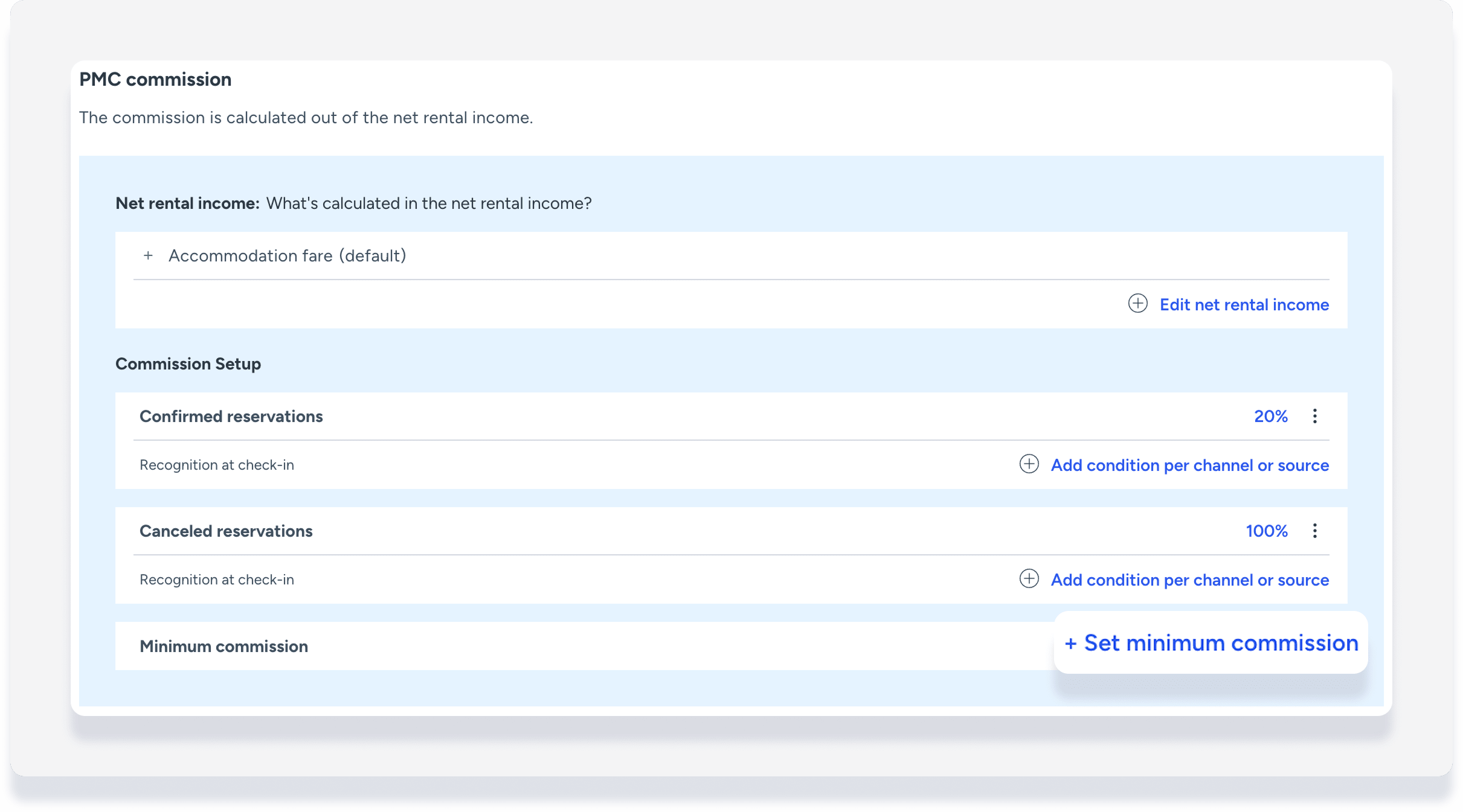
Set a minimum PMC commission in the business model to ensure that you never earn less than a specific amount per reservation. If the calculated percentage commission exceeds the minimum, you always receive the higher amount.
For example:
- Net rental income: $1,000
- Commission percentage (15%): $150
- Minimum commission: $200
- Your commission is $200 based on the minimum set amount, instead of $150 calculated by percentage.
If a reservation changes and net rental income adjusts, the minimum commission setting is checked again and the commission is updated if needed.
Notes and limitations
Important:
Do not use minimum commission if your net rental income calculation includes percentage expenses. The minimum will not work with this setup.
- The minimum commission fixed amount uses your account's default currency. You cannot set the minimum in a different currency.
- Minimum commission is calculated net. If you configure VAT or GST tax on the PMC commission, it's charged on top of the minimum commission amount.
- To apply the minimum commission retroactively, reprocess existing reservations.
Access your business model
See full details about creating a business model.
Step by step:
- Sign in to your Guesty account.
- In the side navigation menu, click
 Accounting to open the dropdown menu.
 - Under Accounting setup, select Business models.
- Click Add business model, or click on an existing business model to update.
Charge owner GST on PMC commission
- Under "Commission setup", click
 to the right of "Confirmed reservations".
 - Click Edit.
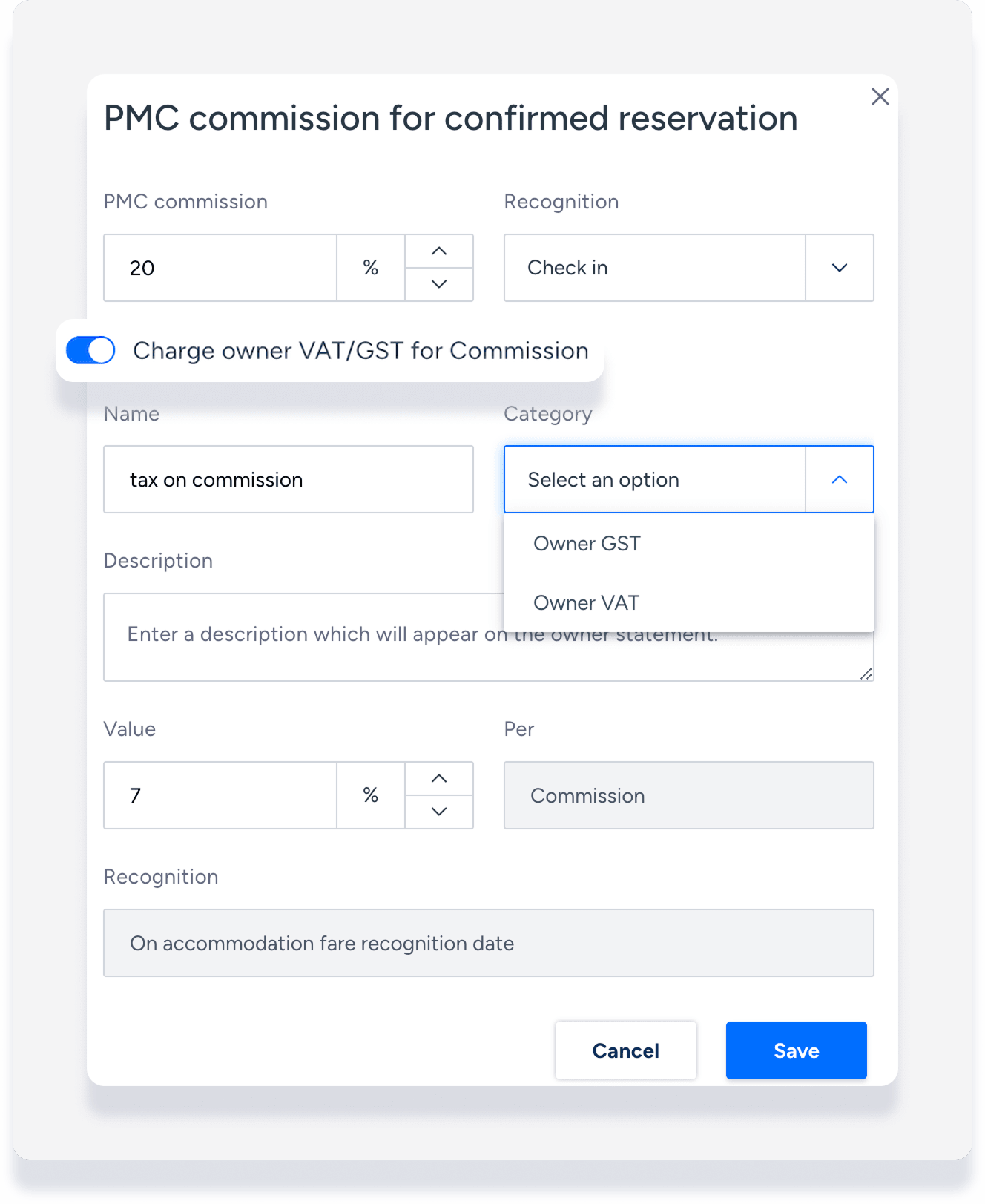
- In the pop-up, toggle on Charge owner VAT/GST for commission.
- Under "Category", select Owner GST from the dropdown.
- Full out the remaining fields, then click Save.
- Click to the right of "Canceled reservations" and repeat steps 2-5.
- Once the rest of your business model updates are completed, at the top right click Create business model or Save and update.
Charge owner GST on charge or expense commission
See full details about recurring owner charges and expenses.
- Scroll down to the section "Trust account income / Trust account expenses".
- Add a charge or expense as follows:
- For a charge, to the right click Add recurring owner charge.
- For an expense, to the left click Trust account expenses. Then to the right, click Add recurring expense.
- Scroll down and toggle on Charge owner VAT/GST for commission.
- Under "Category", select Owner GST from the dropdown.
- Full out the remaining fields, then click Add.
- Once the rest of your business model updates are completed, at the top right click Create business model or Save and update.