Offer guests optional extra services directly during the booking process on your Guesty Booking Engine or Guesty Booking Engine API. Upsells help increase revenue by letting you promote services as optional extras for guests booking through your website. Fees set to apply automatically to specific channels remain unaffected, so only website guests see them as optional. Promote these items further by adding hyperlinks to your services on external pages.
The website displays the internal name of the fee from Guesty. Change this name anytime in the fee settings. Upsell text displays exactly as entered. The website does not automatically translate this text to other languages.
Tip:
Get more capabilities with the Guest App Upsells feature, which lets you:
- Offer guests relevant Upsells automatically with the AI agent.
- Collect payment directly through the Guest App.
- Choose from ready-made templates, such as early check-in, late check-out, welcome basket, baby crib, club card, and extra bed.
Before you begin
Create an additional fee in Guesty before defining it as an upsell. If you sync a fee with a channel, that fee is automatically added to reservations made on that channel.
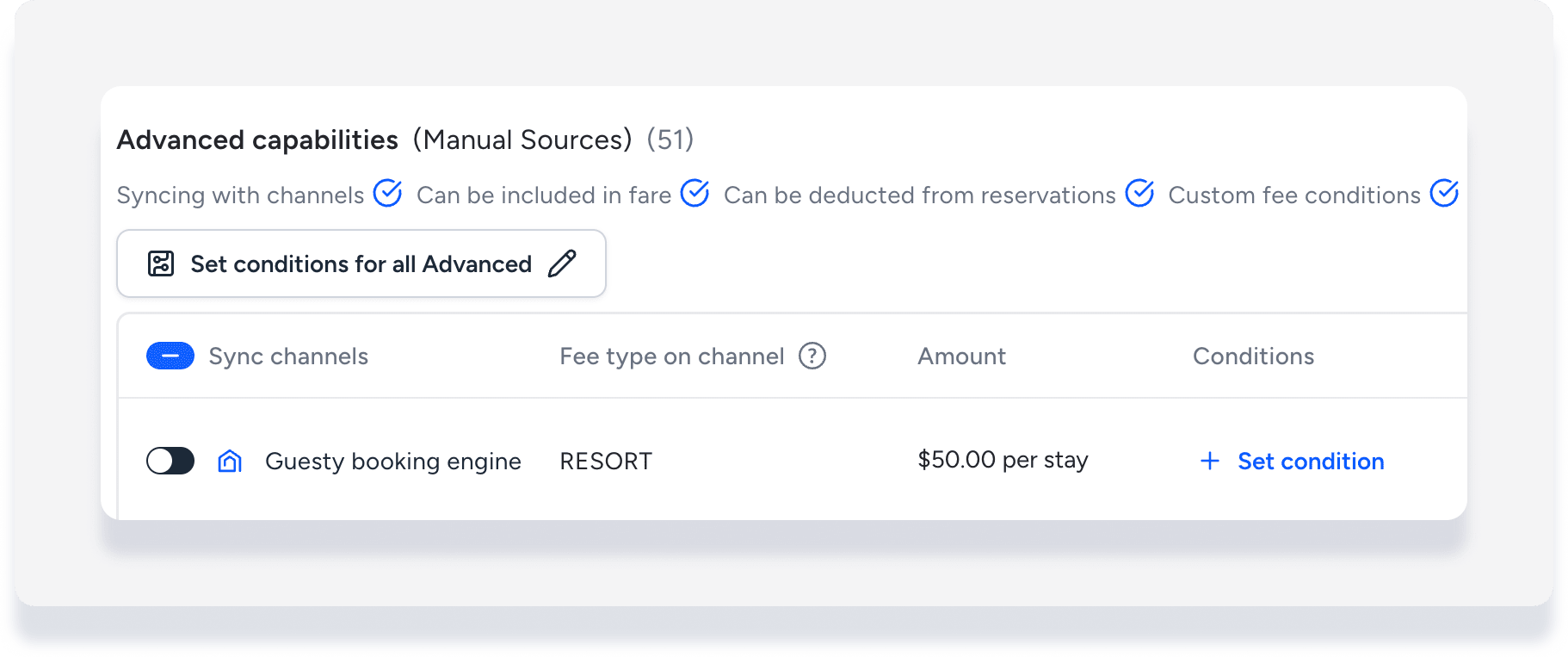
If you choose to offer a fee as an upsell, toggle off Sync fee for the Booking Engine. This prevents the system from adding the same fee both automatically and as an optional upsell.
Define a fee as an upsell
Follow these steps to set an additional fee as an upsell for the Guesty Booking Engine or API:
Step by step:
- Sign in to your Guesty account.
- In the side navigation menu, click
 Financials to open the dropdown menu.
 - Select Additional fees.
- To the right of the relevant fee, click
 and select Upsell on your website.
 - Toggle on Upsell on your website.
- Upload an image related to the service. For best results, use a 4:3 aspect ratio. The maximum file size allowed is 5MB.
- Enter a description in the text box to tell guests more about the service and what it includes.
- Click Save.
Important:
The maximum image file size you can upload is 5MB. Larger files will not upload successfully.
After enabling the upsell, review your Guesty Booking Engine to ensure guests see the service correctly during checkout.
Troubleshooting upsell visibility
If an upsell does not appear during checkout:
- Make sure the upsell toggle is on for the relevant fee.
- Confirm you have not also synced the fee with the Booking Engine.
- Check that your uploaded image meets the file size and aspect ratio recommendations.
Tip:
Change the fee name or image anytime in the additional fee settings to keep your upsell offers fresh and engaging for guests.
