Provide a smooth booking experience for guests who make reservations via your Guesty Booking Engine while keeping your team informed with automated notifications.
Message automations ensure guests receive booking confirmation immediately, while notifications keep your team informed, helping internal operation understand what is happening in your account and take action when necessary.
Set up email confirmation for guests
Create an automated message to ensure your guests receive a confirmation message immediately at booking confirmation when making a reservation through your Guesty Booking Engine.
Note:
Message confirmations don't apply to reservations inquiries status, or for request to book reservations.
Set up a targeted email confirmation message automation with the following configurations:
-
When you create your message automation:
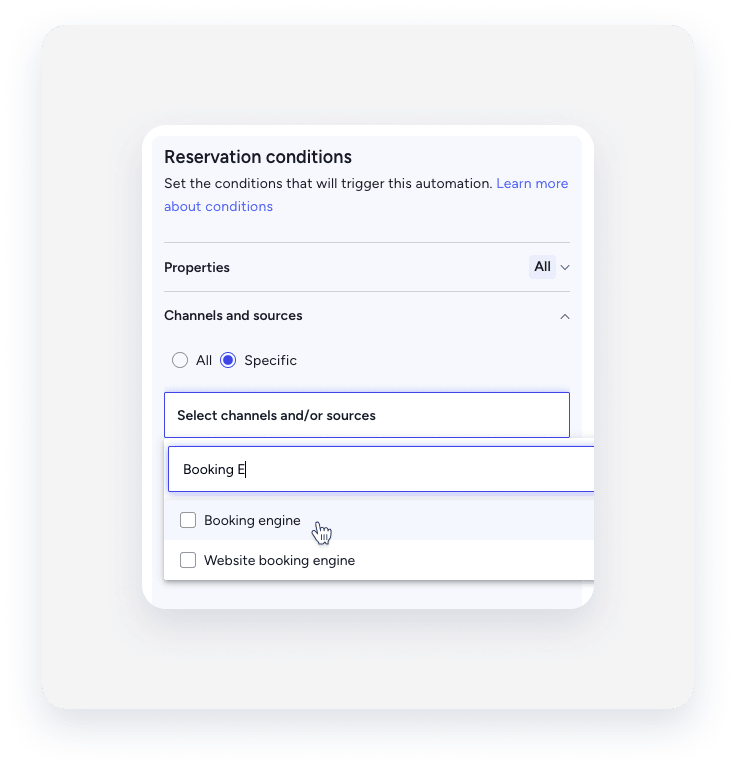
Select the "Booking Engine " channel as a reservation condition:
Under the "Channels and sources" condition be sure to select Booking engine to apply this rule specifically to your direct booking site.
- When you set up your automated message:
-
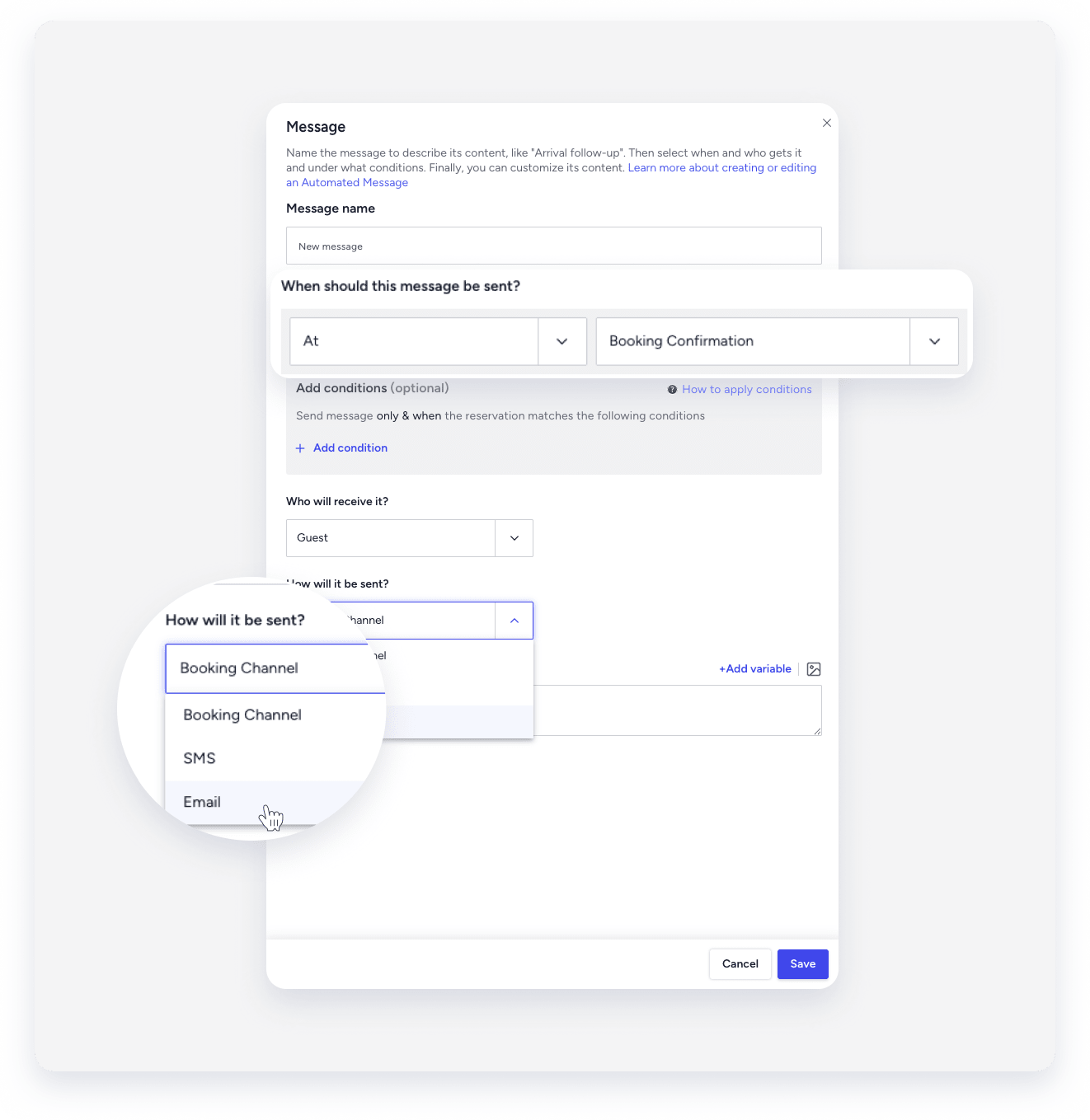
When should this message be sent?
Select At booking confirmation to trigger the message as soon as the reservation is confirned.
-
How will it be sent?
Select Email to ensure the guest receives a confirmation email to their inbox.
-
Set up notifications for you and your team
Notifications are designed to ensure you and your can manage different reservation types effectively:
- Instant book: Guests book and receive immediate confirmation without requiring manual approval.
- Request to book: Guests submit a request that you must manually approve or decline.
When an instant booking or a request to book is received via your Guesty Booking Engine, a notification is automatically sent to your Guesty Inbox.
You can also configure an additional notifications to appear in the Guesty dashboard.
