When connecting your Guesty's listings to a channel, the listing status can be one of the following: "Live on channel", "Pending", "Failed", "Pending disconnect", or "Disconnected".
To view the listing's status, access the relevant channel's integration page. Next to the listing's row, hover over the status to display additional information.
Channel specific information
- For Google Vacation Rentals: Refer to understanding the listing statuses for Google VR.
- For Marriott (HVMB): Refer to understanding the listing statuses for Marriott (HVMB).
Live on channel
Your request has been approved by the channel and the listing is ready to be published. However, this status doesn't necessarily mean the listing is published on the channel.
If you can't find your listing on the channel, locate the channel’s customer support below for assistance.
Channel |
Time to Go Live |
|---|---|
| Blueground | Up to 2 weeks |
| Glamping Hub | Up to 2 weeks |
| Holidu | Up to 2 weeks |
| Homes & Villas by Marriott Bonvoy (HVMB) | Up to 2 weeks |
| HomeToGo | Up to 2 weeks |
| Hopper | Up to 2 weeks |
| Housestay | Up to 2 weeks |
| Invenio Homes | Up to 2 weeks |
| LekkeSlaap | Up to 2 weeks |
| Plum Guide | Up to 2 weeks |
| Rentalz | Up to 2 weeks |
| Savvy (bnbfinder) | Up to 2 weeks |
| Smiling House | Up to 2 weeks |
| StaysCo | Up to 2 weeks |
| TravelStaytion | Up to 2 weeks |
| TrustedStays | Up to 2 weeks |
| Vacasa.com | Up to 2 weeks |
| VacayHome Connect | Up to 2 weeks |
| Villa Tracker / VillaTracker | Up to 2 weeks |
| Whimstay | Up to 2 weeks |
| Google Vacation Rentals (Google VR) | Up to 3 weeks |
Pending
Your request has been sent to the channel and is being reviewed for approval. With most channels, it may take up to 20 days for a pending listing to be reviewed. However, Marriott (HVMB) may take up to 2 weeks and Hopper can take up to 24 hours.
To learn more about the "Pending" status, hover over the status in the channel integration page in Guesty to see when the listing is expected to be connected, or to view further information.
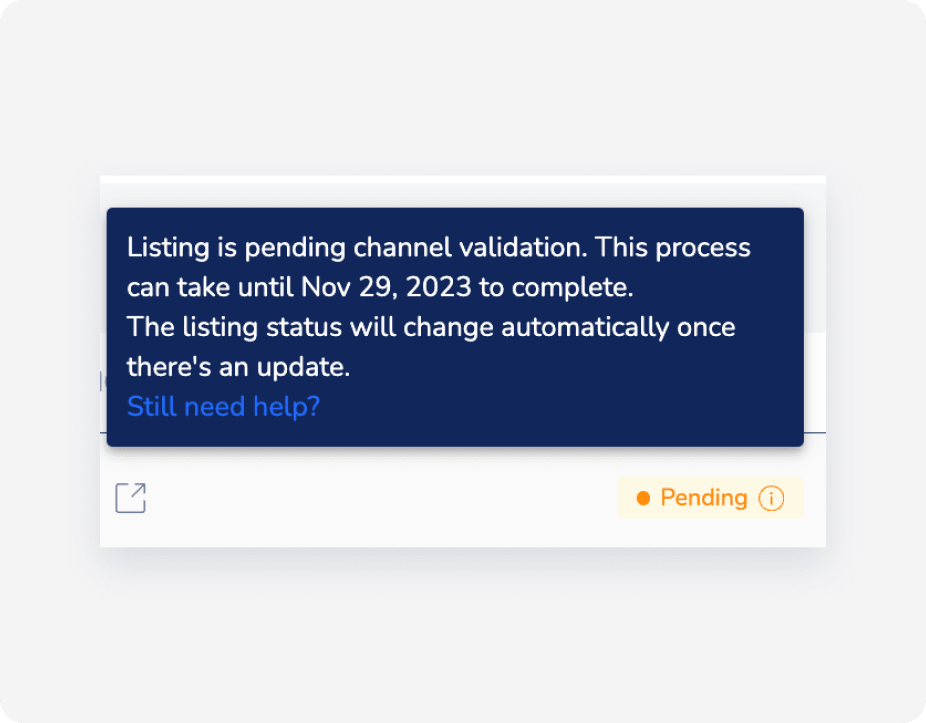
If the listing is still pending after the mentioned number of days have passed, then the channel prerequisites or listing limitations may not have been met. See below who to contact.
Contact the channel directly if the listing status is "Pending" after more than 48 hours.
Contact the channel directly if the listing status is "Pending" after more than 20 days.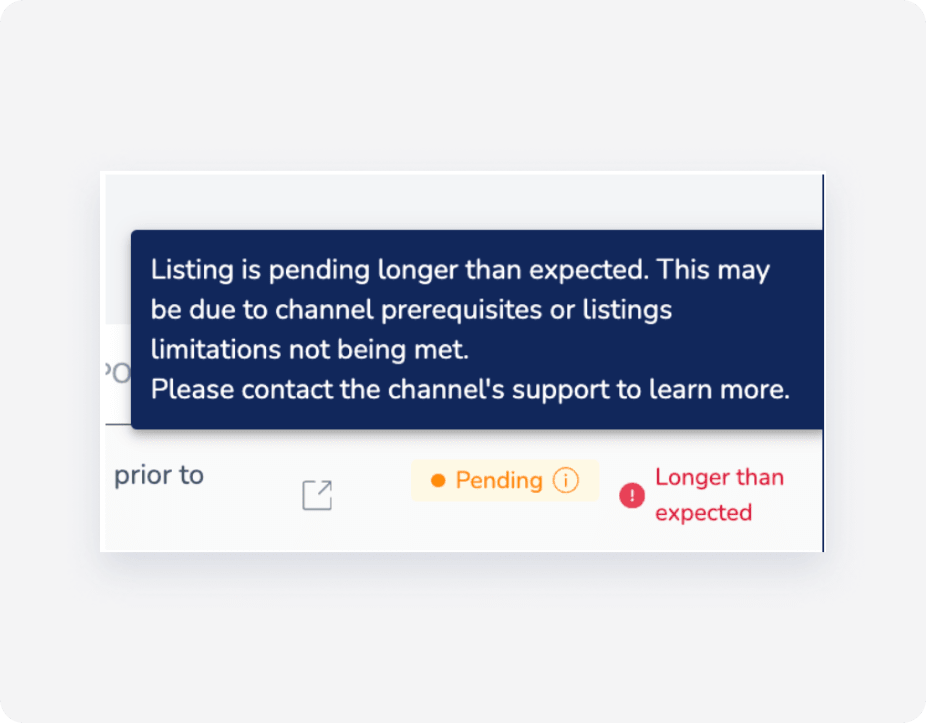
Failed
Your request hasn't been approved by the channel. Click Learn more next to the "Failed" status to see how to resolve the issue.
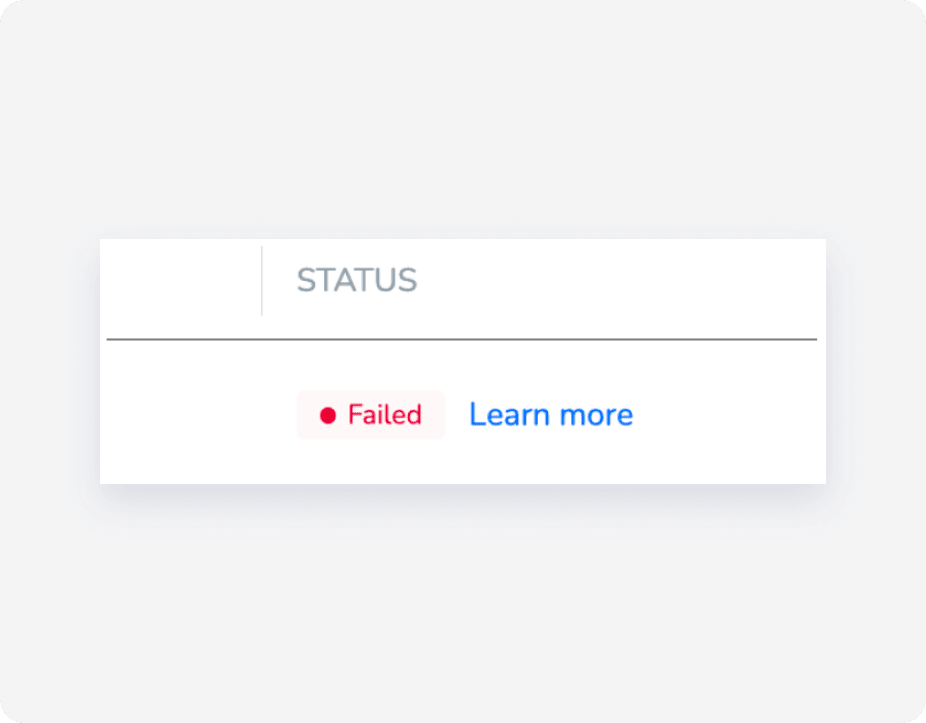
It may be that your listing was rejected by the channel because it was not eligible or has been in pending status for more than the required number of days. Contact the channel for more information.
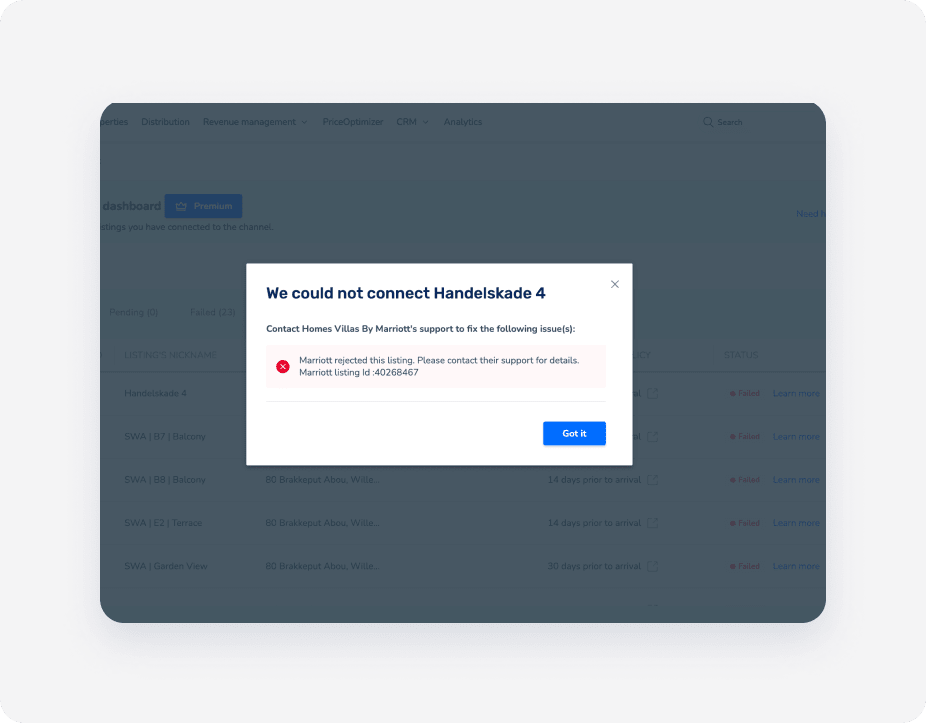
If you receive an error such as “status: 403, error: Forbidden” or a message that your listing is no longer connected to Guesty, contact the channel’s support team directly. This error means the channel has rejected the connection, and only their support can clarify or resolve contract or connectivity issues.
Once the rejection error has been fixed/resolved, click Retry listing to retry the connection. The listing status will change to "Pending".
Pending disconnect
This status means that your listing is currently connected but is waiting to be disconnected. Once the channel sends Guesty the confirmation to disconnect the listing, it will be disconnected. The "Pending disconnect" status may take up to 24 hours to finalize, since the channel sends a webhook to Guesty.
Disconnected
This status is displayed when you stop the syncing of a listing from Guesty to the channel. In this case, you can't publish new listings from Guesty to the channel and updates made to the listing don't sync between Guesty and the channel.
Contact information for connection issues
When your listings show a "Failed" status or remain in "Pending" status longer than expected, you may need to contact the channel partner directly. Below is a table of contact information for various channel partners:
Channel Partner |
Primary Contact |
|---|---|
| Holidu | service@holidu.com |
| HomeToGo | |
| Hopper | hosts@hopper.com |
| Travelstaytion | |
| Glamping Hub | support@glampinghub.com |
| Plumguide | hosts@plumguide.com |
| Whimstay | hostsupport@whimstay.com |
| Blueground | |
| Homes & Villas by Marriott Bonvoy | |
| Savvy (formerly BNB Finder) | onboarding@savvy.com |
| Smiling House | tal@smilinghouse.ch |
| Rentalz | support@rentalz.com |
When to contact channel partners
- Failed Status: If you've attempted to reconnect the listing through Guesty and it still shows a "Failed" status after 24 hours.
- Pending Status: If your listing has been in pending status for more than 2 weeks.
- Sync Issues: If you notice discrepancies between your Guesty listings and what appears on the channel.
Before contacting the channel partner, ensure that:
- Your listing meets all the channel's requirements.
- You've reviewed any error messages in the Guesty dashboard.
- You've attempted to reconnect or refresh the connection through Guesty.
