When connecting your Guesty's listings to Marriott (HVMB), the listing status can be one of the following: Live on channel, Pending, Failed, Pending disconnect, or Disconnected.
To view the listing's status, access Marriott (HVMB) integration page. Next to the listing's row, hover over the status to display additional information.
Live on channel
Your request has been approved and the listing is ready to publish. However, this status doesn't necessarily mean the listing is published on Marriott (HVMB).
A listing takes up to two weeks to go live.
If you can't find your listing, contact Marriott (HVMB) customer support for assistance.
Pending
Your request has been sent to Marriott (HVMB) and is being reviewed for approval, which can take up to 2 weeks.
Hover over the listing status in theMarriott (HVMB) integration in Guesty to see when the listing is expected to be connected, or to view further information.
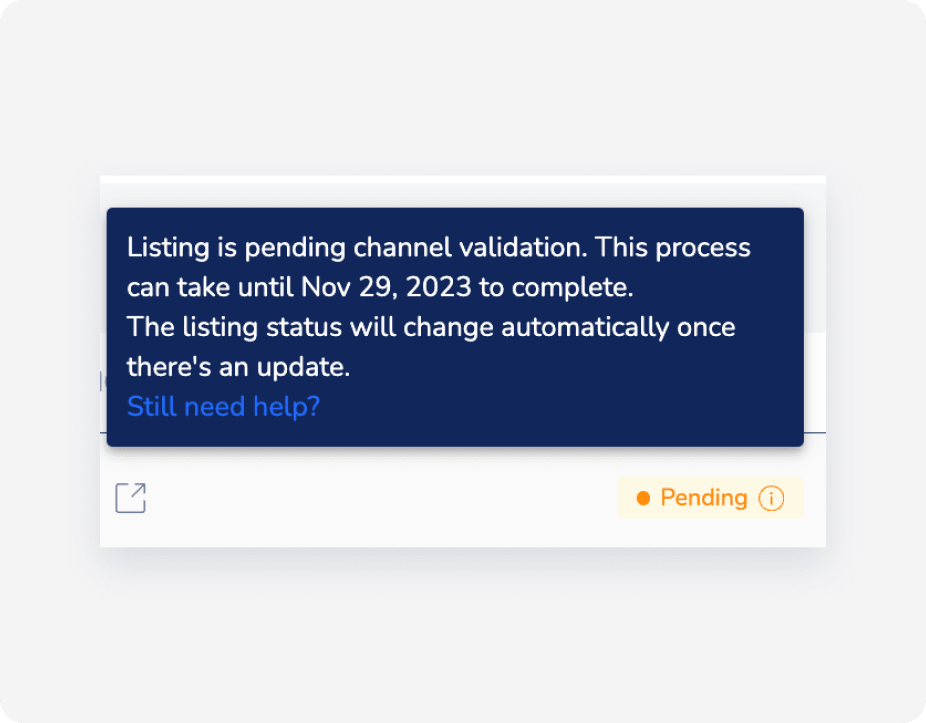
When the listing status is pending, click on Longer than expected to see more information. You may need to reconnect the listing and contact your Marriott (HVMB) account manager or point of contact to approve it.

If you see the note “Marriott rejected this listing”, it's likely that the prerequisites or listing limitations were not met.
To view rejection reasons for Marriott (HVMB) listings in the HVMB Portal, filter for "Rejected" under "Listing Status" and click Export to CSV to access detailed comments from the HVMB team for further insights.
Failed
Your request hasn't been approved by the channel. Click Learn more next to the "Failed" status to see how to resolve the issue.
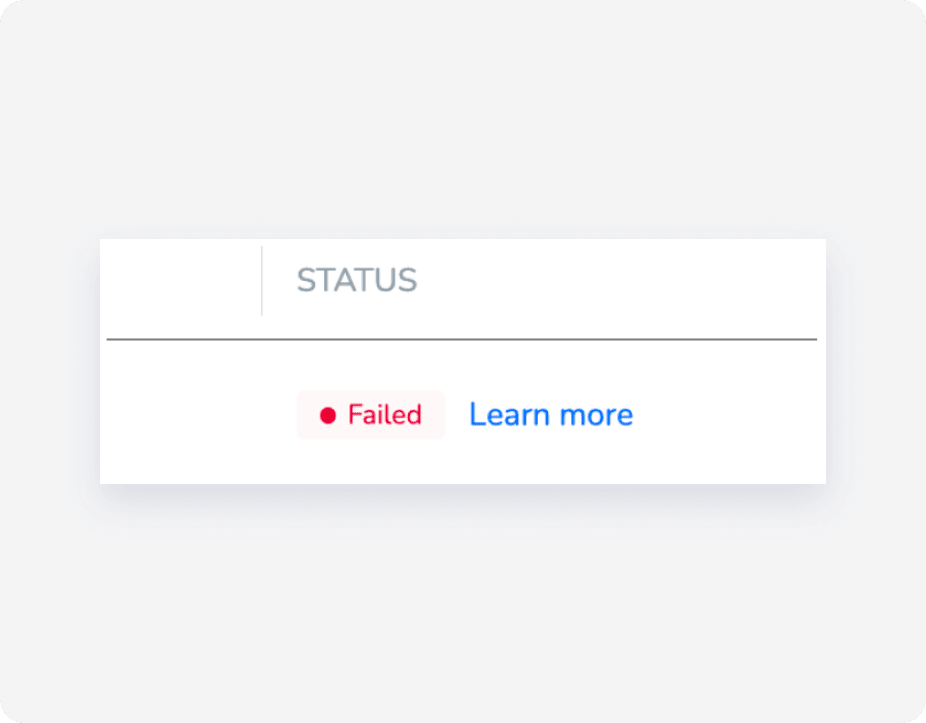
It may be that your listing was rejected because it was not eligible or has been in pending status for more than the required number of days. Contact Marriott (HVMB) for more information.
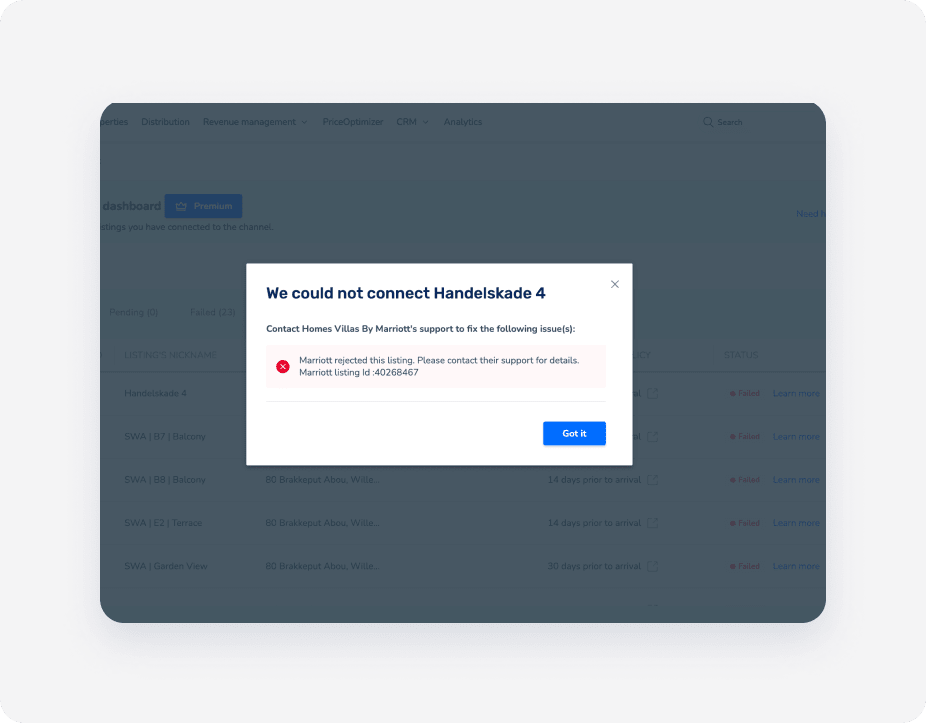
If you receive an error such as “status: 403, error: Forbidden” or a message that your listing is no longer connected to Guesty, contact the channel’s support team directly. This error means the channel has rejected the connection, and only their support can clarify or resolve contract or connectivity issues.
Once the rejection error has been fixed/resolved, click Retry listing to retry the connection. The listing status will change to "Pending".
Marriott failure statuses
Check the failure reason and fix as needed.
Error “status: 403, error: Forbidden”
If you receive an error such as “status: 403, error: Forbidden” or a message that your listing is no longer connected to Guesty, contact the channel’s support team directly. This error means the channel has rejected the connection, and only their support can clarify or resolve contract or connectivity issues.
Once the rejection error has been fixed/resolved, click Retry listing to retry the connection. The listing status will change to "Pending".
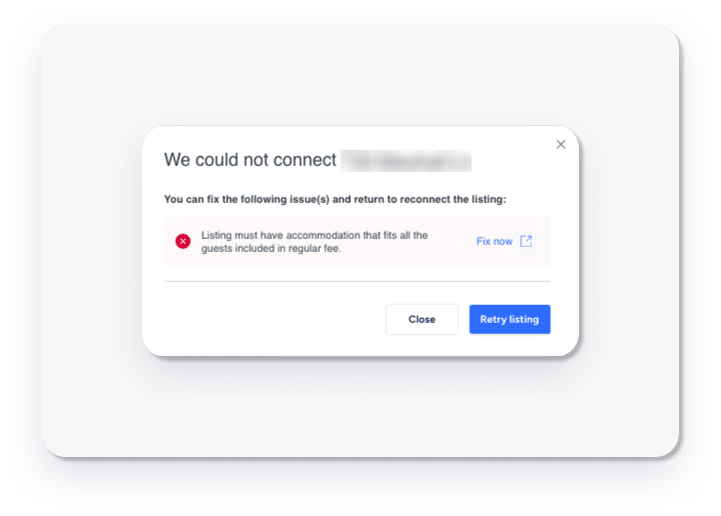
Listing must have accommodation that fits all the guests included in the regular fee.
The error message relates to the configuration of the number of guests included in a listing's price setting. For example, if the listing’s maximum capacity is set to 3, the “For each guest after” value must be within that capacity, not 4.
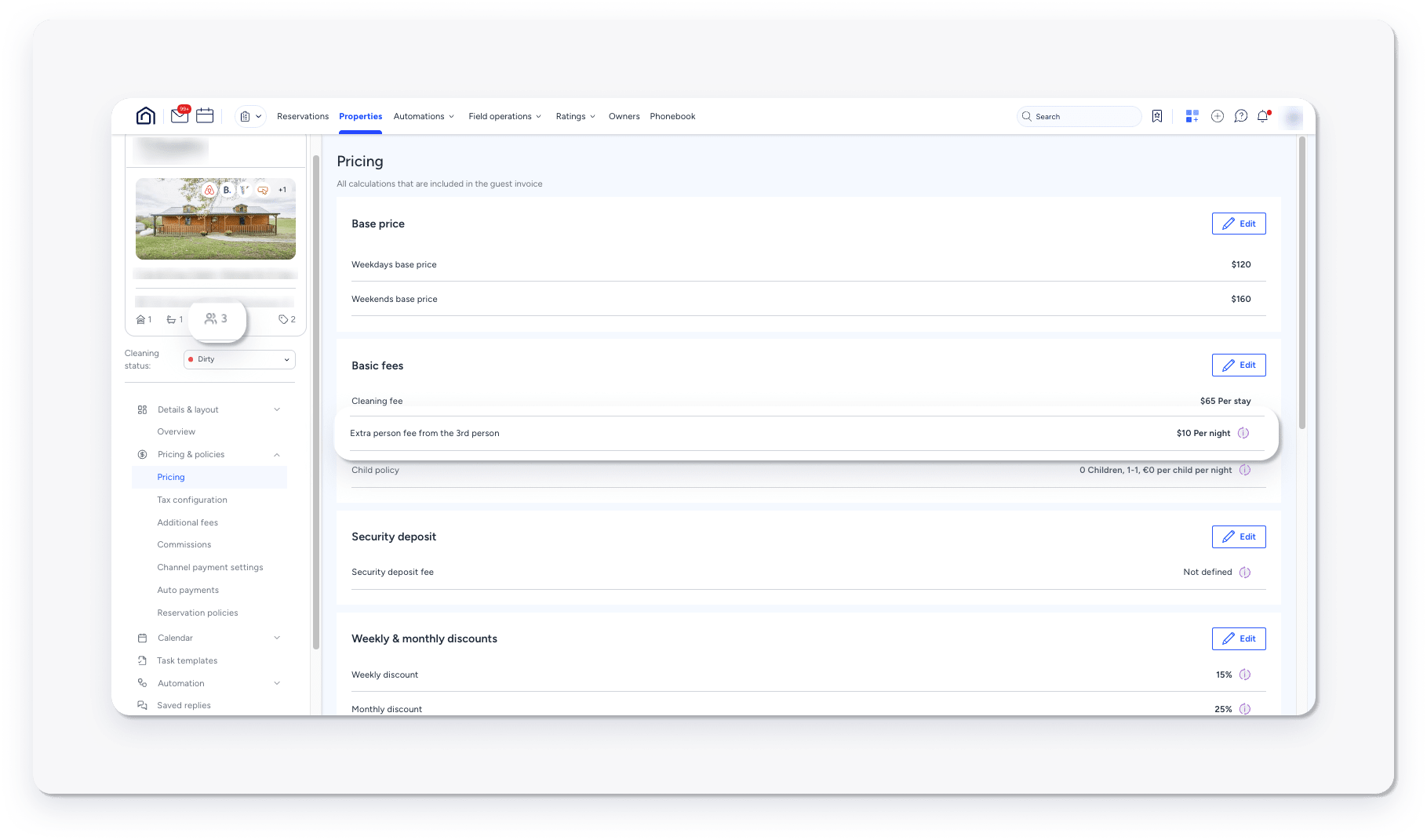
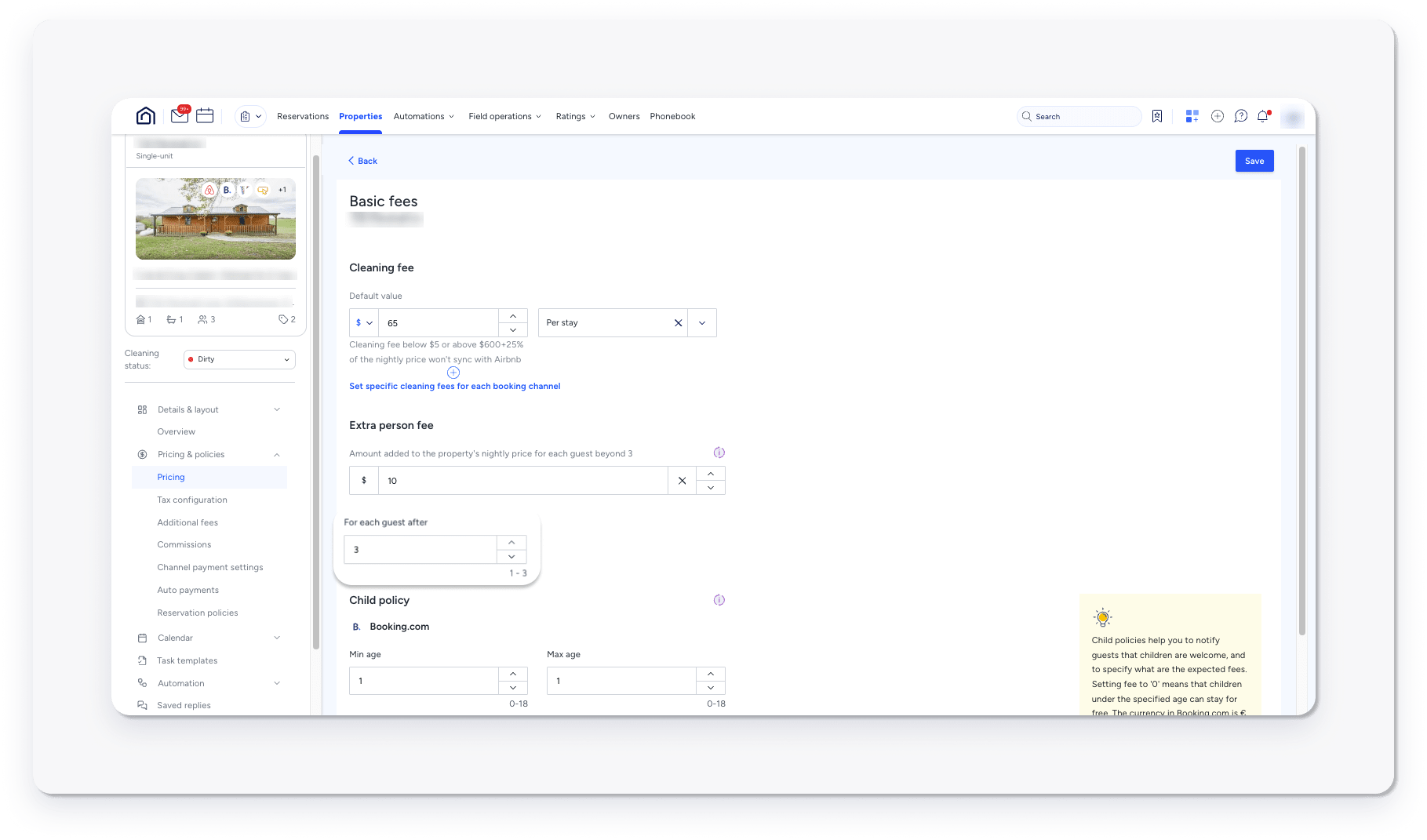
After updating the setting, Click Retry listing to push the update to HVMB.
Pending disconnect
This status means that your listing is currently connected but is waiting to be disconnected. Once Marriott (HVMB) sends Guesty the confirmation to disconnect the listing, it will be disconnected. The "Pending disconnect" status may take up to 24 hours to finalize, since the channel sends a webhook to Guesty.
Disconnected
This status is displayed when you stop the syncing of a listing from Guesty to the channel. In this case, you can't publish new listings from Guesty to Marriott (HVMB) and updates made to the listing don't sync between platforms.
Contact information for connection issues
When your listings show a "Failed" status or remain in "Pending" status longer than expected, you may need to contact Marriott (HVMB) directly at hvmbinventory@marriott.com.
When to contact channel partners
- Failed Status: If you've attempted to reconnect the listing through Guesty and it still shows a "Failed" status after 24 hours.
- Pending Status: If your listing has been in pending status for more than 2 weeks.
- Sync Issues: If you notice discrepancies between your Guesty listings and what appears on Marriott (HVMB).
Before contacting Marriott (HVMB), ensure that:
- Your listing meets all the channel's requirements.
- You've reviewed any error messages in the Guesty dashboard.
- You've attempted to reconnect or refresh the connection through Guesty.
