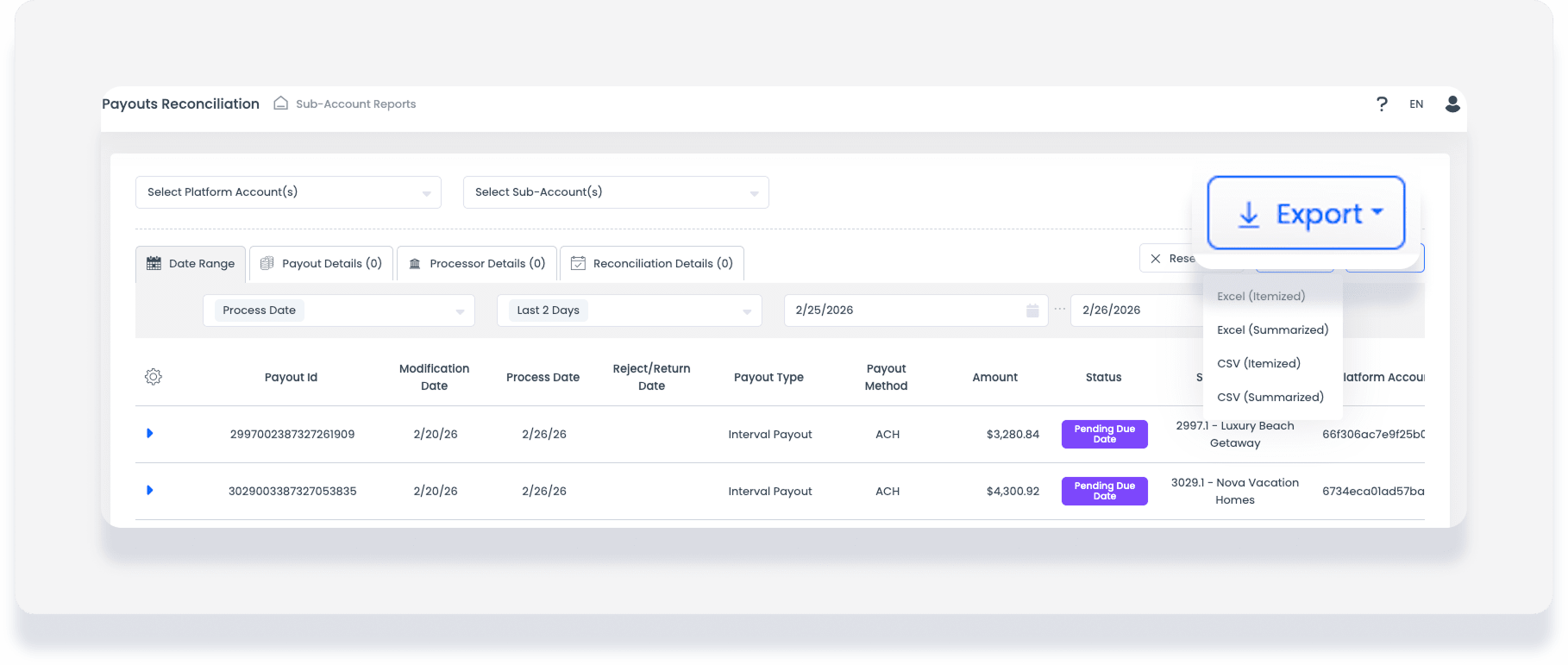
The Payouts and Payout reconciliation reports help you track funds moving from your account balance to your bank account. Use these reports to view payout statuses and link payments to specific reservations and transactions.
Understand payout terms
Review the common terms below to better understand your GuestyPay data.
Sales: Processed charges
Credits: Refunds issued to guests
Chargeback: A payment reversal initiated by a client
Sub-accounts: Individual GuestyPay payment processing accounts
Platform accounts: Your Guesty accounts
Settlements: A daily summary of transactions
Balance: Total funds currently in the GuestyPay processing account
Reserve Balance: A held amount (10% of transactions) kept for 90 days to cover potential refunds or chargebacks
Payouts: Funds transferred from your GuestyPay balance to your bank account
Outgoing fees: Total fees associated with a transaction
See more details in Understanding GuestyPay payout statuses and rejection codes.
Access reports
Follow the steps below to access your GuestyPay reports.
Step by step:
- Sign in to your Guesty account.
- In the side navigation menu, click
 Guest payments to open the dropdown menu.
 - Under General, select Payment processing.
- In the "GuestyPay" section, click Payment dashboard.
- Enter your username and password on the login page and click Sign in.
- In the GuestyPay dashboard, click Sub-account reports.
- Select Payouts or Payouts reconciliation.
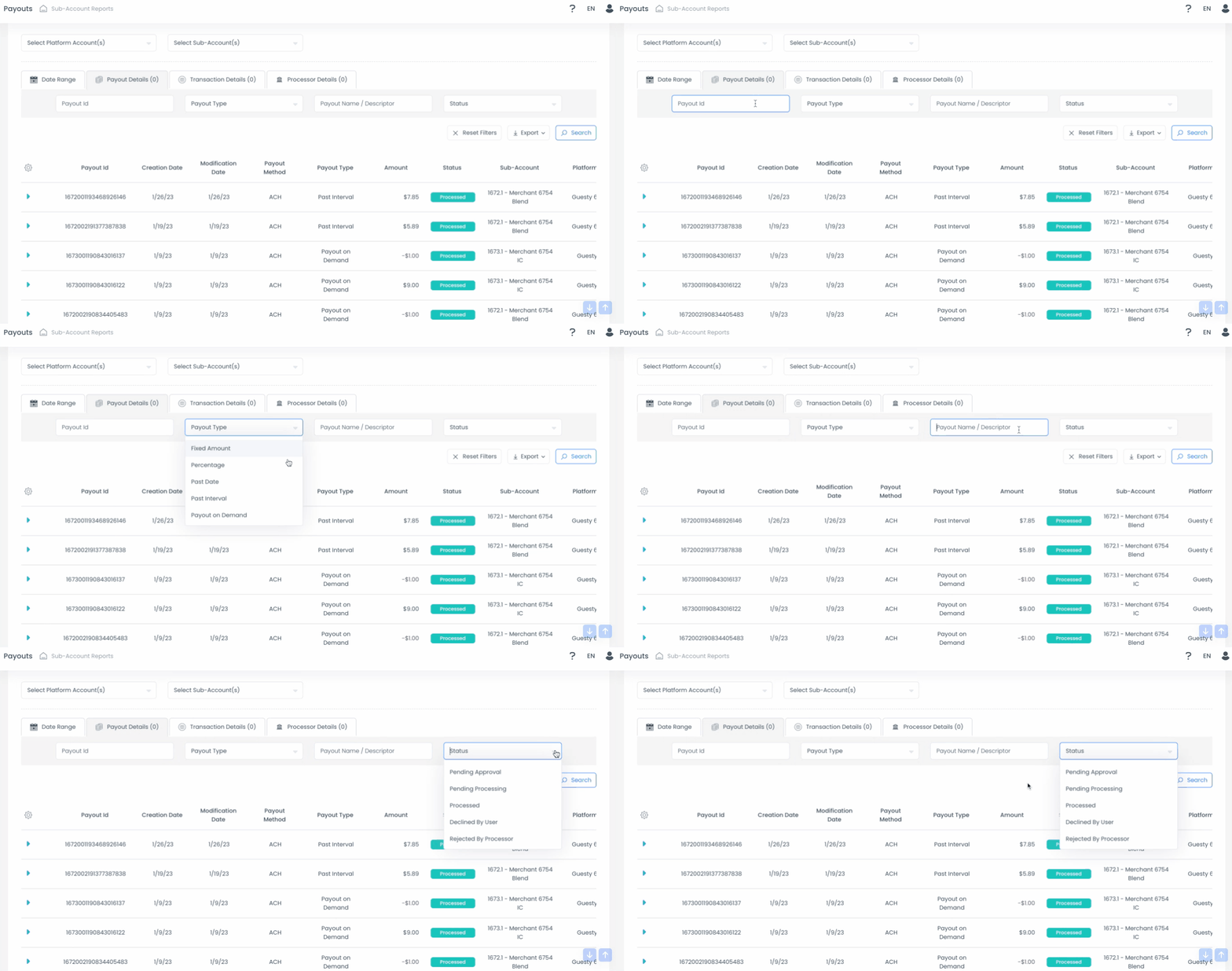
The Payouts report displays the exact amounts sent to your bank account daily. This report focuses on the payout movement rather than individual reservation data.
At the top of the report, use the Select platform account(s) and Select sub-account(s) dropdown menus to filter your data.

Important:
GuestyPay does not issue a payout if you have a negative settlement or no funds available on a specific day. These appear as negative amounts. In rare cases, GuestyPay may withdraw funds from your bank account to cover a negative balance.
Data highlights
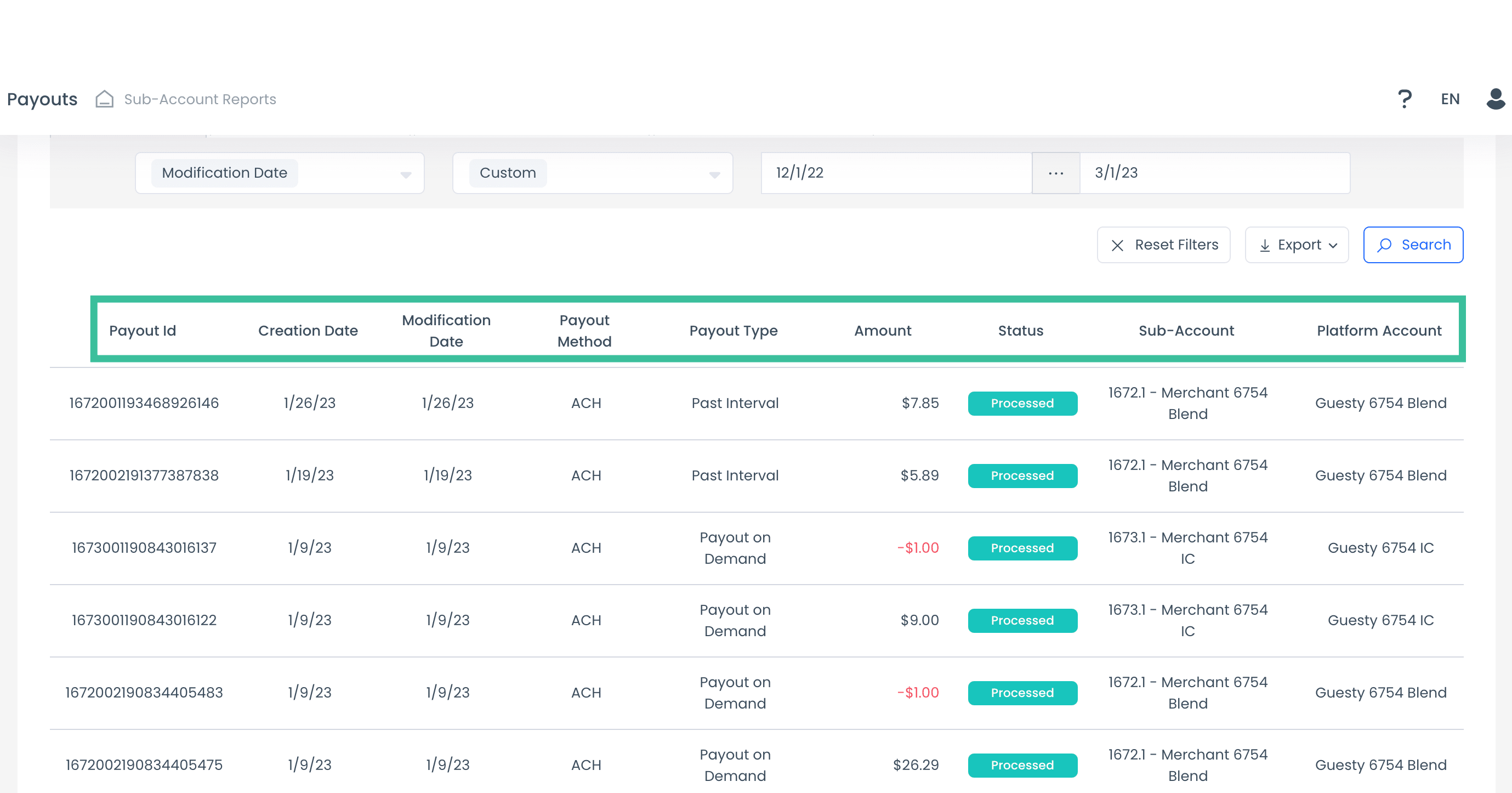
The report includes the following details:
Payout ID and type
Creation and modification dates
Payout method (e.g., ACH/wire transfer)
Amount and status
Sub-account and platform account
Note:
Payouts typically reach your bank account seven days after GuestyPay receives the funds. Processing times vary by bank.
Filter by date range
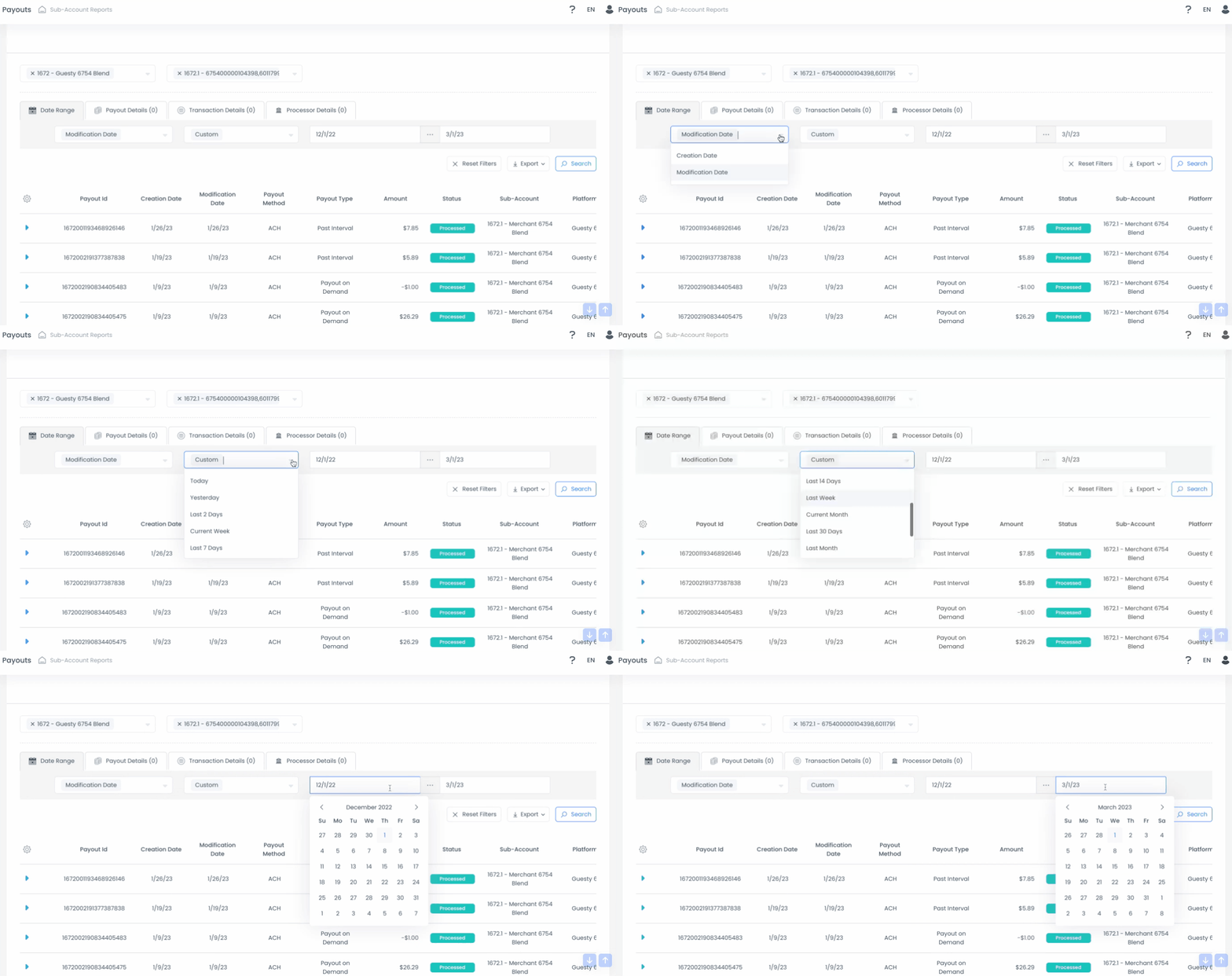
The Date range view is the default tab in the top-left corner. Use this to filter by "Creation Date" or "Modification Date".
Default setting: The report defaults to the Last 2 Days
Options: Choose from preset ranges like Today, Last 30 Days, or a Customized Date Range
View payout details
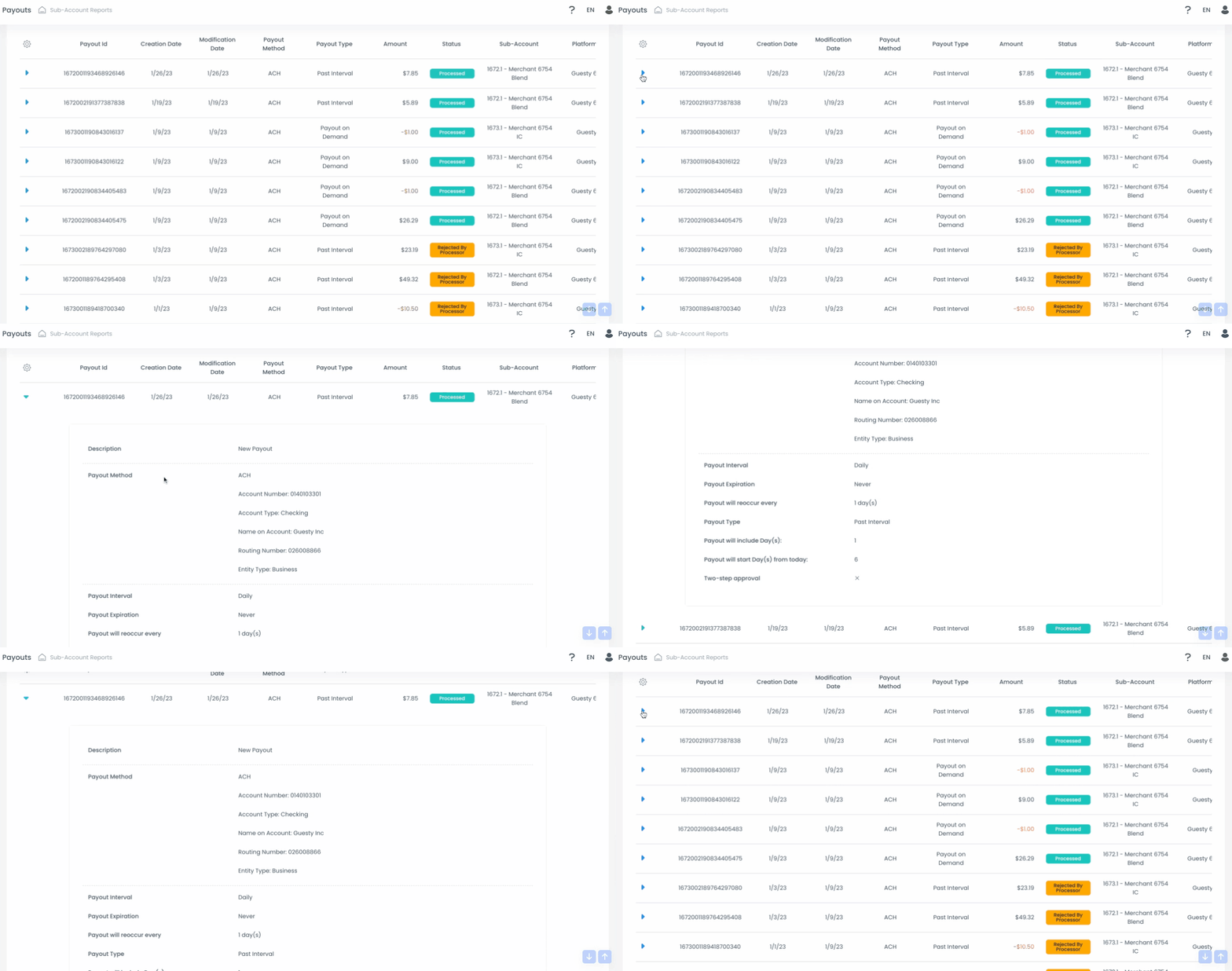
Click the blue downward arrow next to a transaction to expand the wire transfer details. You can verify the destination bank account under Account Number in the "Payout Method" section.
Explore additional views
Payout details: Search by Payout ID, Type, Descriptor, or Status
Transaction details: Filter by Payout method, Min/max amount, or Currency
Processor details: Search using Authorization codes or System Error codes
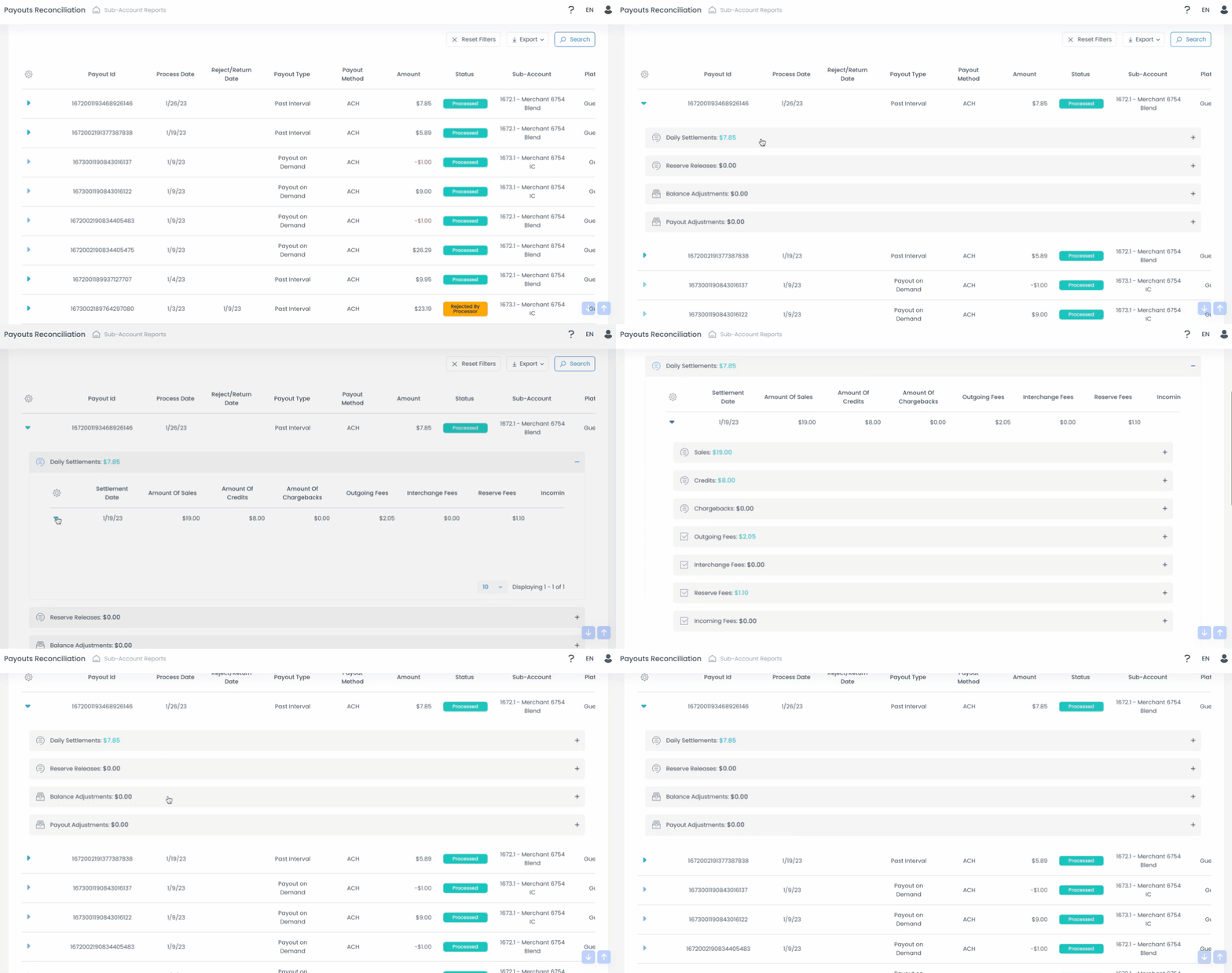
The Payouts Reconciliation report provides a high-level overview of all GuestyPay data. It links original reservation transactions to the payouts you receive, making it the best report for accounting.
Data highlights
In addition to standard payout data, expanding a payout (using the blue downward arrow) reveals a breakdown of:
Sales and credits
Chargebacks
Fees (Outgoing, Interchange, Reserve, and Incoming)
Reserve releases
Balance and payout adjustments
Filter and view options
This report shares similar filtering options with the Payouts report, including the Date range view and Processor details view.
It also includes the Reconciliation details view, which allows you to search by:
Transaction ID
Merchant Transaction ID
Processor Transaction ID
Export a report
- On the report page, click Export at the top-right.
- From the dropdown menu, choose to export an itemized or summarized report as an Excel or csv file.