The initial balance on an owner statement is the ending balance from the previous month. If the amount is not what you expect, follow the information below to understand the balance and pay it out.
Understand the balance
Check the previous statement for items that affect the initial balance:
A new transaction
A manual entry
Reservations re-processed through a new version of the Business Model
Various scenarios explain why an initial balance might not match your expectations.
Pay out the balance
Follow the steps below to start with an initial balance of zero ($0).
Step by step:
- Sign in to your Guesty account.
- In the side navigation menu, click
 Accounting to open the dropdown menu.
 - Under General ledger, select Trial balances.
- Filter "Balance date" for the last day of the previous month.
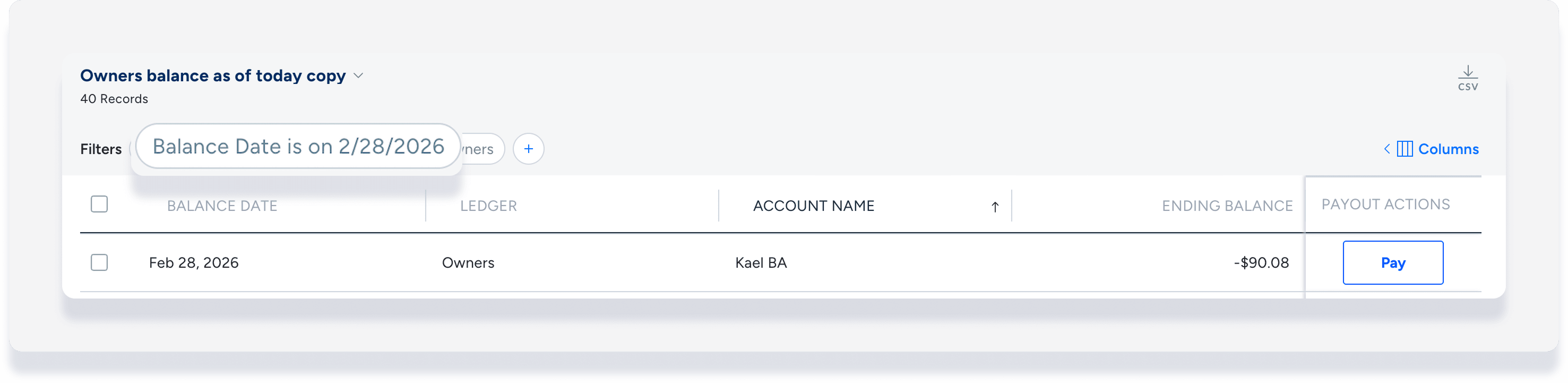
- Click Pay at the far right of the relevant owner.
- Under "Payout date", enter the last day of the previous month.
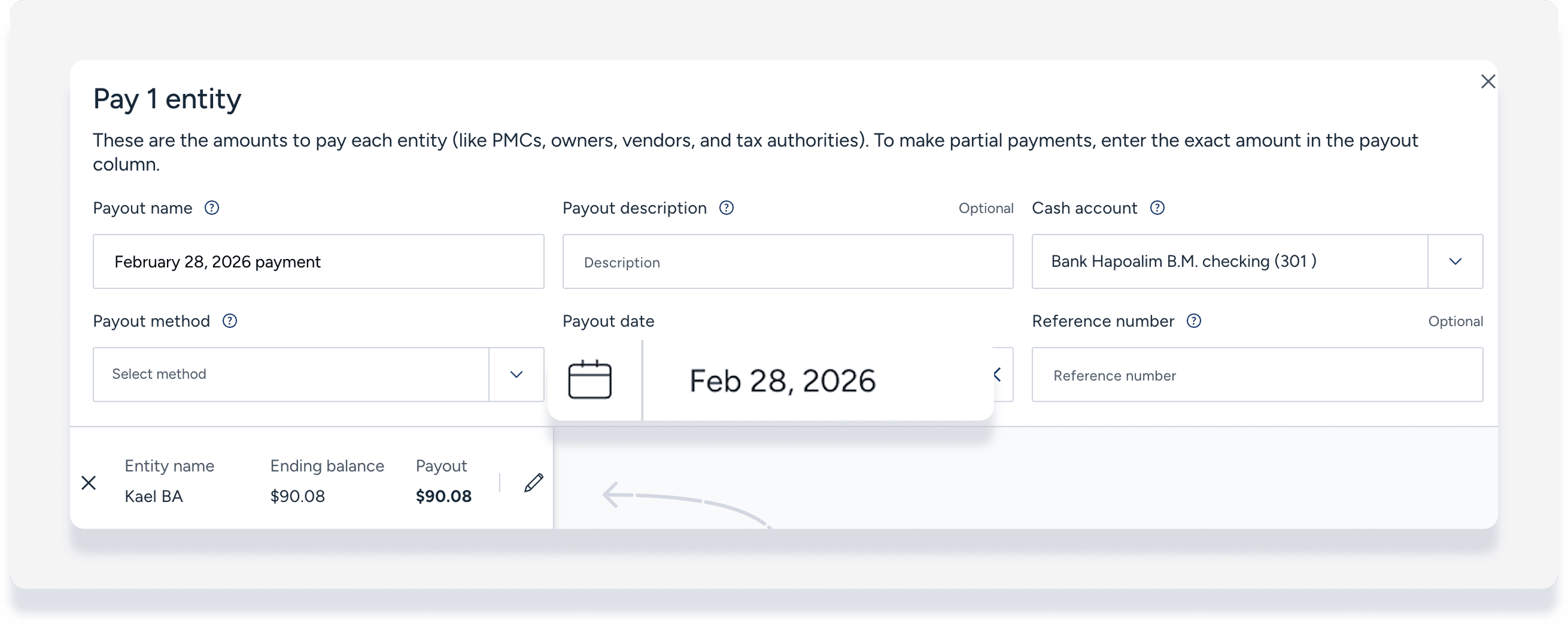
- Edit the payout details to match the ending balance. (Learn more about recording a payout.)
- Click Payout at the bottom right.
To start March with a zero balance, use February 28 as the filter and the payout date. Once the payment is recorded, regenerate the owner statement.
Handle a negative initial balance
A negative initial balance means the owner owes money to the property management company (PMC).
Follow the steps below to zero out a negative initial balance:
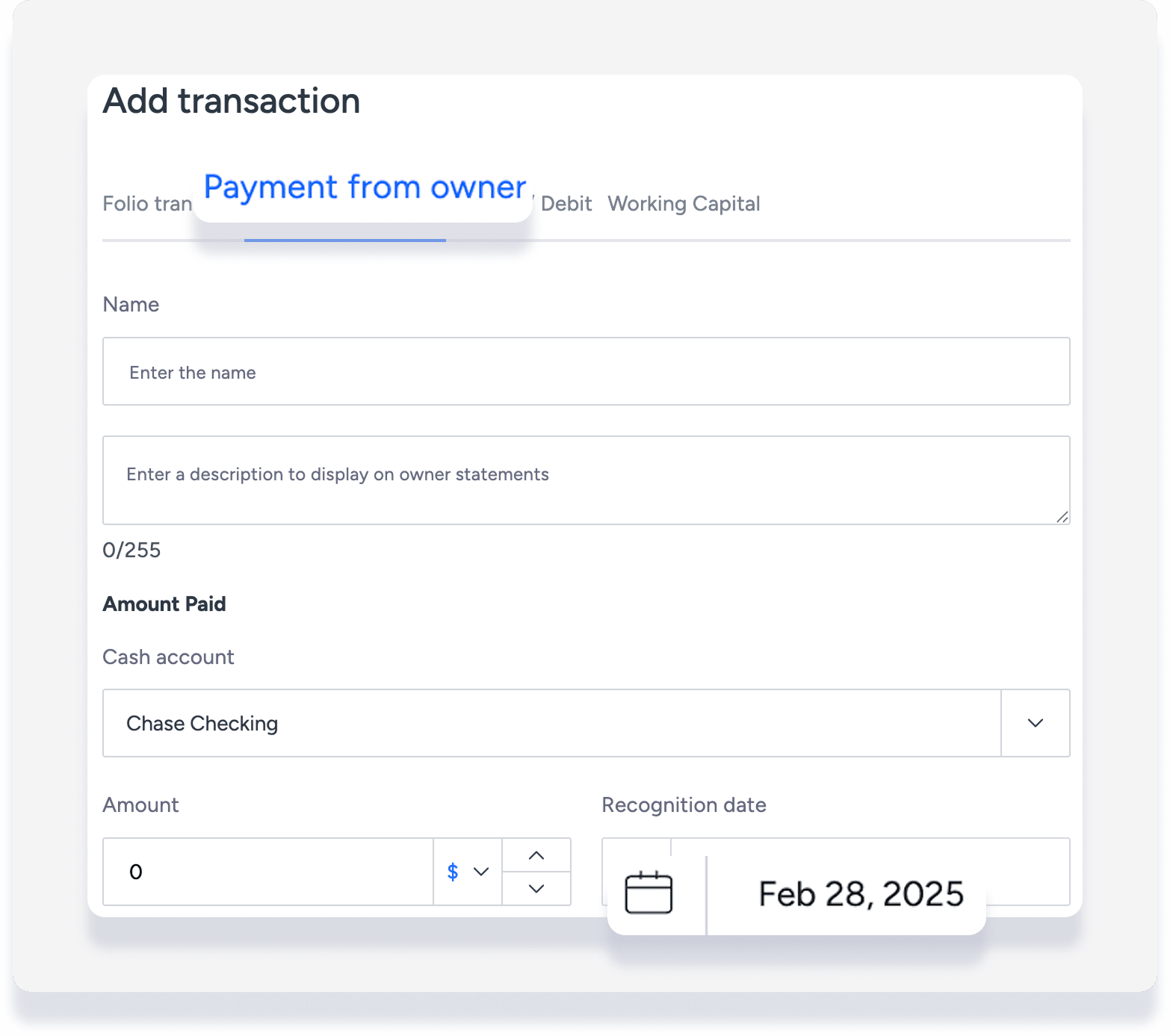
Add a transaction from the Posting journal.
Select the transaction type Payment from owner.
Enter an amount that equals the negative balance shown on the owner statement.
Set the recognition date to the last day of the previous month.
To start March with a zero balance, record a payment from the owner for the February ending balance amount with a recognition date of February 28. Once the transaction is added, regenerate the owner statement.