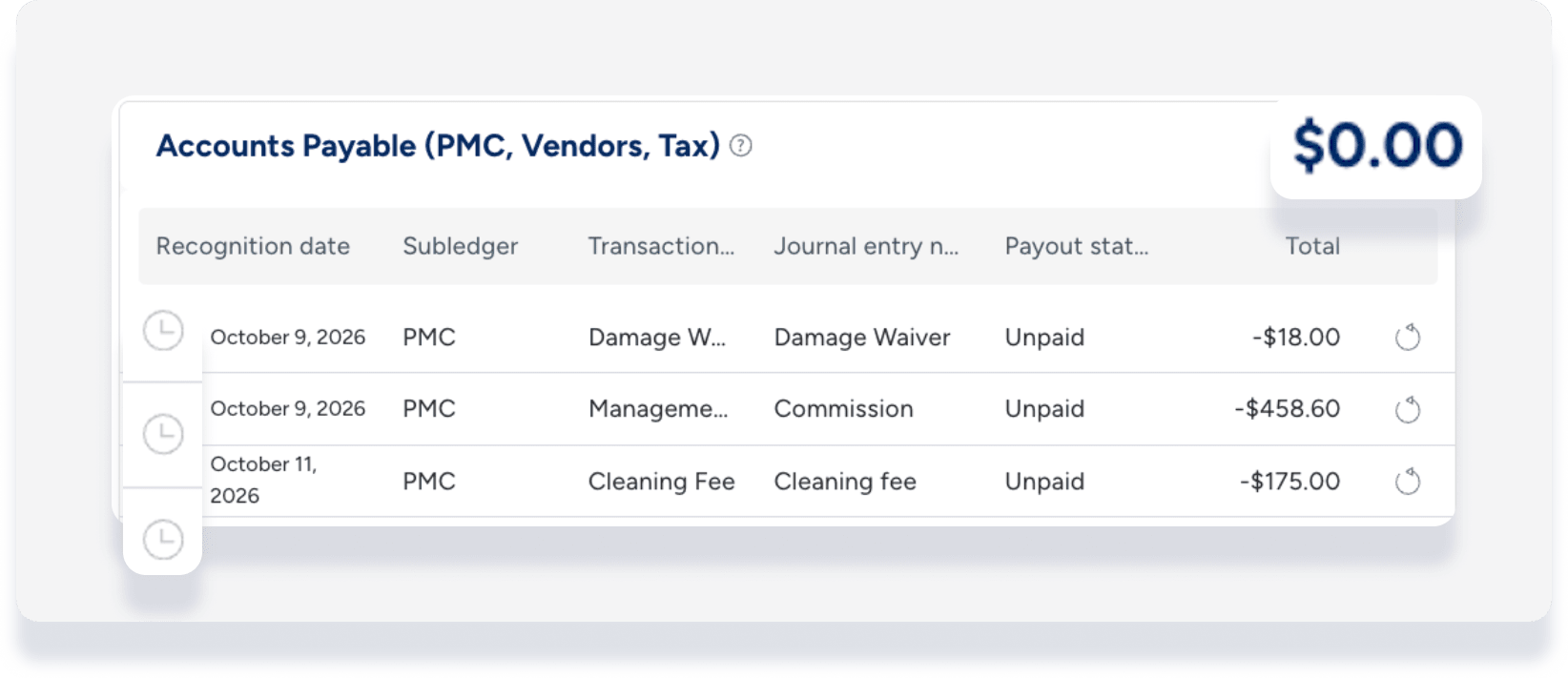
The accounting folio allows you to manage accounting information with ease. Track deposits, vendor payments, and owner income and expenses for every reservation. The folio provides an updated overview of your accounting information and automatically synchronizes with the reservation.
Airbnb limitation
When a reservation is confirmed through an Airbnb pre-approval or special offer, standard fees are missing from the breakdown in Guesty.
View the accounting folio
Before accessing the accounting folio, ensure you complete the following:
Follow the steps below to access the accounting folio in your reservation.
Step by step:
- Sign in to your Guesty account.
- In the side navigation menu, click
 Reservations.
 - Next to "Filters", click

- Search for "Processed by business model."
- Select the relevant reservation.
- In the left submenu, click Accounting.
Understanding accounting folio ledgers
Ledger totals remain at zero until entries reach their recognition date based on your business model configuration. This is expected behavior. Guesty recognizes entries according to your business model settings, and updates the ledgers accordingly once the recognition date arrives.
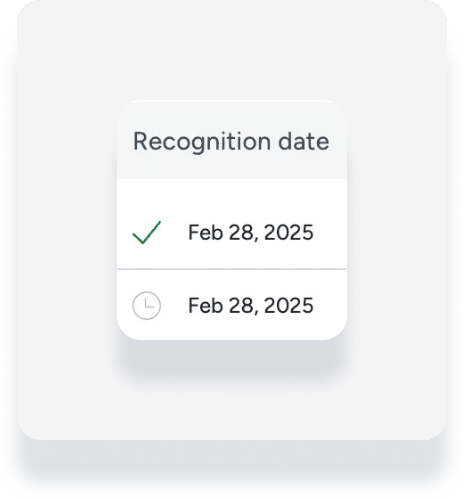
The status of each line item displays under the "Recognition date" column:
Checkmark: Recognized
Clock: Pending recognition
Note:
For the guest folio tax per line item breakdown, revenue is recognized differently for flat fee taxes and percentage taxes applied to specific line items.
Owners
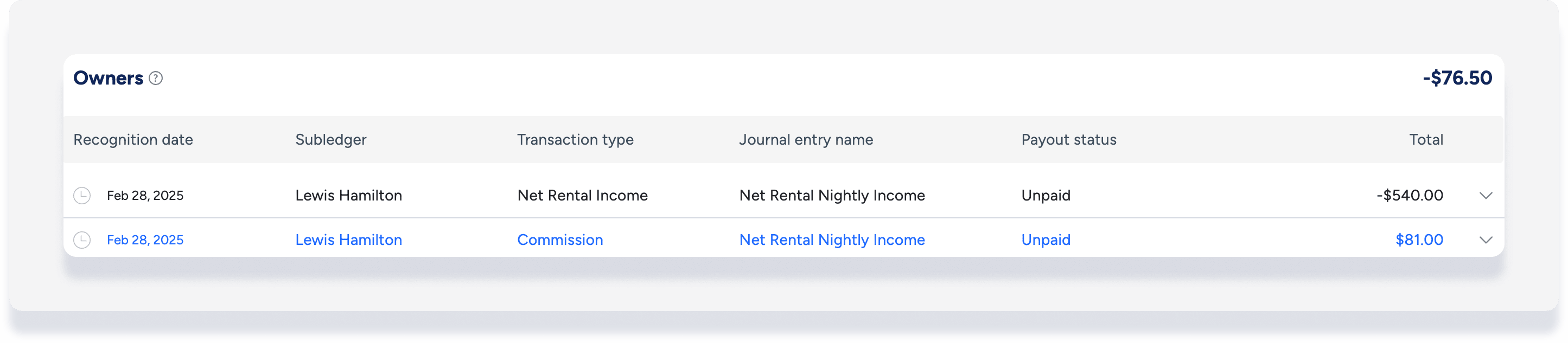
Transactions in this section show all owner income and expense transactions paid for the reservation according to your business model settings. This ledger gives a detailed breakdown of figures shown in the owner statement.
Debit transaction: Indicates the owner received payment for their share of the reservation from the trust account.
Credit transaction: Indicates guest payment funds in the trust account belong to the owner.
Payout status: Shows if a specific journal entry was paid. If paid, click the link to open the relevant disbursement.
Accounts payable (PMC, vendors, tax)
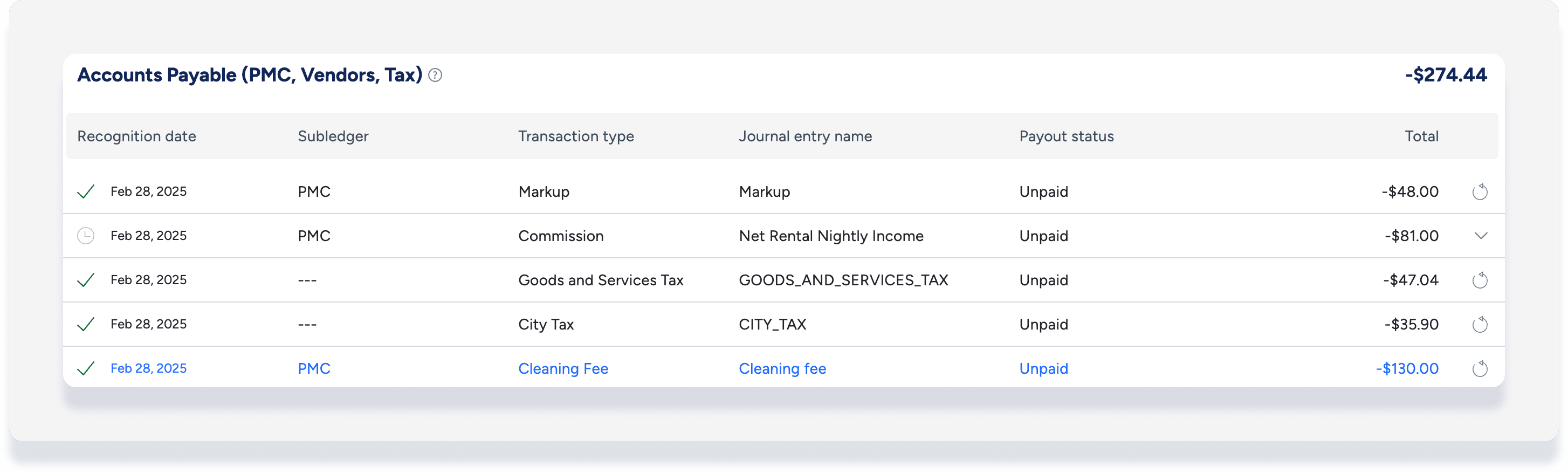
These third-party accounts receive payment for the reservation using funds from the trust account. Accounts include vendors, the PMC, tax authorities, and channels. Payments to owners aren't included in this section.
Debit transaction: Indicates the PMC or vendors received payment for their reservation balance from the trust account.
Credit transaction: Indicates a share of the reservation is owed to the PMC or a third party, such as channel commission.
Payout status: Shows if a specific journal entry was paid. If paid, click the link to open the disbursement.
Cash
This section shows guest payments transferred to your trust account. The cash ledger displays guest payments and payment methods, such as cash, credit card, or bank transfer.
Debit transaction: Indicates a guest refund.
Credit transaction: Indicates money received from the guest.
Group status: Indicates if a payment transaction is grouped with other payments paid to the trust account together. If grouped, click the link to open the group deposit.

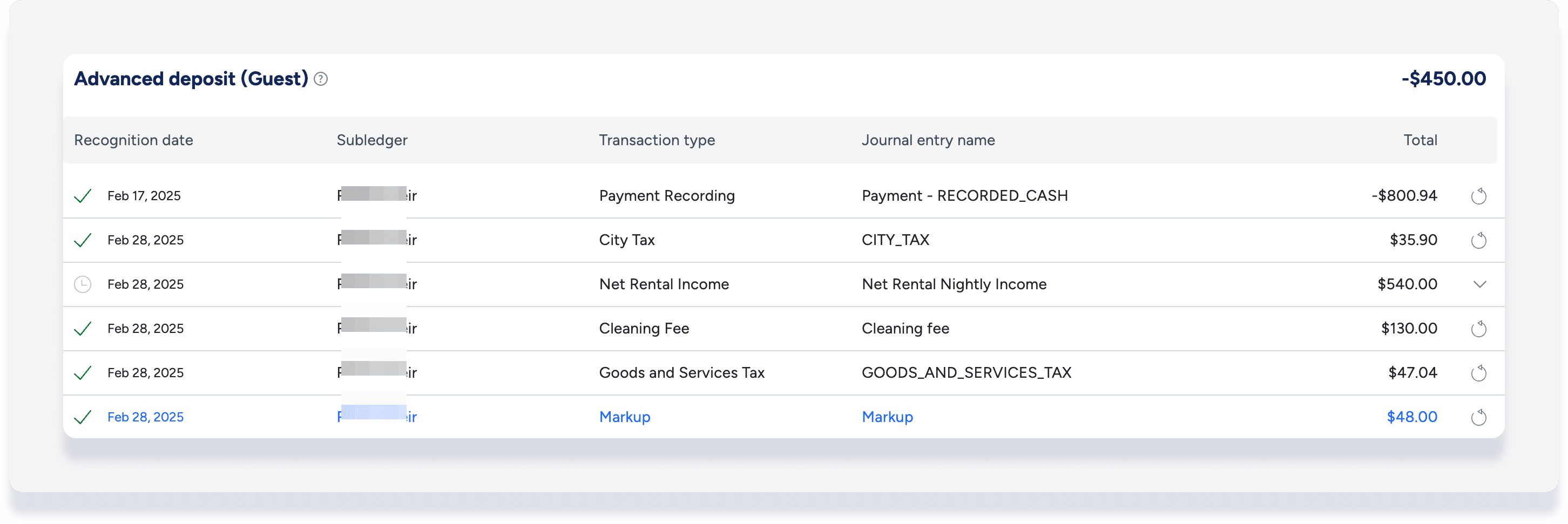
Advanced deposit (guest)
This section shows fees and services paid with funds transferred to your trust account by the guest. Each advanced deposit transaction reflects a payment distributed in the accounts payable ledger.
Note:
The balance in the advanced deposit ledger will show the full guest folio total if a scheduled payment is missing a payment method or has not yet been approved. This is expected behavior. Once the payment is approved, a transaction is added to the cash ledger, and the advanced deposit balance will become $0.00.
Debit transaction: Indicates services provided to the guest.
Credit transaction: Indicates the guest is owed an equivalent service for their payment.
FAQs
Why does an accounting folio ledger total shows as zero?
Ledger totals show zero when entries haven't reached their recognition date yet (indicated by the clock icon). Guesty recognizes entries based on your business model configuration, and updates the ledgers automatically as soon as the recognition date arrives. If all recognition dates are still in the future, the ledger totals are zero.