Manage your listings on the go with the Guesty mobile app. You can update availability, rates, and booking details in real-time to keep your operations running smoothly.
Manage your listings
Use the mobile app to quickly view and update property details.
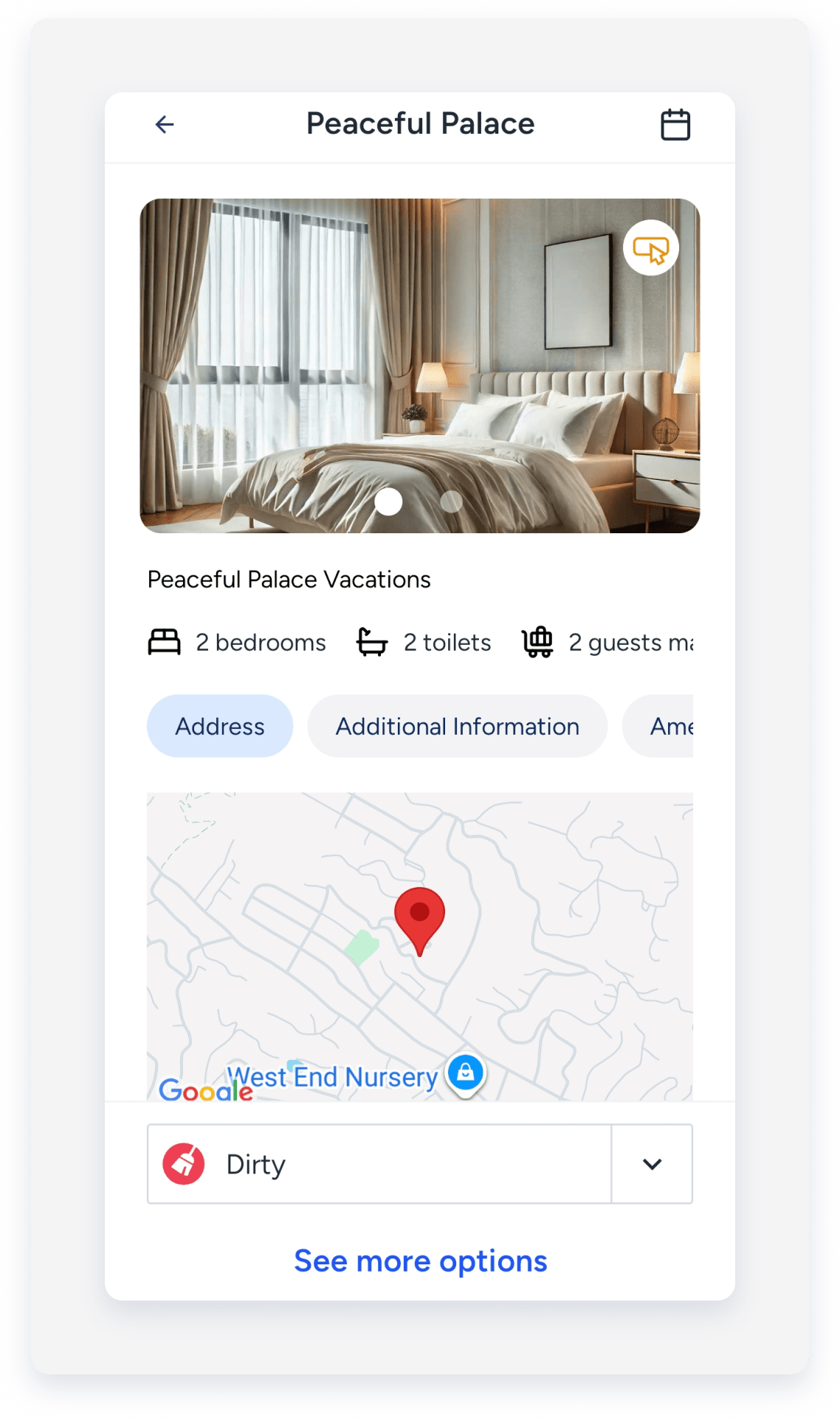
Edit the cleaning status
Follow the steps below to change a listing's status directly in the app.
Step by step:
- Sign in to the Guesty mobile app.
- At the bottom, tap
 .
. - In the left-side menu, select the relevant property.
- At the bottom, tap the cleaning status.
- In the pop-up, select the relevant status:
- Not set
- Unknown
- Clean
- Waiting For Inspection
- Dirty
- Tap Change status.
Edit marketing details
Follow the steps below to update your listing descriptions, photos, and channel connection settings.
Step by step:
- Repeat steps 1-3 above.
- At the bottom, tap See more options.
- Tap Marketing.
- Select the relevant option.
- Descriptions
- Photos
- List on channels
- Rentals United
- Tap Edit next to the relevant section or field.
- At the top-right corner, tap Save.
Edit custom fields
Follow the steps below to update the additional information and custom fields associated with a listing.
Step by step:
- Repeat steps 1-3 above.
- Below the listing photo, tap Additional information to edit.
- Scroll down and tap Edit.
- Enter the relevant information in the chosen field.
- Tap Save.
Navigate to a dedicated listings page
Manage all your listings from a dedicated listings page. At the bottom of the page, tap  and select My listings.
Each listing is displayed in a dedicated tile, including information such as the listing photo, name, property type, listing status, address, and connected channels.

At the top-right corner, click  to search for a listing by name, address, or listing ID. Click
  to filter the listings by status, city, country, type of unit, cleaning status, or by tags. Click Clear next to each section to remove the selected filter, or click Reset to remove all filters.

