This feature is currently only supported for Airbnb and Vrbo users.
Auto reviews help save time by automatically reviewing guests on Airbnb and Vrbo. If a review fails to post, it is usually due to a configuration issue, a timing rule, or a content policy violation.
Use the checklist below to troubleshoot why a review was not sent.
Check your configuration and templates
The most common reasons for failed reviews relate to how you set up auto reviews for a specific listing.
Is auto reviews activated?
Set auto reviews to "Active" on the listing to send reviews automatically.
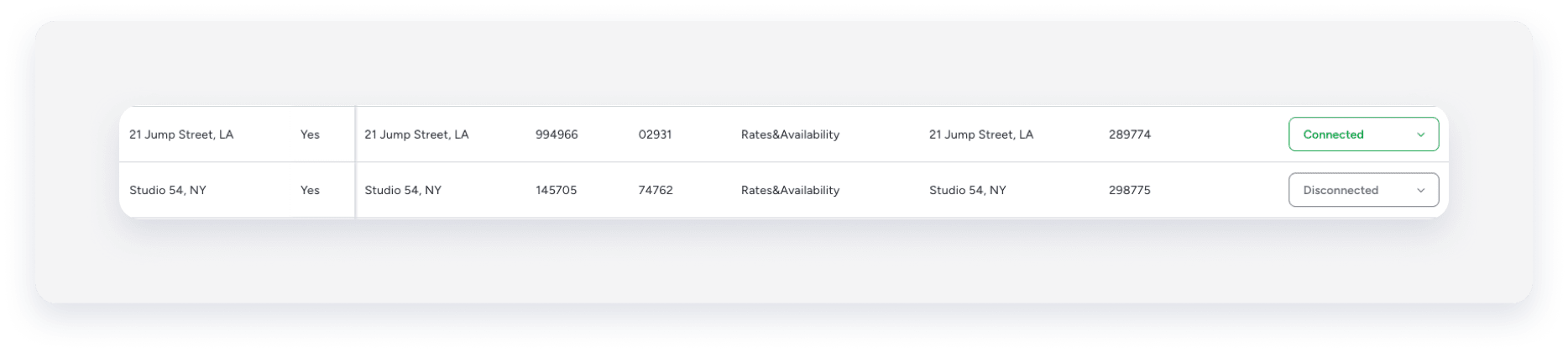
Is the listing connected?
Auto reviews only work if the listing is actively connected in Guesty to Airbnb or Vrbo. If you disconnect or break the connection, the auto review will fail.
Verify the Airbnb or Vrbo listing is connected in your Guesty dashboard.
Was the auto review stopped for this specific reservation?
You can stop auto reviews for a reservation if you don't want to post a guest review. Check the reservation page to see if the auto review was manually disabled for that specific reservation.
Check timing and reservation rules
Some reservation or timing rules may prevent an auto review from posting, even if it's enabled.
Was auto reviews activated too late?
Auto reviews apply to future reservations and to existing reservations that have not yet checked in. If you activated the feature after the reservation checked in, Guesty won't post an auto review for that stay.
Was a review already posted manually?
There can only be one review per reservation. If you or a team member posted a review directly on Airbnb, Guesty won't send a second review to avoid duplicates.
Is it an imported reservation?
Guesty only posts auto reviews for reservations created or managed in Guesty. You can't post reviews for past reservations that were imported during onboarding or for bookings that were not connected to Guesty.
Airbnb: Is the auto review hidden?
Airbnb reviews remain hidden until 14 days after check-out, unless both host and guest submit reviews.
If the guest hasn't submitted a reviewed yet, your auto review remains hidden until the 14-day period ends.
Airbnb: Check content and variables
Strict rules apply on a custom templates for Airbnb. If your template violates these, the review will not be posted.
Are your Airbnb templates set up correctly?
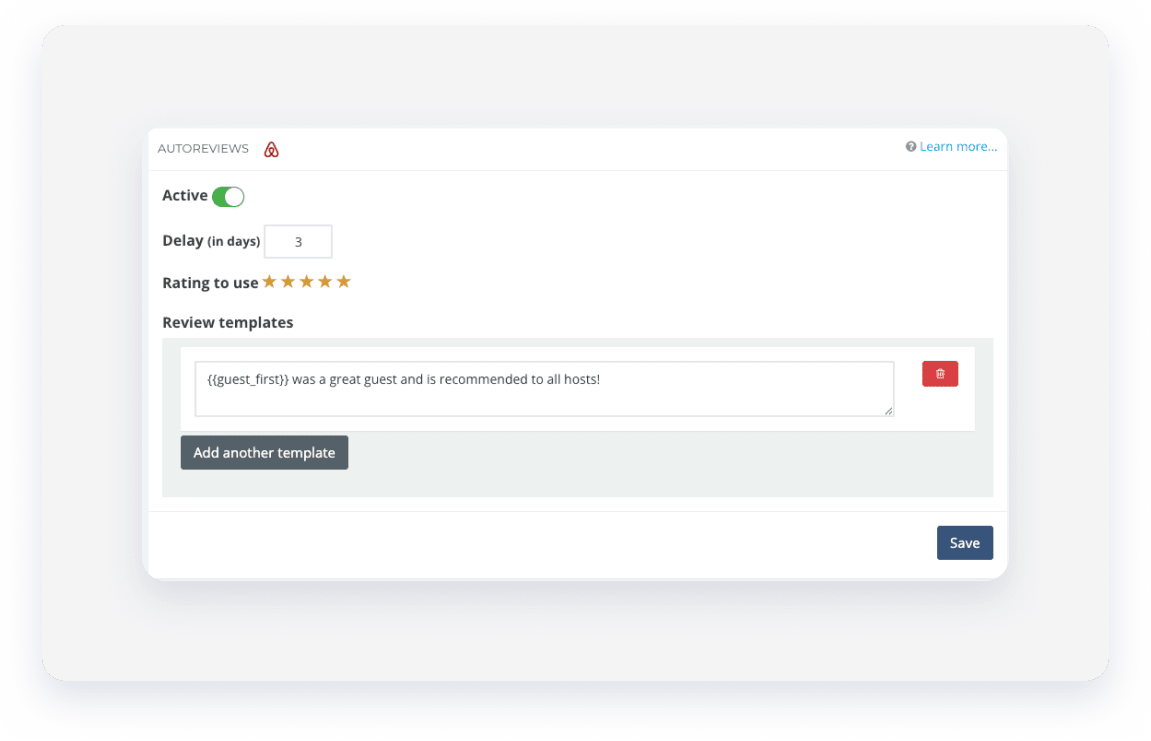
To ensure your guests receive automated reviews, you must set up at least one valid auto review template configuration. The default template is a preset waiting to be loaded. You must add a template, set it to "Active" and save it or the auto review won't be sent.
Ensure you take the following actions to active an auto message:
- The "Active" toggle must be enabled.
-
You must "add a template". At least one auto review template must be configured.
Guesty auto-populates the auto review with a standard 5-star review. You can use the template as-is or edit it to fit your brand.
- Ensure the template is saved to ensure it is valid and activated.
Are you using unsupported variables?
Use only the specific variables Guesty supports. Using others causes a failure.
-
Supported:
{{guest}},{{guest_first}},{{listing_address_city}}
Are your variables formatted correctly?
Variables are sensitive to spaces, so don't add any spaces inside the brackets.
- Correct:
{{guest_first}}
- Incorrect:
{{ guest_first}},{{guest_first }}, or{{ guest_first }}
Does the content violate Airbnb policy?
Airbnb rejects reviews that violate its content policy. Make sure your template doesn't contain the following:
- Advertising: Commercial content or spam
- Personal info: Private details or information identifying listing location
- Harmful content: Discriminatory, sexually explicit, violent, or threatening language
- Impersonation: Pretending to be another person or entity
- Rights violations: Infringing on intellectual property or privacy rights
Tip:
Learn more about how to set auto reviews.
