Legacy auto payments, which are the payment rules set per property, are being retired and replaced by Payment Automations. Between December 1 and December 7, 2026, Guesty will move every account that still uses legacy auto payment rules to Payment Automations. No action is needed on your side, and guest payments will continue to be collected exactly as they are today, before, during, and after the migration.
Note:
If you have already activated Payment Automations, your setup stays as it is. Nothing changes for you.
Who is affected
This change applies only to accounts that still have active legacy auto payment rules on December 1, 2026.
To check if your account is affected
- Sign in to your Guesty account.
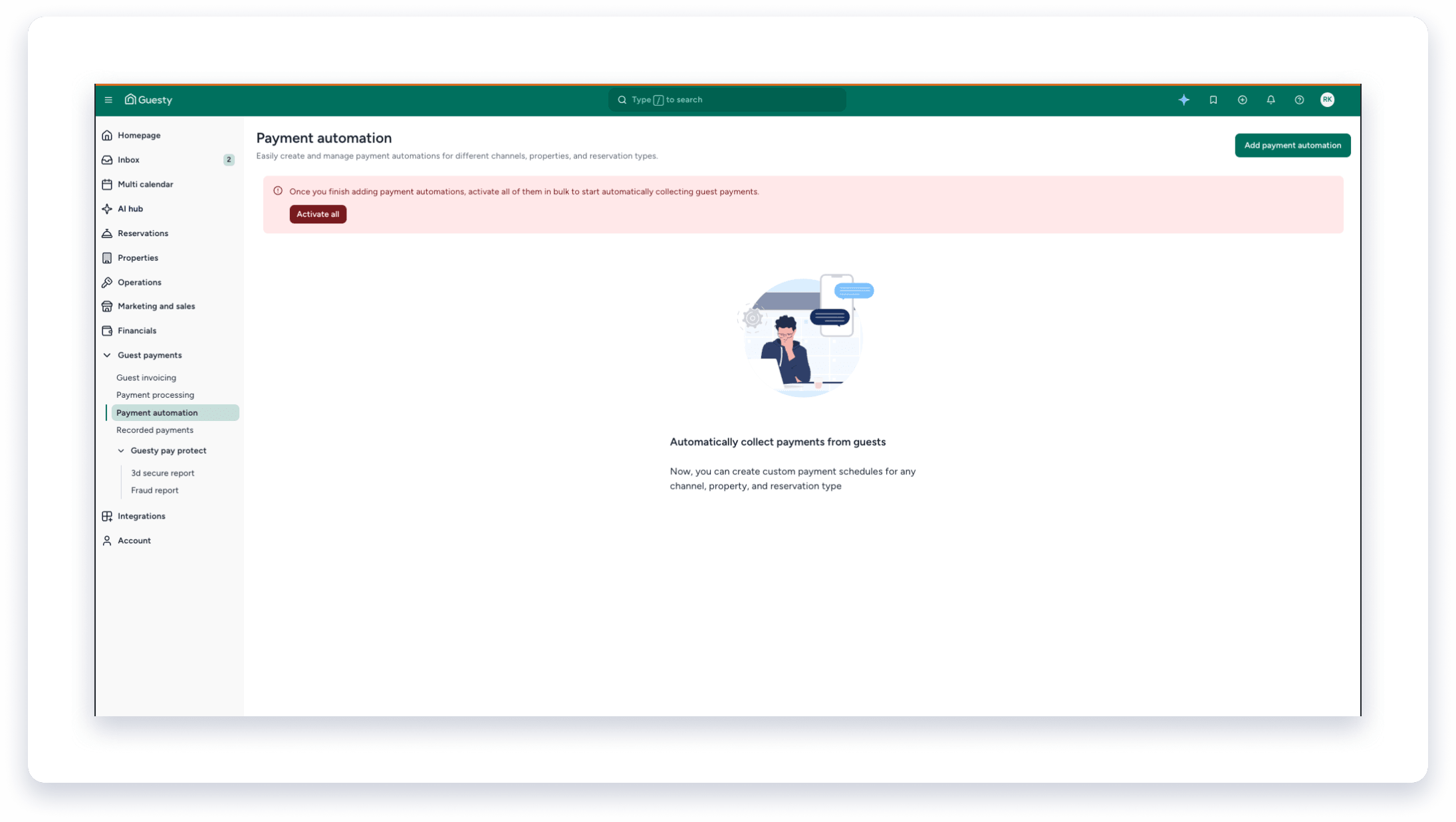
- In the side navigation menu, click
 Guest payments to open the dropdown menu.
- Select Payment automation.
- If you see a prompt that your account still uses legacy rules, your account will be migrated during the migration week.
What happens during the migration week (December 1–7, 2026)
Accounts are migrated in batches over the week. When your account’s turn comes:
- Each of your legacy auto payment rules is recreated in Payment Automations as the exact same rule, with the same charge amounts, timing, and properties.
- The new automations are activated for you, so new reservations are charged according to the same rules as before.
- Scheduled payments on your existing reservations are carried over with the same amounts, payment methods, and dates.
- Reservations where you manually edited the payment schedule are left as they are.
- The legacy auto payments page is removed for your account. From then on, all payment rules are viewed and managed from the "Payment automation" page.
Until your account is migrated, your legacy auto payment rules keep working as usual.
Note:
The migration does not create any new charges and does not change when or how much your guests are charged.
What you’ll see after the migration
- The Payment automation page lists your migrated automations, one for each set of legacy rules you had, already marked as active.
- On a reservation, the payment schedule continues to show the scheduled payments as before.
- The legacy auto payments section is no longer available on the property settings page.
Do I need to do anything?
No. Your payments keep running without any change. When you’re ready, you can use Payment Automations to:
- Manage payment rules once at the account level instead of per property
- Set different payment schedules by channel, property, or reservation type
- Automate security deposits
- Collect payment before a reservation is confirmed
- Set up installment schedules for mid- and long-term stays (Guesty Pro)
To fine-tune your automations, see Managing payment automations and Video: Setting up payment automations.
Before December 1: switching on your own
If you’d rather build your own setup in Payment Automations before the migration starts, you can still do so until November 30, 2026. Follow the steps in Migrating from auto payments to payment automations. Automations you create and activate yourself are kept and are not changed by the migration.
FAQ
When exactly will my account be migrated?
Sometime between December 1 and December 7, 2026. Accounts are moved in batches, and your legacy rules keep running until then.
Will my guests be charged differently after the migration?
No. The migrated automations are the same rules as your legacy ones, so charge amounts and timing stay the same.
What happens to payments already scheduled on current reservations?
They are carried over as they are, with the same amount, payment method, and date.
I changed the payment schedule manually on some reservations. Will the migration overwrite that?
No. Reservations with manually edited payments are not touched.
Can I keep using legacy auto payments?
No. Legacy auto payments are retired as of the migration week and can no longer be created or edited once your account has been moved.
I already activated Payment Automations but still had some reservations on legacy rules. What happens to those?
Your automations stay unchanged. Any scheduled payments on reservations that were still following legacy rules are carried over as they are.
Where did the auto payments page go?
It has been removed. Follow these steps to see and manage all your payment rules:
- In the side navigation menu, click Guest payments to open the dropdown menu.
- Select Payment automation.