Guesty's Reservation Duplicate Detector helps you identify potential double-bookings where the same guest has booked the same property for identical dates across different channels. This agent runs automatically to flag suspected duplicates, allowing you to review a report and decide on the best course of action.
The detector is a read-only tool. It identifies and recommends actions but never cancels or modifies reservations on its own.
Limitations
- Exact-date matches only: The tool only flags reservations with identical check-in and check-out dates. It doesn't detect reservations with partially overlapping dates.
- Group bookings: The scan intentionally excludes valid group bookings, where one guest books multiple units for the same dates.
- Weekly schedule: Because the scan runs every Monday, duplicates created mid-week aren't flagged until the following week. Review your calendar for new bookings, especially during busy periods.
Understand the Reservation Duplicate Detector
The Reservation Duplicate Detector runs automatically once a week on Mondays at 08:00. There is no option to run it manually.
Each week, the tool does the following:
- Scans all upcoming, non-cancelled reservations.
- Groups reservations for the same property with identical check-in and check-out dates.
- Flags instances where the same guest appears more than once on different booking channels.
- Assigns a confidence level to each suspected duplicate and recommends an action.
Review the activity feed
Find the detector's report in your activity feed every Monday morning. Follow the steps below to review the report.
Step by step:
- Sign in to your Guesty account.
- In the side navigation menu, click
 Agents hub.
 - In the left submenu, click Agent activity.
- Click the relevant row with the agent's name to review the report details in the right-side panel.
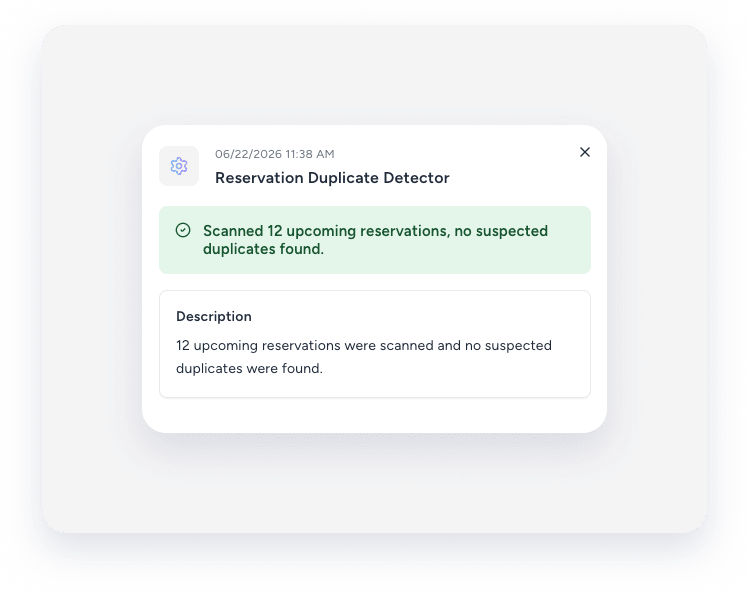
Understand the report details
The report summarizes the scan, including the number of scanned reservations and suspected duplicate groups.
For each suspected duplicate group, the report lists:
- Check-in and check-out dates.
- Reservation confirmation codes linked to the relevant reservation pages.
- Booking channel.
- Confidence level.
- Recommended action: "Escalate for manual review" to resolve the conflict by editing or canceling a reservation.
Resolve suspected duplicate
Because the detector is a recommendation tool, you must manually resolve any flagged reservations. Review the flagged duplicate groups in the report to understand why they were flagged. Decide which reservation to keep, cancel, or merge.
