Learn about required, configurable, and optional checkout fields on the Guesty Booking Engine, as well as currently supported payment methods to help answer guest inquiries quickly.
Checkout page fields
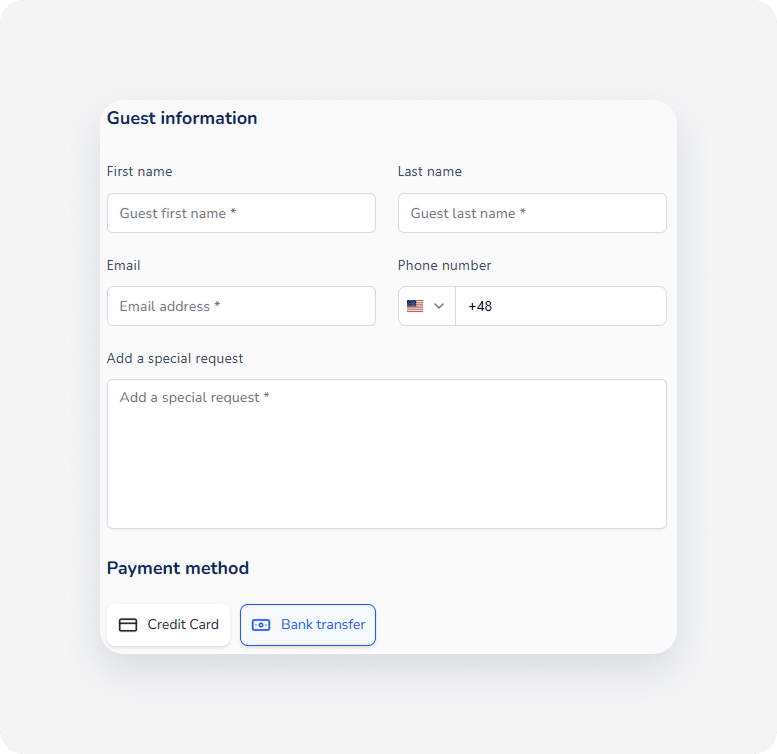
The checkout page on the Guesty Booking Engine collects essential guest details before finalizing a reservation.
Required fields
The following fields are mandatory for all guests and you can't disable them:
- First name
- Last name
Configurable fields
You can customize the following fields based on your preference by setting them to mandatory or optional in the "Booking settings" step of the Booking Engine settings:
- Phone number
- Special requests
Optional fields
All fields in the "Billing address" section remain optional and you can't set them as mandatory. This includes street, city, state, zip code, and country.
Supported payment methods
Guesty supports specific payment providers and methods during checkout on the Booking Engine:
- Credit cards (via Stripe or GuestyPay)
- Debit cards (via Stripe or GuestyPay)
- Bank transfer
Note:
The following payment methods are currently not supported on the Booking Engine:
- Apple Pay
- Google Pay
- PayPal