With Guesty's message automations, you can send automated messages to guests based on specific conditions, including payment status. However, payment-related conditions can prevent messages from being sent on channels like Airbnb, Booking.com, and Expedia because of how payouts and Virtual Credit Cards (VCCs) are processed.
Note:
- Automated messages can't be assigned to reservations marked as "Reserved".
- For non-payment automated messages, see the general troubleshooting guide.
Determine why the message wasn't sent
Follow the troubleshooting steps below to inspect, verify, and correctly configure payment-based conditions in automated messages to avoid delivery failures:
-
Identify the triggered or missed message
Locate the specific automation tied to the affected reservation by navigating to the relevant conversation thread in the
 Inbox. Open the Reservation Inbox widget on the right side of the screen, find the missed automated message, and click it to open its configuration page.
 -
Verify and correct message conditions
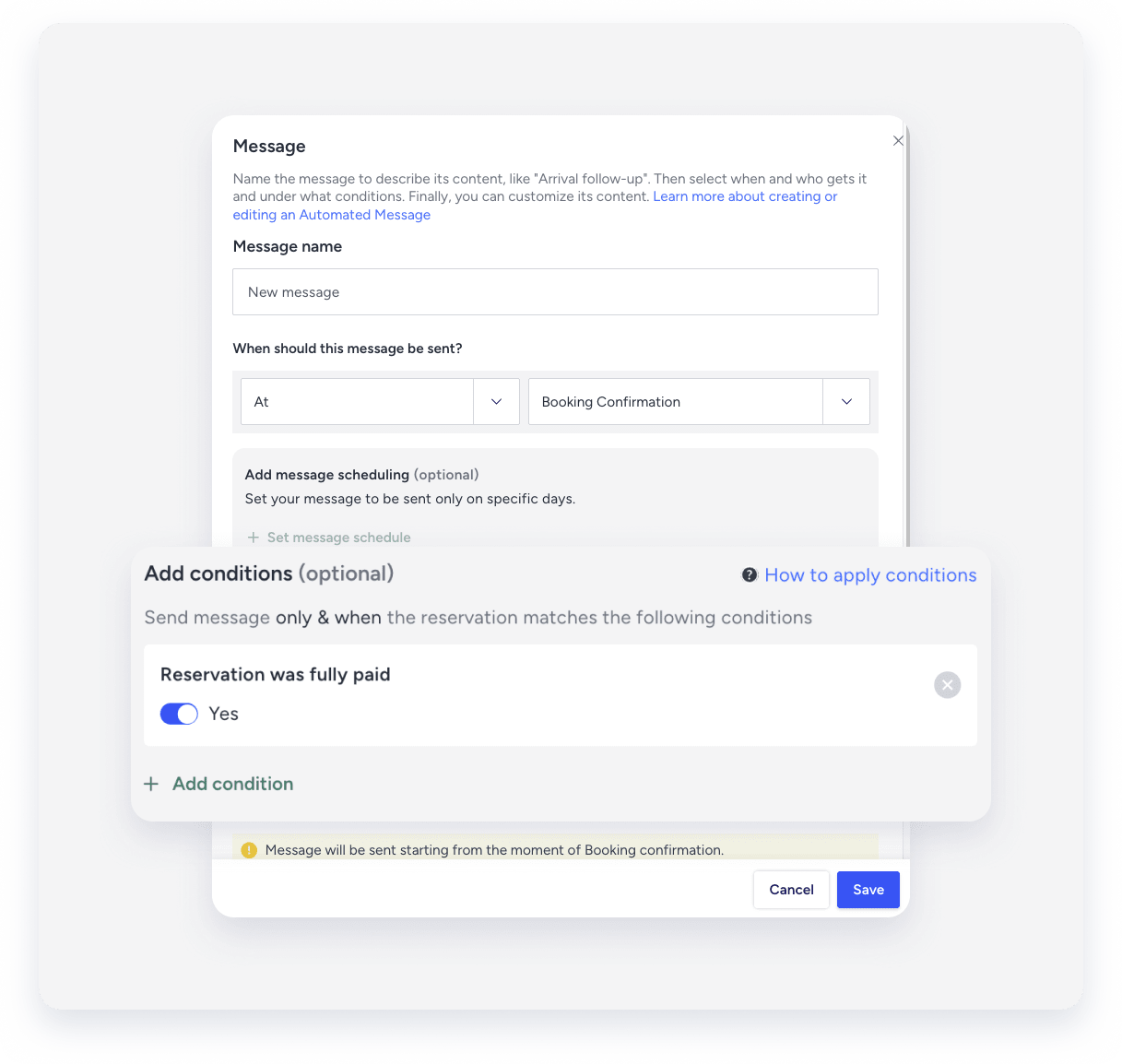
Review the configured reservation conditions on the Message automation page. If the automated message lacks a payment status rule, it is triggered regardless of whether the reservation is settled. To send the message only after full payment is collected, add the Reservation was fully paid = Yes condition.
-
Verify that a payment method was successfully saved to the reservation
If a payment method didn't save to the reservation, the automated message might be delayed or missing. The issue stems from a failed card setup rather than the automation conditions. Root causes include failed bank authentication, user cancellation, or a technical timeout. Guests must complete the payment flow to store the card and trigger related automated messages.
Channel exceptions: Airbnb and VCC reservations
Setting the Reservation was fully paid to Yes message condition can block messages from being sent on specific channels because of how they handle payouts and card activation.
Airbnb reservations
Airbnb marks reservations as "Fully paid" 24 hours after check-in. If check-in instructions or pre-arrival messages depend on the Reservation was fully paid = Yes condition, they fail to send at the scheduled time because the reservation is unpaid before arrival.
-
Use the "Channels and sources" reservation condition to exclude Airbnb from the automation, or create a separate automation specifically for Airbnb reservations without the payment condition.

VCC reservations (Booking.com and Expedia)
Virtual Credit Cards (VCCs) charge 24 hours after check-in when the card becomes active. Reservations paid via VCC don't register as "Fully paid" before arrival, which delays pre-arrival communications tied to the payment condition.
-
Use the "Virtual credit card" message condition to exclude VCC reservations from automations that require full payment, or use a separate automation for Booking.com and Expedia.

Tip:
Create channel-specific automations when pre-arrival messaging is critical. This ensures guests receive check-in details on time regardless of when their reservation is marked as "Fully paid".
