This article explains the meaning of each owner statement status, how to change a statement's status, and how to resolve issues where owner statements appear not to send after approval.
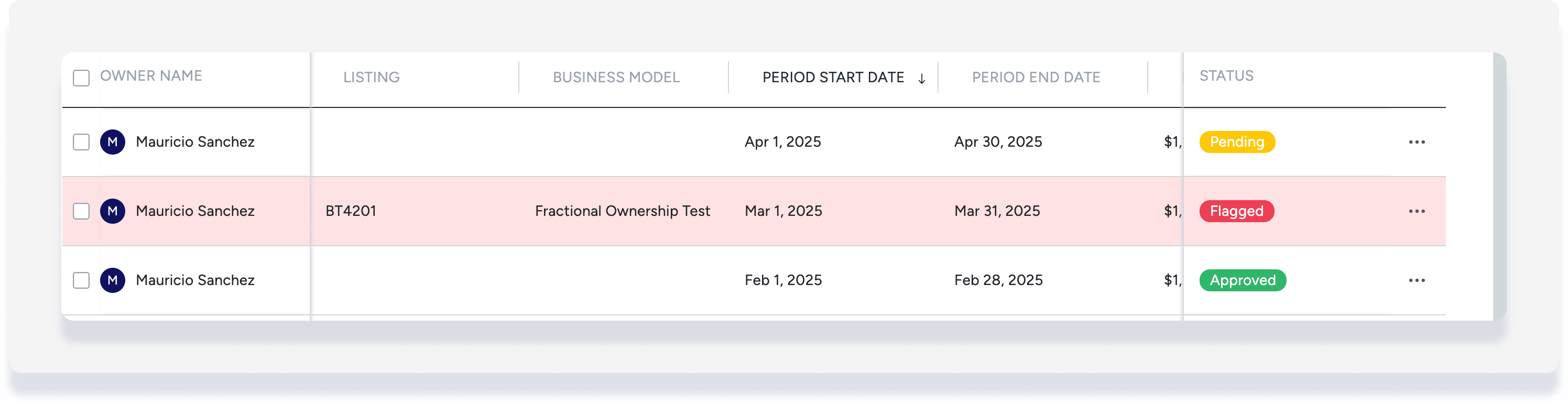
Owner statement statuses:
- Pending: Statement is not yet reviewed, default status for all statements
- Approved: Statement transactions have been reviewed and are accurate
- Flagged: Statement transactions have been reviewed and require further review
- Archived: Old statements that were previously approved
- Regeneration failed or Regeneration required: Status cannot be changed, you must regenerate the statement.
Once statement details have been reviewed, you can update the status for one or more owner statements at a time as follows.
Change owner statement status
Step by step:
- Click Add filter.
- Click Status, then select the relevant filter such as "pending" or "flagged".
- Click Apply changes.
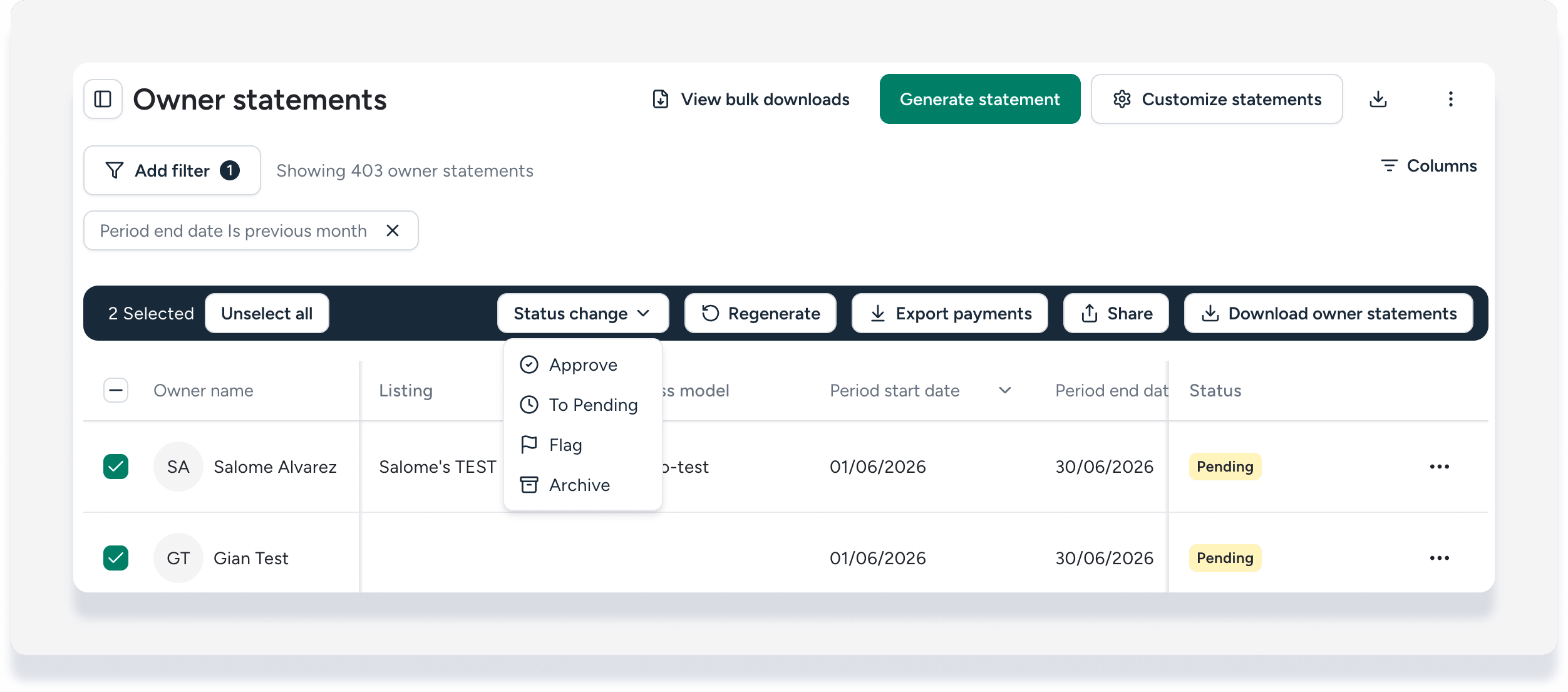
- Check the boxes to select one or more owner statements.
- In the header that appears, click Status change then select one of the following options:
- Approve: Statement transactions are accurate
- To Pending: Change a previously approved statement back to pending status
- Flag: Statement transactions require further review
- Archive: Can only be used for statements in "approved" status
The change is displayed in the "Status" column:
Send approved owner statements
When filtering by status, you must update the filter again before sending statements to your owners:
- Change the filter to status Approved.
- Click
 , then select Send.
 - In the pop-up, select one or both of the following:
- Send to the Owners Portal.
- Send to email.
If you got an email notification "Sent to 0 owners", this means you sent the statements while still in the "pending" or "flagged" filtered view. Follow the steps above to refresh to view and send the approved statements.
