Recognizing revenue based on payment in Accounting
In Guesty Accounting, revenue recognition typically occurs when a guest stays at a property. However, you can recognize revenue the moment a guest pays, even before the stay occurs. This feature allows you to provide owners with funds as soon as a reservation is paid, whether fully or partially.
While items like Net Rental Income (NRI) and specific fees support payment-based recognition, other items follow your standard business model settings, such as check-in, check-out, or nightly recognition.
Note:
Related taxes aren't recognized upon payment. Taxes are only recognized at check-in or check-out.
Set payment recognition for NRI
Configure your business model to recognize NRI and PMC commission the moment a payment is received. Choose to recognize the full amount immediately or split it between the payment date and the stay dates.
Splitting recognition (such as 50/50 options) allows you to give an allowance to the owner in advance. If a reservation is altered, the system maintains the 50% advance recognition and creates an adjustment for the delta (positive or negative) for the owner. If a reservation is canceled and the guest is refunded, the system removes the allowance from the owner's balance in the month the cancellation occurs.
Recognition options
Upon payment
50% upon payment, 50% on check-in
50% upon payment, 50% on check-out
50% upon payment, 50% per night
Step by step:
- Sign in to your Guesty account.
- In the side navigation menu, click
 Accounting to open the dropdown menu.
 - Under Accounting setup, select Business models.
- Click an existing business model, or click Add business model to create a new one.
- Under "Commission Setup," locate Confirmed reservations and click
 , then select Edit.
 - Under Recognition, select your preferred payment option.
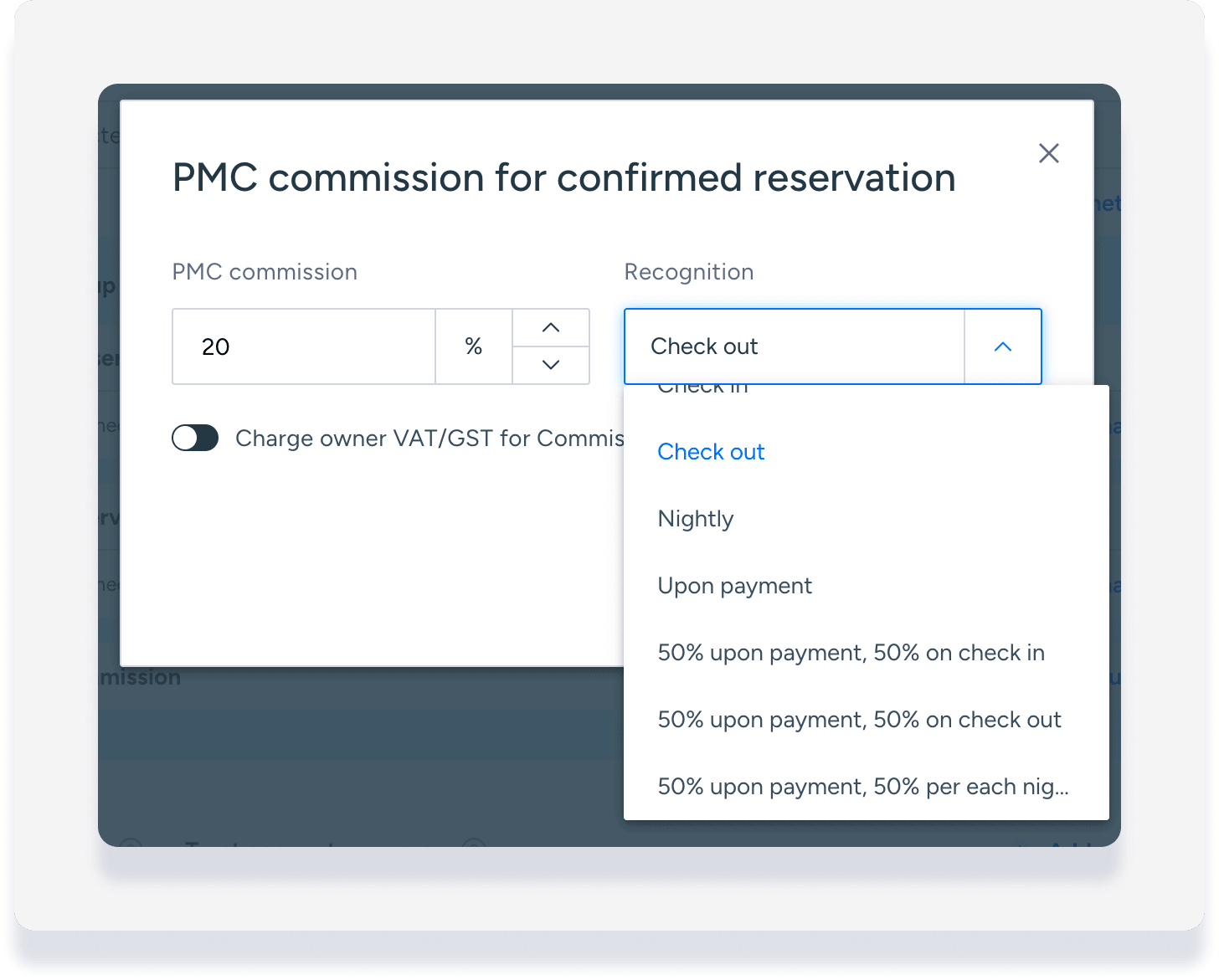
- Click Save.
- At the top-right corner, click Create or Save.
Set payment recognition for additional items
Set specific fees, channel commission, and other owner charges or expenses to be recognized upon payment. This ensures these specific funds are available in the owner's balance as soon as the guest pays.
Note:
If you're on the new Expenses feature pilot, follow these steps for owner charges or expenses.
Step by step:
Sign in to your Guesty account.
In the left-side menu, click Accounting to open the dropdown menu.
Under "Accounting setup", select Business models.
Click an existing business model, or click Add business model.
Scroll down to the "Trust account income/Trust account expenses" section.
To the right of the relevant item, click
 .
.Under "Recognition", select Upon payment.
Click Save.
In the top-right corner, click Create or Save.
Viewing payment recognition in the accounting folio
When you use payment-based recognition, the NRI recognition date in the accounting folio updates as soon as the guest pays.
For 50/50 recognition settings, click the down arrow to expand the NRI line. This view shows exactly which portion was recognized on the payment date and which portion is scheduled for the stay date. 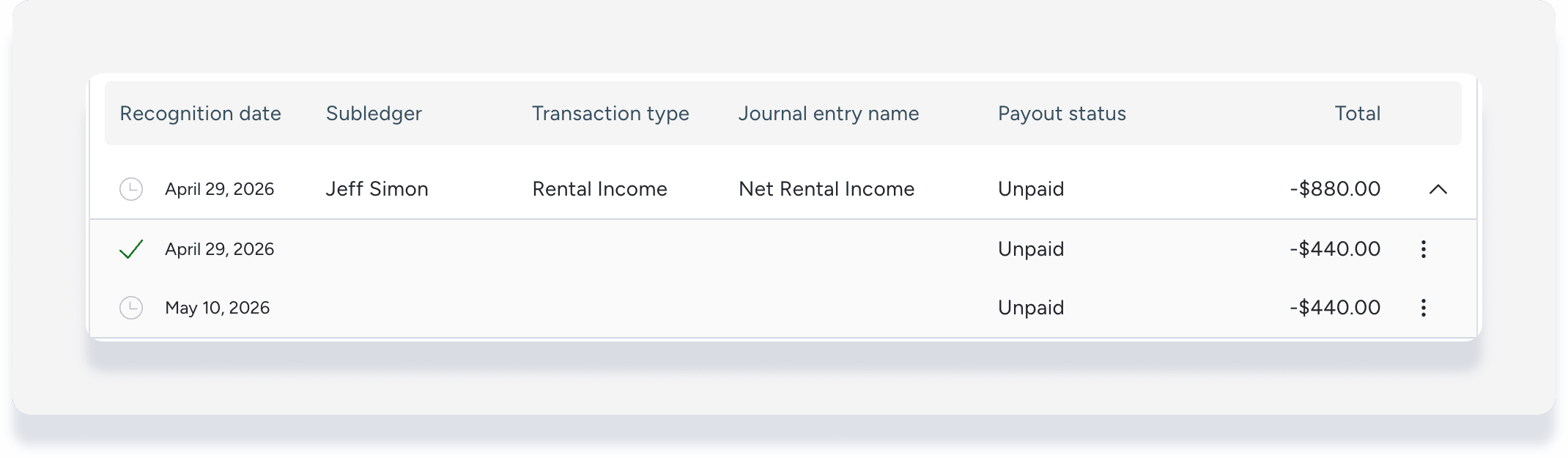
Handling adjustments
If a reservation changes after the initial payment, the system manages the financial impact through adjustments:
The system records changes as additional adjustments rather than updating the original journal entry.
For 50/50 recognition, the system recalculates the NRI and recognizes any additional funds immediately if they are available.
If a cancellation results in a refund, the system deducts the previously recognized allowance from the owner's balance during the month of the cancellation.