When you create a Booking.com account through Guesty, a registration contract is sent to your email to finalize the connection. If you don't receive this email, it may be due to your email provider's security settings. This article explains why this happens and how to resolve the issue.
Understanding why the email is missing
This issue is typically caused by a Domain Name System (DNS) configuration issue with your email service provider, rather than Guesty or Booking.com. Strict security protocols, such as SPF, DKIM, or DMARC records, can flag the automated email from Booking.com as unverified. This may cause the email to be blocked before it reaches your inbox or spam folder.
Before you begin
Before trying these solutions, check all of your email folders, including "Promotions," "Junk," and "Updates." Automated emails are often filtered into these folders by default.
1. Update DNS records and resend the contract
First, verify with your IT department or email provider that your MX, SPF, and DMARC records are correctly configured to accept automated third-party aliases.
2. Resend the contract
Once your DNS settings are updated, follow the instructions below to resend the registration contract.
Step by step:
- Sign in to your Guesty account.
- In the side navigation menu, click
 Marketing and sales to open the dropdown menu.
 - Under Channel management, select Distribution.
- Click the Booking.com thumbnail.
- Locate the relevant account with a "Pending" status.
- On the yellow notification, click Info.
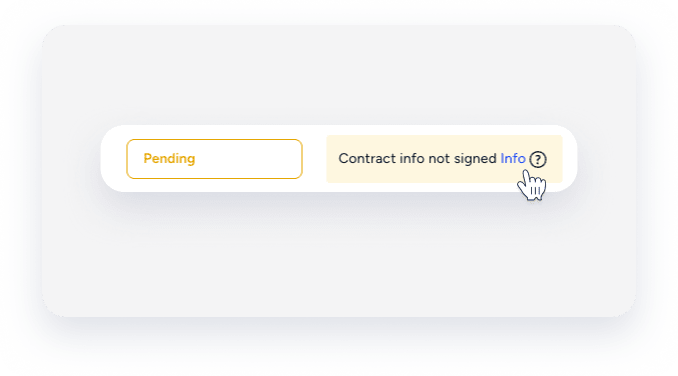
- Verify the email address is correct. It is the email address used when you opened your Booking.com account. If you need to change it, create a new Booking.com account.
- Click Re-send.
You will receive the registration contract email within 30 minutes.
Using an alternative email provider
If your email domain continues to block the contract email, try creating the Booking.com account again using a different email address, such as one from Gmail or Outlook. These providers generally have standard configurations that are more likely to receive automated emails from Booking.com.
If the email still isn't delivered after using a different address, the issue may be with your account status on Booking.com'. Contact Booking.com Support directly to ask them to manually send the contract.
