Adjust manual pricing for specific days-of-week, holidays, and seasons to match demand. Minimum nights, CTA, and CTD restrictions can now also be configured directly within each pricing rule.
Review the changes below.
Manual pricing and fine-tuning
Choose between automatic and manual pricing for your day-of-week, seasonal, and holiday strategies. These options are now available across all three strategies and can be configured at the listing or group level.
Under "Pricing settings", select a pricing strategy:
Select Automatic pricing impact to use PriceOptimizer's recommended pricing. Under "Price strategy", select:
- Conservative — 20% lower impact than PriceOptimizer’s recommendation
- Standard — Guesty's PriceOptimizer default suggestion, calculated according to the trend of your market
- Aggressive — 20% higher impact than PriceOptimizer’s recommendation
If you select Standard, you can use Fine-tune pricing impact to adjust the algorithmic suggestions for specific days, seasons, and holidays.
| For example, set your day-of-week strategy to Automatic with a Standard price strategy, then use fine-tune to slightly increase pricing on Fridays and Saturdays without leaving the algorithm entirely. |
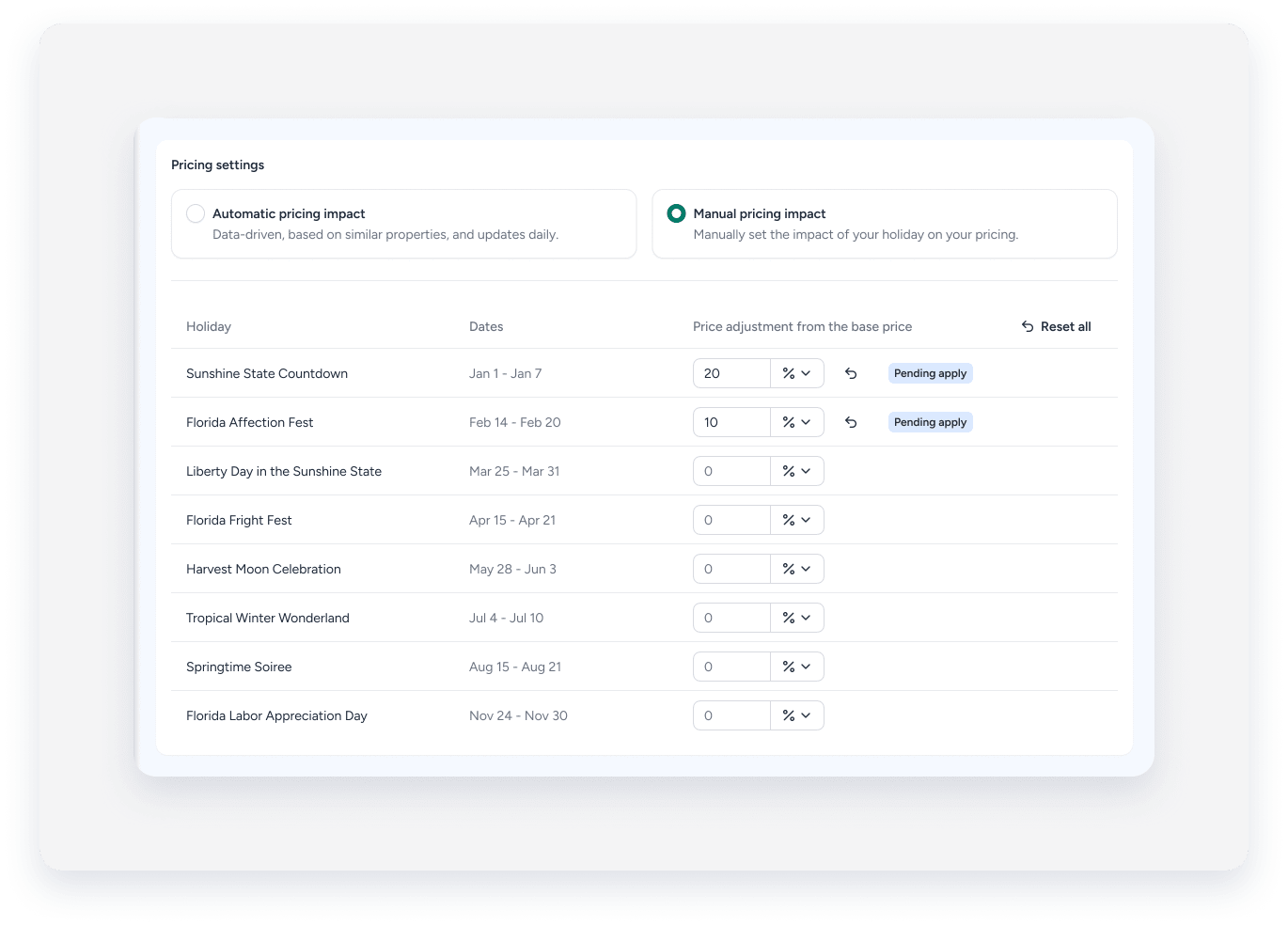
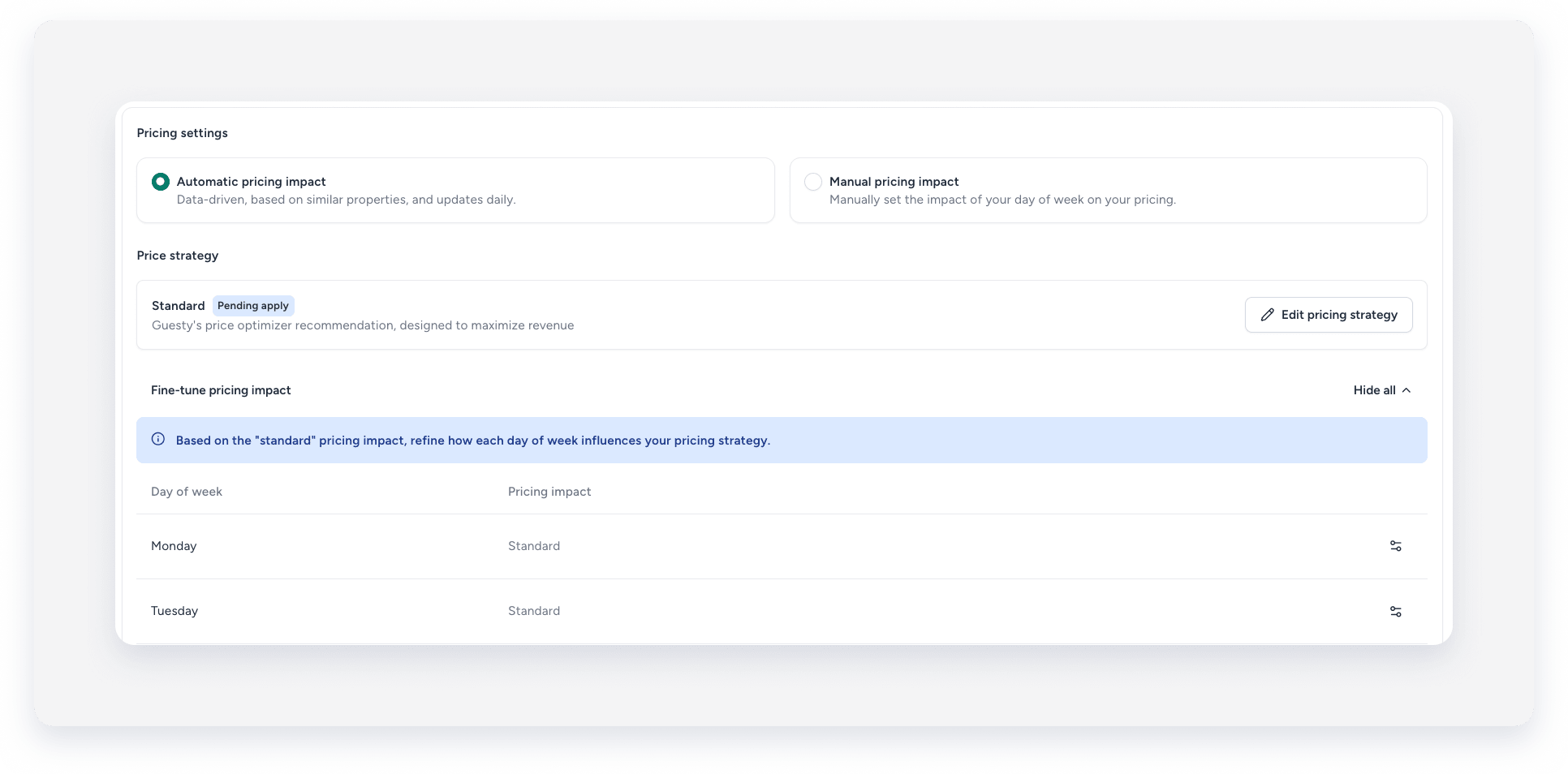 Select Manual pricing impact to set custom pricing adjustments per day, season, or holiday, independent of the algorithm. When you select manual, a section appears below where you can define your own adjustments.
| For example, apply a pricing adjustment to Saturdays only during your high season. |
Time-based rules
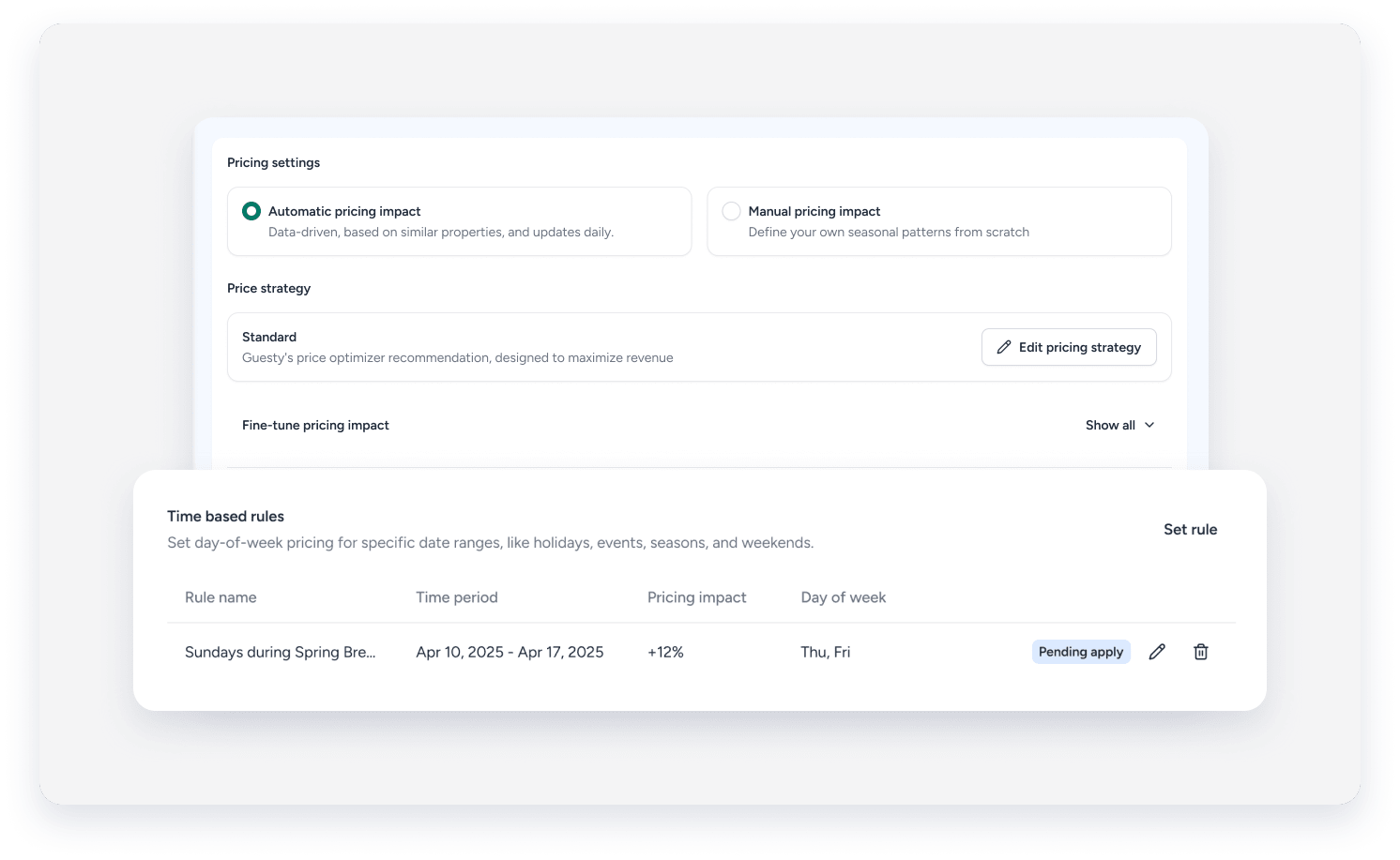
Time-based rules are now only available under the "Seasonal" tab, and if Fine-tune pricing impact is used. Use them to set day-of-week pricing for specific date ranges, such as holidays, events, or seasons, and select which days within that range the rule applies to.
Date ranges can also overlap. If two rules cover the same dates, the more specific rule takes effect.
| For example, create a seasonal rule for July and August, then add a separate overlapping rule for a local event in late July. The event rule takes priority for those dates. |
Minimum nights
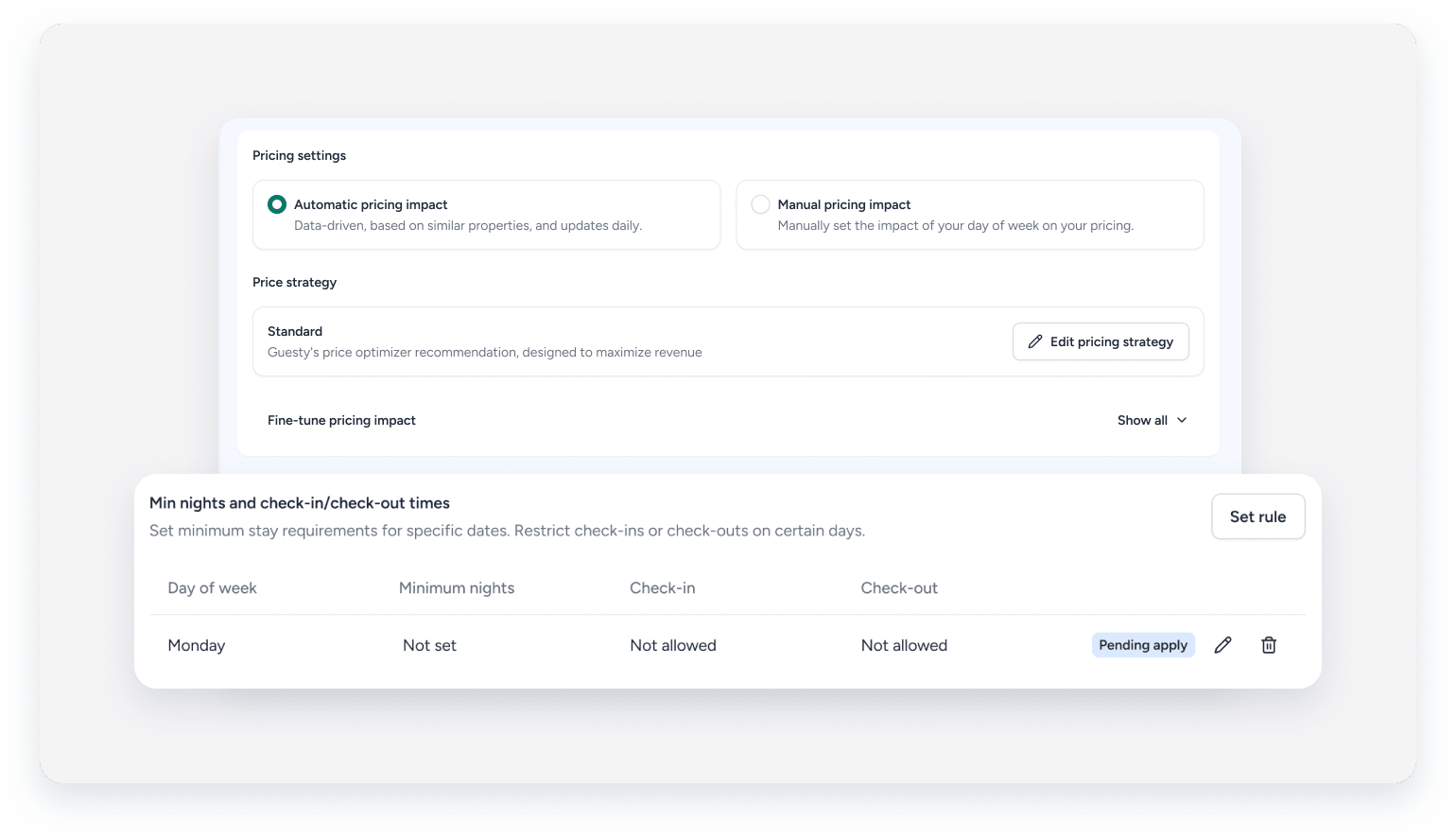
Configure minimum nights and check-in/check-out restrictions directly in the "Day-of-week", "Seasonal", and "Holiday" tabs. These settings apply in addition to the general configuration under the "Minimum night rules" tab.
These settings are preserved when you switch between Manual and Automatic pricing impacts.
| For example, set up a high season under seasonal pricing and define a five-night minimum stay for that season, all in the same place. |
Use cases
This migration may affect your setup in one of the following ways:
Scenario one: Day-of-week set at the listing level, seasonal strategy set at the group level
If your day-of-week pricing was configured at the listing level, while your seasonal strategy was configured through a group pricing strategy, your seasonal settings have been updated to reflect the listing-level configuration. You can restore group-level settings and set up time-based rules at the group level if needed.
Check your seasonal settings to make sure everything looks as expected.
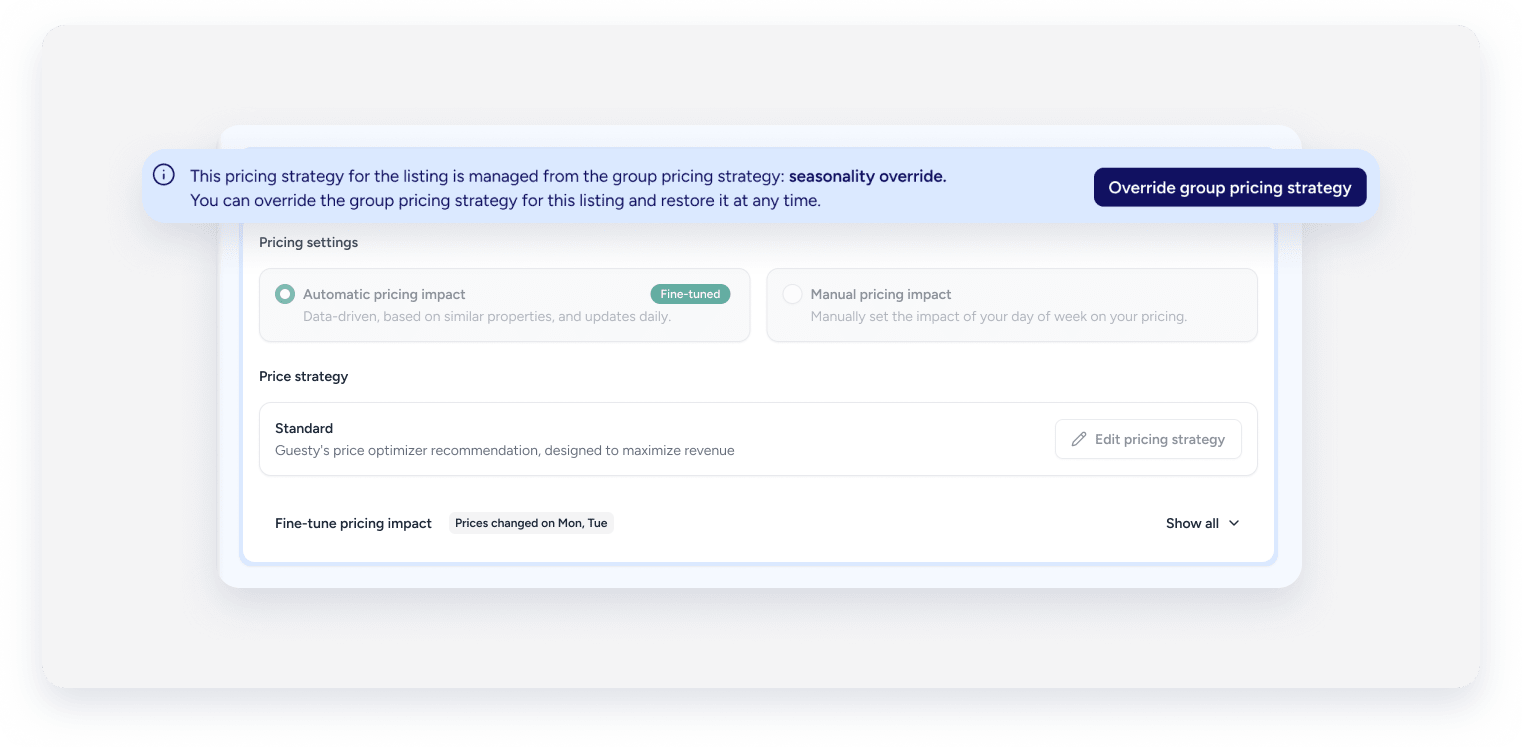
Scenario two: Day-of-week controlled by an override group
If you use an override group for your day-of-week rules and that group includes time-based rules, the time-based rules are removed from the group. Only the basic rules remain.
Scenario three: Day-of-week set at the group level, seasonal strategy at the listing level
If your day-of-week pricing was managed at the group level while your seasonal strategy was set at the listing level, your day-of-week settings have been replicated under each listing's seasonal strategy. Check your listing-level seasonal settings to confirm the rules are correct.
Scenario four: Fine-tune settings for day-of-week and manual settings for seasonal
If you had fine-tune rules set for day-of-week and manual settings for seasonal strategy, your day-of-week fine-tune rules have been migrated under seasonal. Your original day-of-week fine-tune rules are no longer active independently. Review your seasonal settings and adjust as needed to make sure your pricing reflects your original intent.
