Guesty’s AutoComply automates the collection and reporting of guest data to authorities. This reduces your administrative workload and ensures compliance with local regulations, allowing guests a worry-free stay.
See below for the steps to connect AutoComply to Spanish reporting systems.
Connect to police authorities
Spain's autonomous communities have different registration requirements. Follow these steps to connect your property to the correct system for your region (SES Hospedajes, Mossos d'Esquadra, or Ertzaintza).
Prerequisites for SES
If you are connecting to SES Hospedajes (National Police/Guardia Civil), you can’t use your standard website login. You must generate specific API credentials first.
Follow the steps below to generate these credentials.
- Sign in to your SES Hospedajes account.
- In the "Acceso" column, click the @ icon.
- Click Mis datos registrados.
- Check the Send communications via web service box.
- Save your changes.
- Wait for an email from SES.
Note:
The username sent via email usually ends with "WS" (for example, 12345678ZWS) and includes the password. Use these exact credentials in Guesty.
Connect the property in AutoComply
Once you have your credentials, follow the steps below to connect the property.
Step by step:
- Access the AutoComply dashboard.
- Select the relevant property.
-
Click the Authority connection tab.
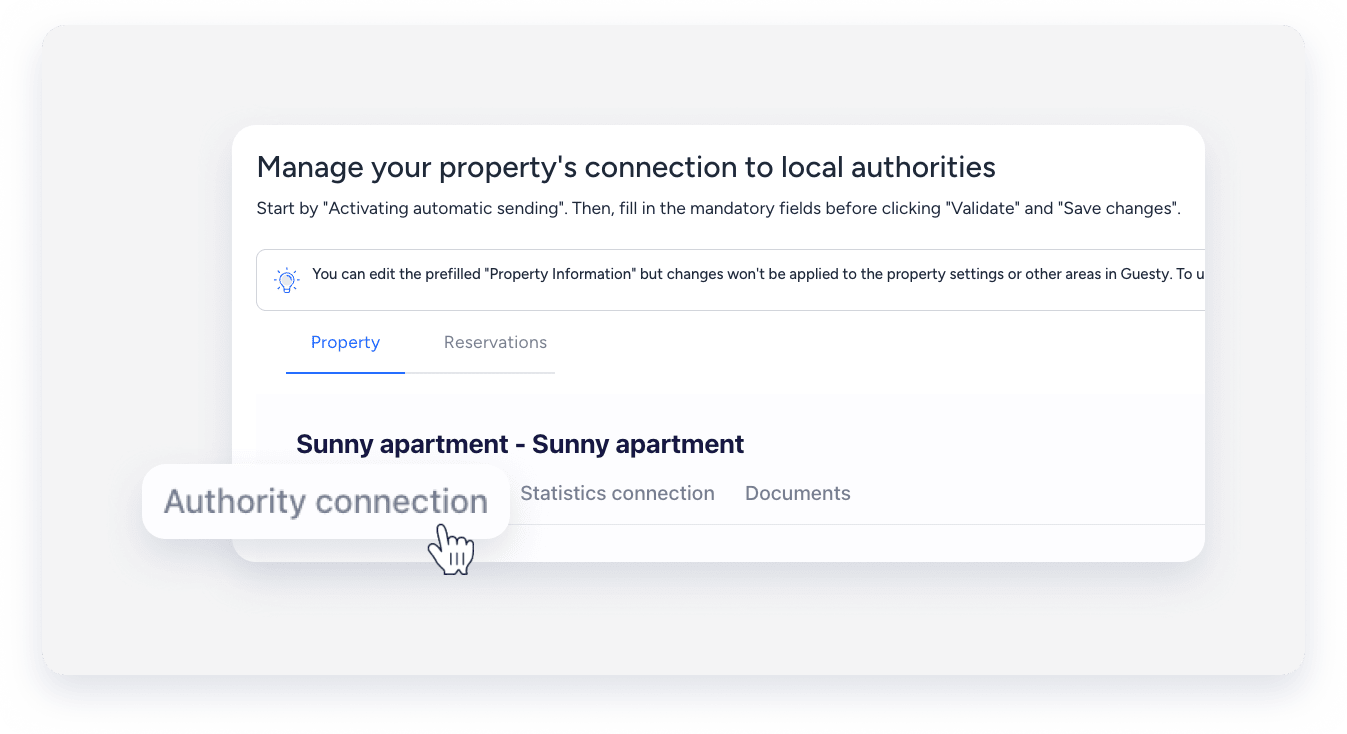
- Under the "Authority connection" section, toggle on Activate sending of guests data to your police account.
- Click Send info to and select the system required for your region:
- Spain (SES Hospedajes): For most of Spain (national system).
- Spain Catalonia: For properties in Catalonia (Mossos d'Esquadra).
- Spain Basque Country: For properties in the Basque Country (Ertzaintza).
- Enter the credentials for your selected system (see credentials guide below).
- Click Validate.
- Under the "Booking registration sending" section, select if you want to activate automatic registration of booking data.
- You can also select the booking sources to skip for the integration registration.
- Under the "Payment method" section, click Payment type, and select a method from the dropdown menu.
- Click Save changes.
- At the top right, click Next.
Note:
AutoComply sends guest data automatically on the day of check-in, around 7:00 PM. If a guest registers after this time, send the data manually.
Credentials guide
- Police registration username: Enter the username ending in "WS" (provided via email from SES).
- Police registration password: Enter the password generated by SES.
- Facility identification number: Enter your "Código de establecimiento".
- Lessor code: Enter your "Código de arrendador".
Important:
You must enable the web service in your SES account first to receive these specific credentials.
- Police registration username: Your Mossos username.
- Police registration password: Your Mossos password.
- Facility identification number: Your facility ID.
- Police registration username: Your Ertzaintza username.
- Police registration password: Your Ertzaintza password.
- Facility identification number: Your facility ID.
Troubleshoot reporting issues
If you encounter errors, check the following common solutions:
- SES Username: Ensure you added "WS" to the end of your username if required by the SES email.
- Missing codes: Verify your "Facility identification number" and "Lessor code" match your official government documents exactly.
- Timeliness: Ensure data is submitted within 24 hours of arrival to avoid "Timing violation" errors.
- Document errors: Check that the guest's ID number and type (DNI, Passport, etc.) are entered correctly.
