Guesty’s AutoComply automates the collection and reporting of guest data to authorities. This reduces your administrative workload and ensures compliance with local regulations, allowing guests a worry-free stay.
See below for the steps to connect your properties to Swiss reporting systems.
Connect to police authorities
Connect your properties to Stadt Zurich or Feratel to automate police reporting.
Prerequisites for Feratel
To connect AutoComply to your Feratel account, you must contact your municipality office to tell them you will send data to Feratel through Chekin (company code VT: CheKin).
They will activate the connection and provide you with two required codes:
- Community Number (Gemeinde)
- Mapping Code (Objektcode)
Connect the property in AutoComply
Once you have your credentials, follow the steps below to connect the property.
Step by step:
- Access the AutoComply dashboard.
- Select the relevant property.
-
Click the Authority connection tab.
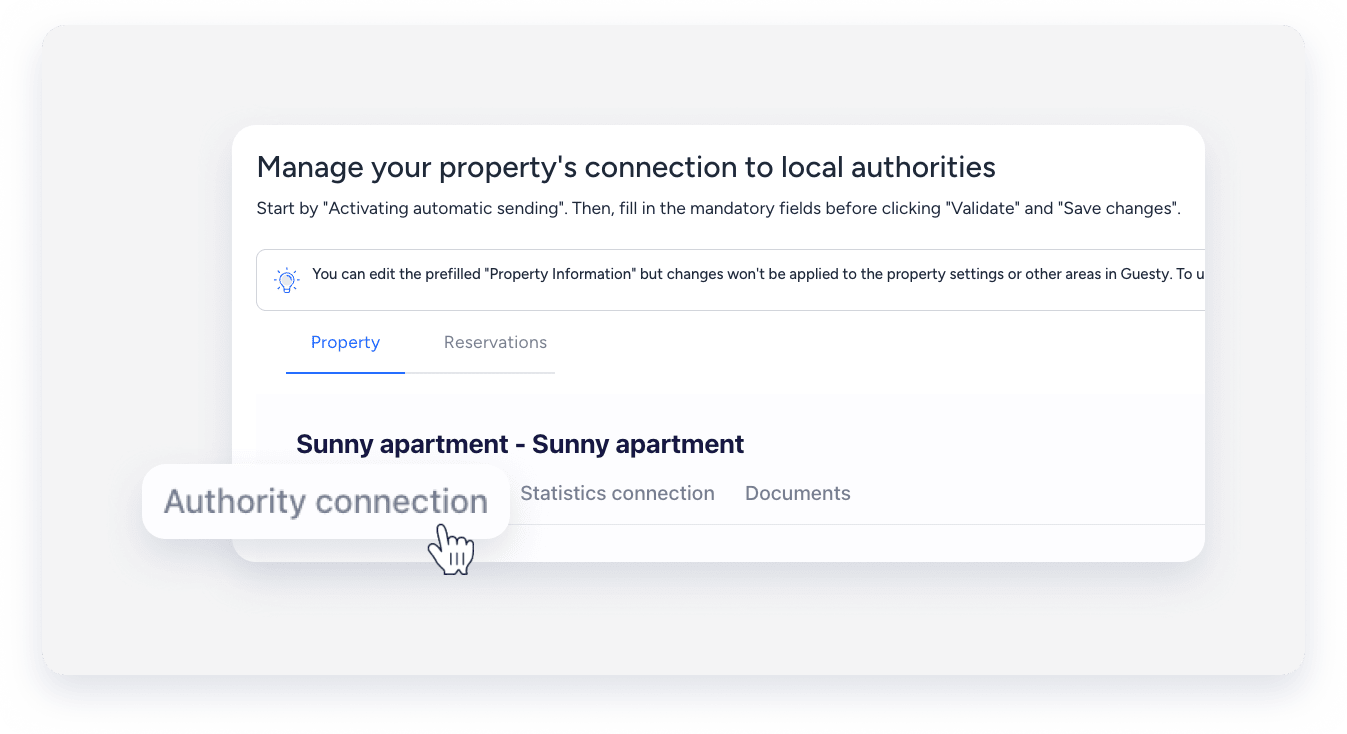
- Under the "Authority connection" section, toggle on Activate sending of guests data to your police account.
- Click Send info to and select Feratel Switzerland or Stadt Zurich.
- Enter the credentials for the selected service.
- Feratel Switzerland: Enter the "Community number" (Gemeinde) and "Mapping code" (Objektcode).
- Stadt Zurich: Enter your username, password, and “Establishment number”.
- Click Validate.
- Click Save changes.
- At the top right, click Next.
Troubleshoot Feratel validation errors
If you receive an error during validation, your credentials may be incorrect, or the local municipality may not have activated your connection.
- Copy the following URL into your browser's address bar:
https://visitortax.deskline.net/ProcessData.asmx/GetVTInfo?betriebnr=XXXX&oestat=XXXX&companyCode=VTCH3K1N - Next to betriebnr=XXXX: Replace XXXX with your Mapping Code (Objektcode).
- Next to oestat=XXXX: Replace XXXX with your Community Number (Gemeinde).
- Click Enter.
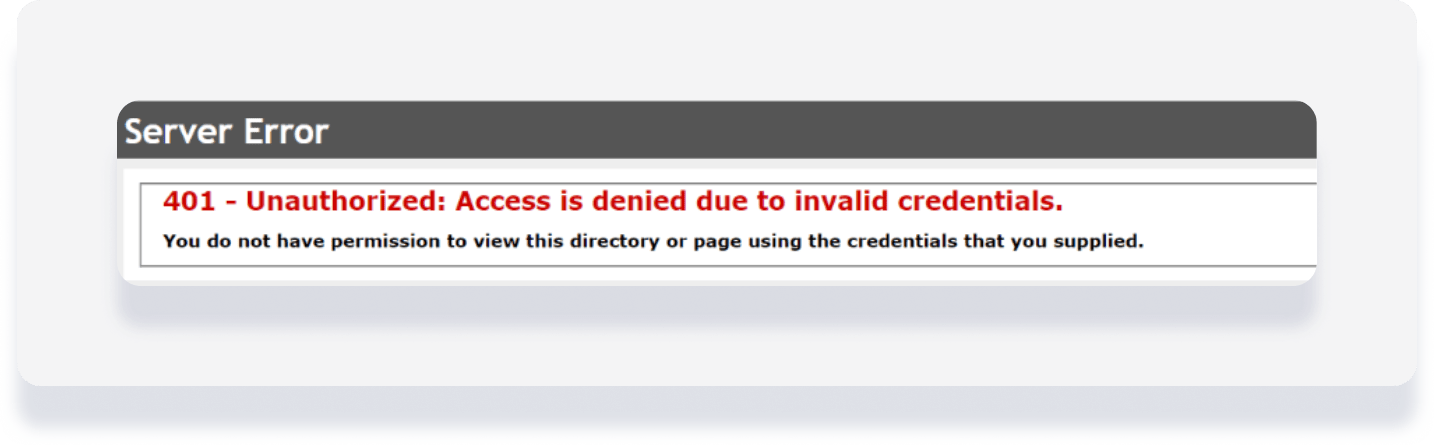
- Check the response. If it matches the image below, contact the local office to check your credentials or activation status.
Activate Feratel guest cards
Under "Guest cards", toggle on Activate Feratel guest cards.
When active, Guesty asks guests for their email address. When Guesty sends data to Feratel, we request the guest cards and email them to the guest.
Note:
AutoComply sends guest data automatically on the day of check-in, around 7:00 PM. If a guest registers after this time, send the data manually.
