Ensuring payment at the time of booking reduces the risk of unpaid reservations and manual cancellations. With Instant Charge, you can require guests to pay a specific amount before a Booking Engine reservation is confirmed. This real-time verification creates a smooth, e-commerce-style checkout while protecting your calendar from fraudulent or failed bookings.
Understand Instant Charge
Instant Charge works through your existing Payment Automations. By setting a "Pre-confirmation" trigger, Guesty attempts to collect payment immediately during the guest's checkout process.
Successful payments: The reservation is confirmed instantly
Failed payments: The reservation is automatically closed and logged, preventing the dates from being blocked on your calendar
3DS support: The flow includes 3D Secure verification to increase fraud protection and meet security standards
Set up Instant Charge
To use Instant Charge, you must configure a payment rule within a Payment Automation template that targets manual sources.
Step by step:
Sign in to your Guesty account.
- In the top navigation bar, click the mode selector and select Operations mode.
- Click Automations and select Payments from the dropdown menu.
Either add a new payment automation or edit an existing one. (See full instructions in Managing Payment Automations.)
-
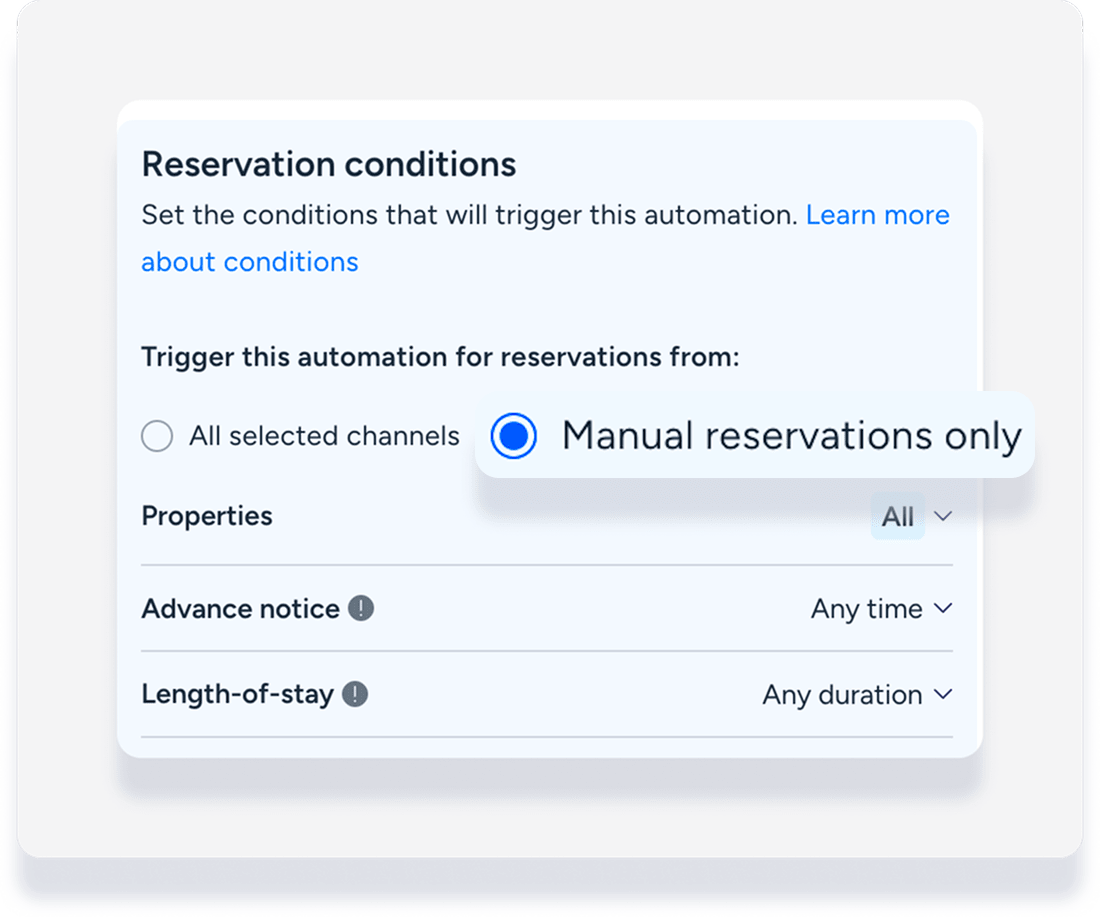
Under "Reservation conditions" set the trigger for manual reservations only.
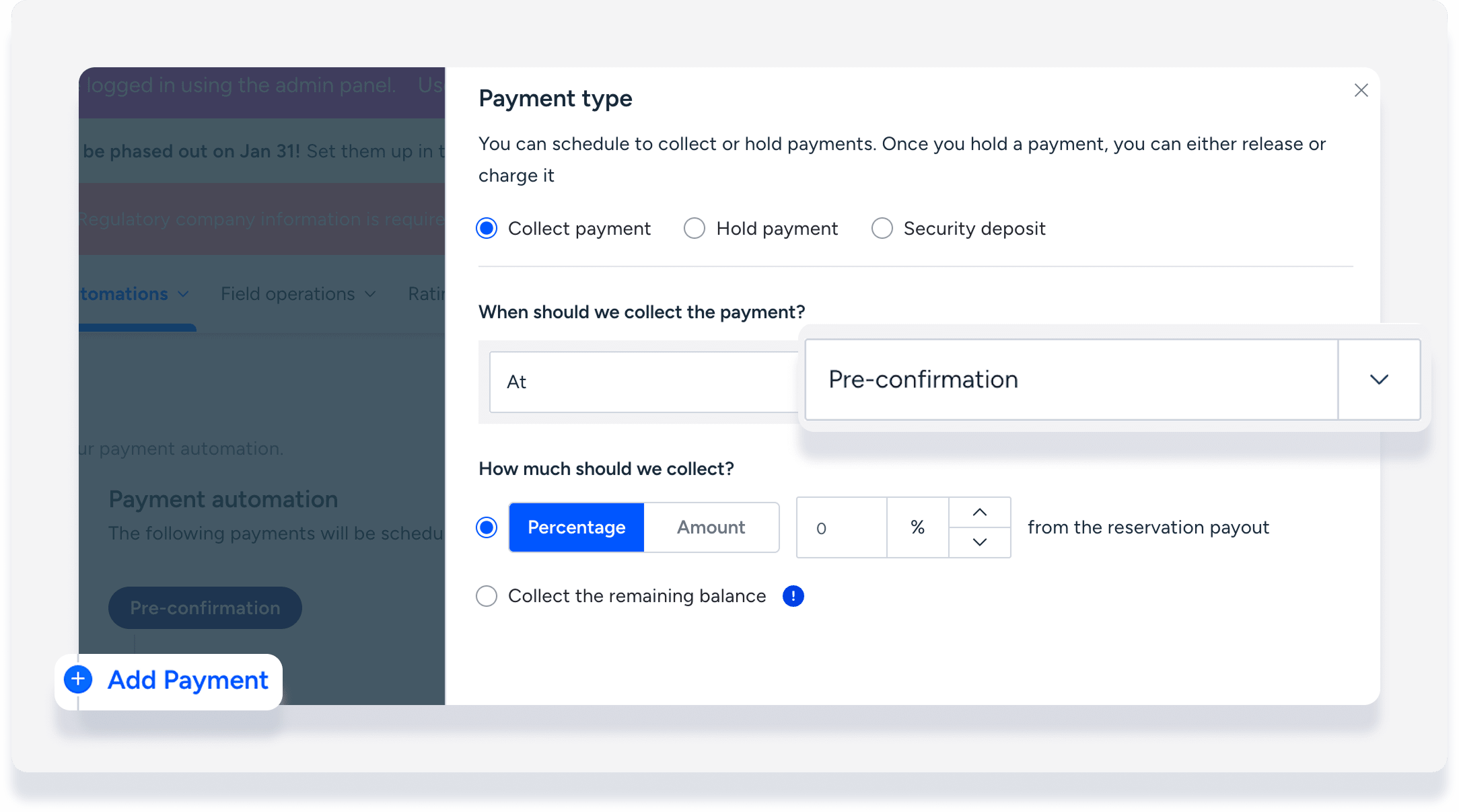
Click Add Payment.
-
Select at Pre-confirmation, and define the amount or percentage to be charged.
Click Save.
Note:
You can only add one "Pre-confirmation" payment rule per automation template.
Monitoring Instant Charge results
When a guest attempts to book through your Booking Engine, Guesty triggers the automation rule before the reservation is finalized.
Successful transactions
Once the payment is processed successfully, the reservation status updates to "Confirmed" in the Reservations report. You can view the payment details under the reservation's Balance due tab.
Failed transactions
If a payment fails during checkout, Guesty doesn't confirm the reservation so the listing remains available for other guests to book. The attempt is logged as reservations with "Closed" status and a failed payment record.