Sync Guesty inquiries directly to your HubSpot . Automatically creates a "Contact" and a "Deal" in HubSpot whenever a new inquiry is made, helping you track potential bookings and engage with guests the moment they show interest.
Here’s how it works:
- The guest from the inquiry is added to HubSpot as a "Contact". If a "Contact" with that email already exists, their information is updated.
- A new "Deal" is created in HubSpot to represent the reservation. This "Deal" is linked to the relevant "Contact".
Setup
Select the HubSpot properties to fill with Guesty data. Use the custom properties you created during the main HubSpot integration setup.
- "HubSpot Lead Status": Choose the HubSpot deal status for this "Contact". Since this is for a new inquiry, we recommend using the value "In Progress".
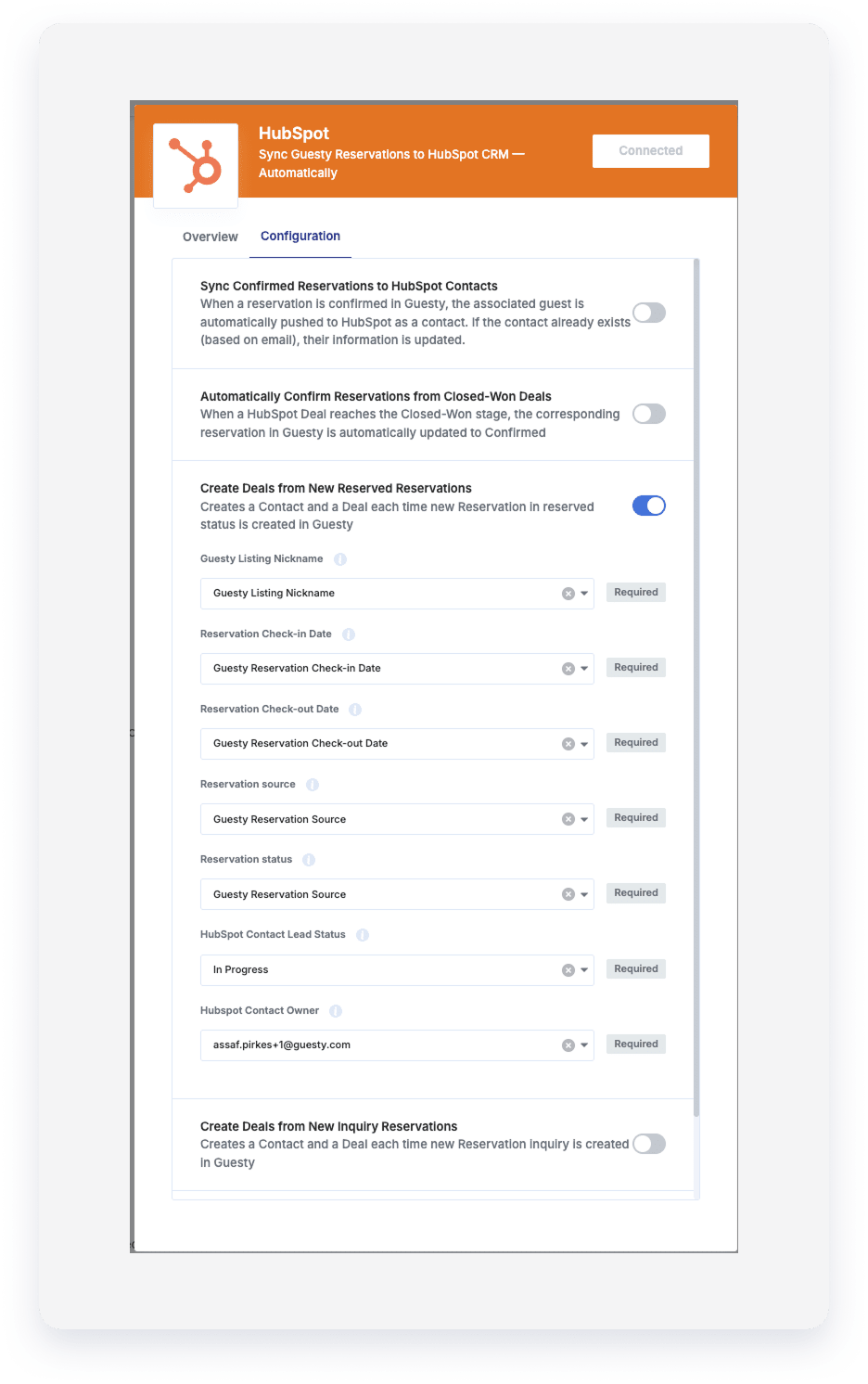
Which data is synced to HubSpot?
From Guesty contact to HubSpot "Contact"
- Guesty "Email" syncs to HubSpot "Email"
- Guesty "First name" syncs to HubSpot "First name"
- Guesty "Last name" syncs to HubSpot "Last name"
- Guesty "Phone" syncs to HubSpot "Phone number"
- Guesty "Address" syncs to HubSpot "Address1"
From Guesty reservation to HubSpot "Deal"
- Guesty "Reservation ID" and "Contact Name" combine to create the "Deal name" (for example, "12345 - John Smith").
- Guesty "Listing Nickname" syncs to your custom "Guesty Listing Nickname" property.
- Guesty "Reservation Source" syncs to your custom "Guesty Reservation Source" property.
- Guesty "Reservation Status" syncs to your custom "Guesty Reservation Status" property.
- Guesty "Check-in" date syncs to your custom "Guesty Reservation Check-in Date" property.
- Guesty "Check-out" date syncs to your custom "Guesty Reservation Check-out Date" property.