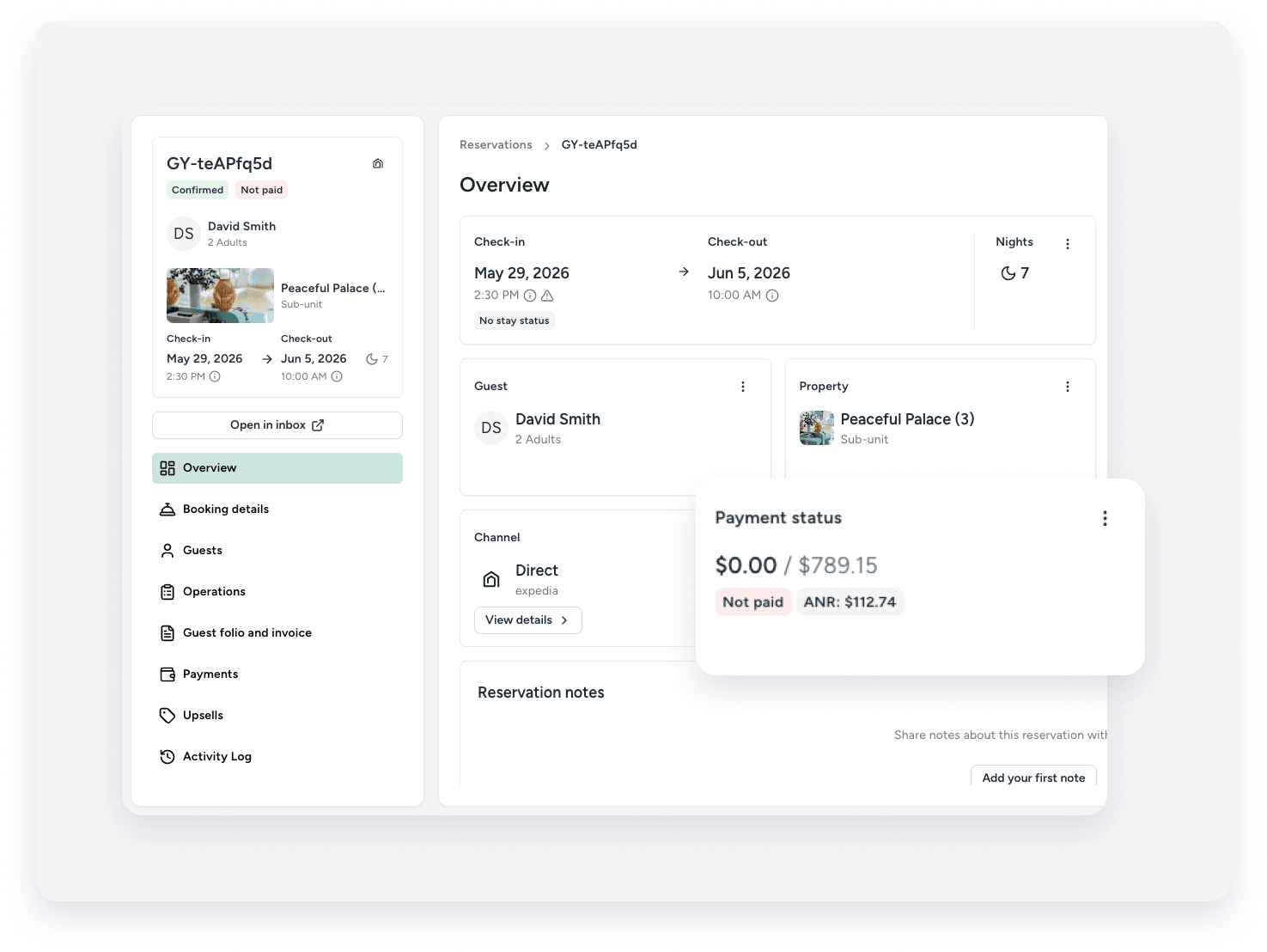
Check a reservation's payment status directly from the reservation page. The payment status displays at the top of the reservation, showing the current status and the relevant amount.
Access the reservation
Follow the steps below to view a reservation's payment status.
Step by step:
- Sign in to your Guesty account.
- In the side navigation menu, click
 Reservations.
 - Use the search bar or filters to locate the specific reservation.
- Click the reservation to open the reservation page.
- View the "Payment status" section for details.
Tip:
Customize the overview page per user by adding, removing, and re-ordering the sections.
Payment statuses
The system displays one of the following payment statuses.
Payment statuses update automatically when payments are processed through Guesty or when you manually record payments. The displayed amount reflects the current balance or overpayment based on the reservation's total payout.
If the channel is a merchant of record and processes payments, the payment status doesn't sync with Guesty. Even though the channel charges the guest, the payment status remains “Unpaid” in Guesty. To track the payment status, visit the channel extranet.
Payment Status |
Displayed Amount |
Description |
|---|---|---|
Unpaid |
Balance Due |
No payment has been processed or recorded on the reservation. The full reservation amount remains outstanding. |
Partially paid |
Balance Due |
The total of processed or recorded payments is lower than the total payout. A remaining balance is due. |
Fully paid |
Balance Paid |
The total of processed or recorded payments equals the total payout. The reservation is paid in full. |
Overpaid |
Overpaid amount |
The total of processed or recorded payments exceeds the total payout. The guest was overcharged. |
Failed |
Balance Due |
Guesty attempted to process a payment three times without success. Reach out to the guest to collect a new payment method and charge the payment manually. |
Manage payment notifications
Stay informed about payment updates by setting up automated notifications. This helps you track successful transactions or address failed payments immediately.
