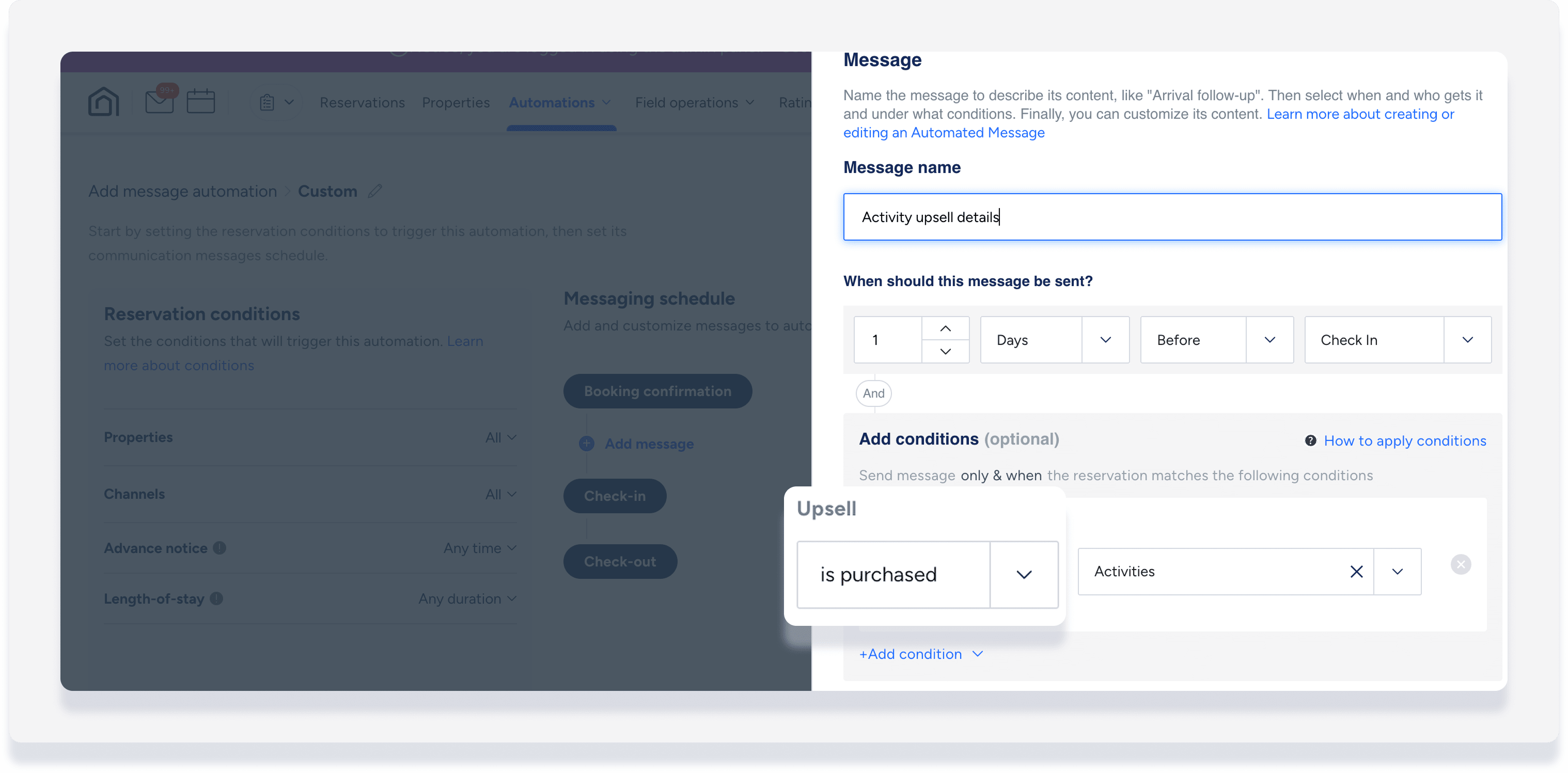
After setting up an additional fee as an upsell for the Guesty Booking Engine, you can automate communication based on whether a guest purchases the service. This ensures both guests and staff receive timely information regarding extra services.
Automated message conditions for upsells allow you to:
Send specific instructions to a guest after they purchase an item, such as how to set up a requested baby bed.
Notify a cleaner or team member when a guest purchases an additional cleaning service.
Send a follow-up message to guests who didn't purchase a specific package, like breakfast, to offer it again before check-in.
Access your message automation
Manage your communication workflow by editing existing automations or creating new templates.
Step by step:
- Sign in to your Guesty account.
- In the side navigation menu, click
 Operations to open the dropdown menu.
 - Under Front desk, select Message automation.
- To edit an existing automation: To the right of the relevant automation, click
 and select Edit from the dropdown menu.
 - To create a new automation: In the top-right corner, click Add message automation.
- To edit an existing automation: To the right of the relevant automation, click
Add message with upsell condition
Add conditions to trigger a message only when an upsell is or isn't part of a reservation. For purchased upsells, send specific information about that service. For upsells that are not purchased, offer it again to guests to enhance their stay.
Learn more about understanding reservation conditions.
- Within the message automation, under "Messaging schedule" and click Add message.
- Click Add condition and select Upsell from the dropdown.
- Select is purchased or isn't purchased from the dropdown.
- Fill in the rest of the fields, including the freeform message text.
- Click Save.