When you create additional fees and sync with channels, you can choose to include the fee in the accommodation fare. When included, the fee is bundled and hidden from guests booking through the channel. This is required in regions where regulations prohibit showing separated fees to guests.
Hide fee from guest in channel (bundle)
- Go to the "Fees" setup in Guesty.
- Create or edit a fee you wish to bundle.
- For the channels you want to sync, select Include in fare.
- Save your changes.
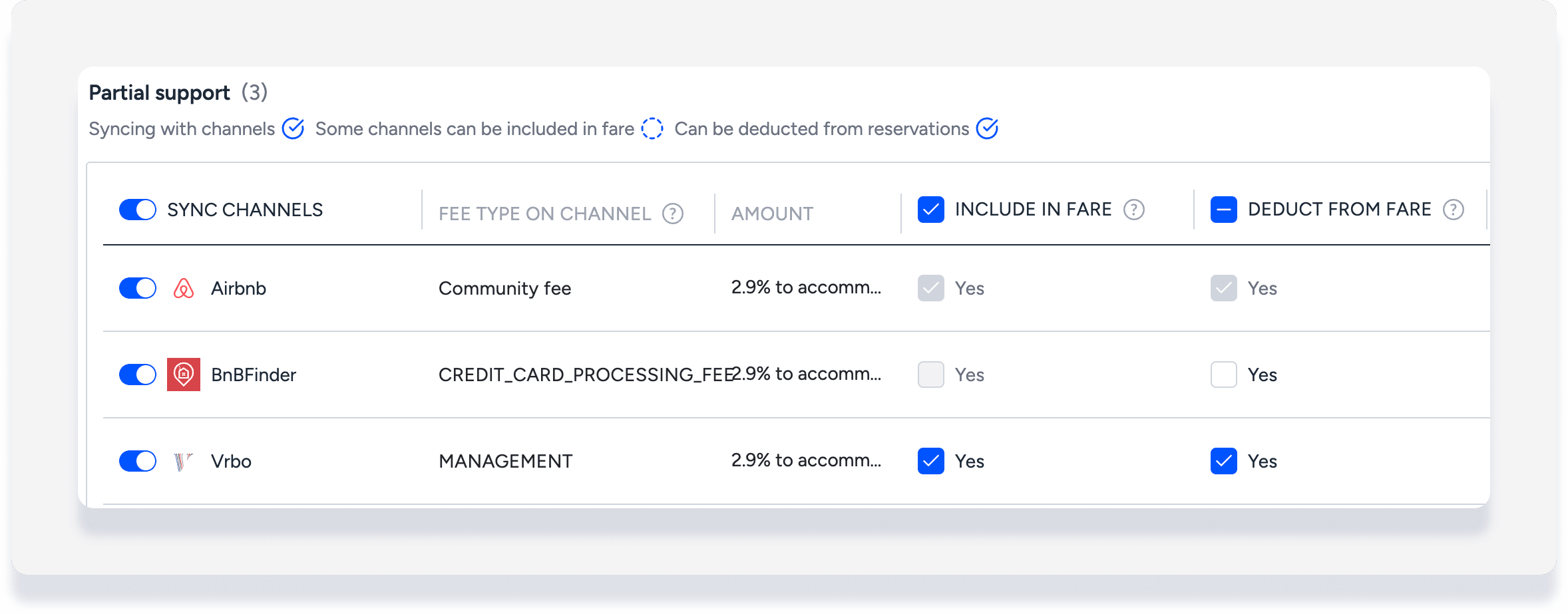
If selected, guests see only a total accommodation fare including the fee, not a separate fee line item. For example, if a $40/night fee is included in a $500/night fare and the reservation is for 4 nights, the total appears as $2,160 to the guest (not $2,000 + $160 fee).
See FAQs below for details on the reverse-calculation logic used to determine percentage fees.
Limitations
- Taxes set to apply on the accommodation fare include bundled fees as part of the taxable amount
Show fee as line item in Guesty (deduct)
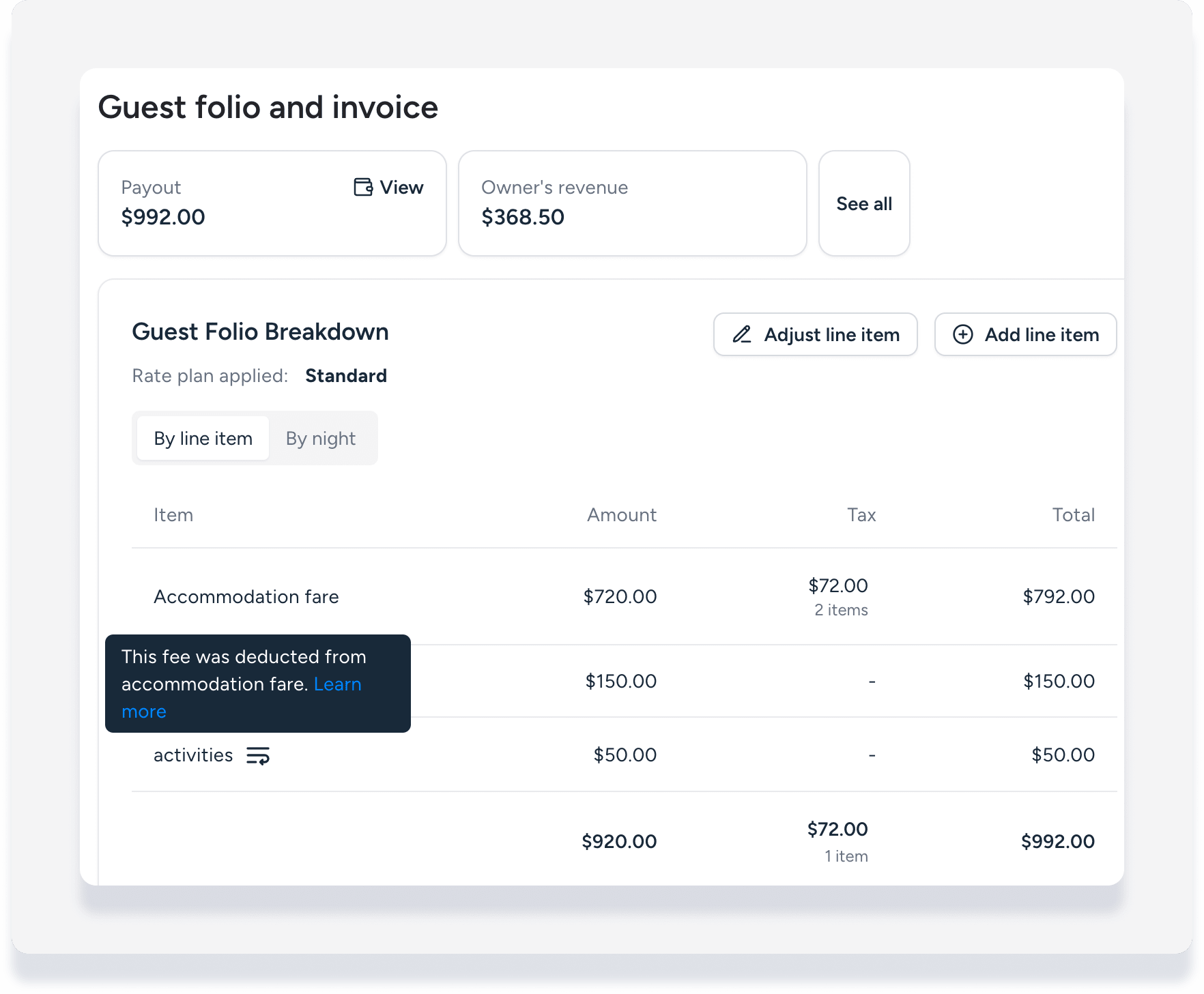
Select Deduct from fare to display the bundled fee separate from the accommodation fare in the guest folio and reports.
Step by step:
- Go to the "Fees" setup in Guesty.
- Create or edit a fee you wish to bundle.
- For synced channels with "Include in fare" already selected, click Deduct from fare.
- Save your changes.
Important:
Only select "Deduct from fare" if the fee is synced to the channel. The fee will be deducted from the accommodation fare even if the fee is not synced, creating a discrepancy in the folio total amount.
A deducted fee appears as one line item indicated by the icon  . The fee can be adjusted like any other line in the guest folio.
FAQs
When you bundle a percentage-based fee into the accommodation fare, Guesty must apply reverse-calculation logic. This is different from simply multiplying the channel total by the fee percentage to calculate the fee amount.
- You configure the fee as a percentage of the accommodation fare.
- The channel sends Guesty a single total amount that already includes:
- Fixed fees
- Percentage-based fees
- Guesty must unbundle the total to calculate each fee and the base fare.
For example: A reservation is received from Vrbo for a total of $1,582.68. This includes bundled fixed fees of $99 and $129, and a bundled percentage fee of 6.5% on the accommodation fare. In Guesty, the reverse calculation logic is as follows:
- Deduct $99 and $129 fixed fees from total: $1,582.68 - $228 = $1,354.68
- Deduct 6.5% from the remaining total to determine the accommodation fare: $1,354.68 ÷ 1.065 = $1,272.00
- Calculate the 6.5% fee amount: = $1,272.00 × 0.065 = $82.68
-
Verify results:
Accommodation Fare:   $1,272.00
Bike Program:           $99.00
Damage Waiver:         $129.00
6.5% Fee:               $82.68
--------------------------------
Total Rent:          $1,582.68 ✓
The calculated fee breakdown matches the original channel total.
When a fee is sent from the channel to Guesty booked as a standalone item, it appears in the guest folio as the "Fee type on channel". When a fee is included in the accommodation fare, Guesty only receives the bundled fare from the channel. Guesty breaks out the deducted fee according to the fee configuration and applies the internal fee name.
For the fee setup example shown below: If this fee is not included/deducted, a Vrbo reservation shows the fee as "Management" in the guest folio. If it is included/deducted, then the fee appears as the internal name "Transaction processing fee".
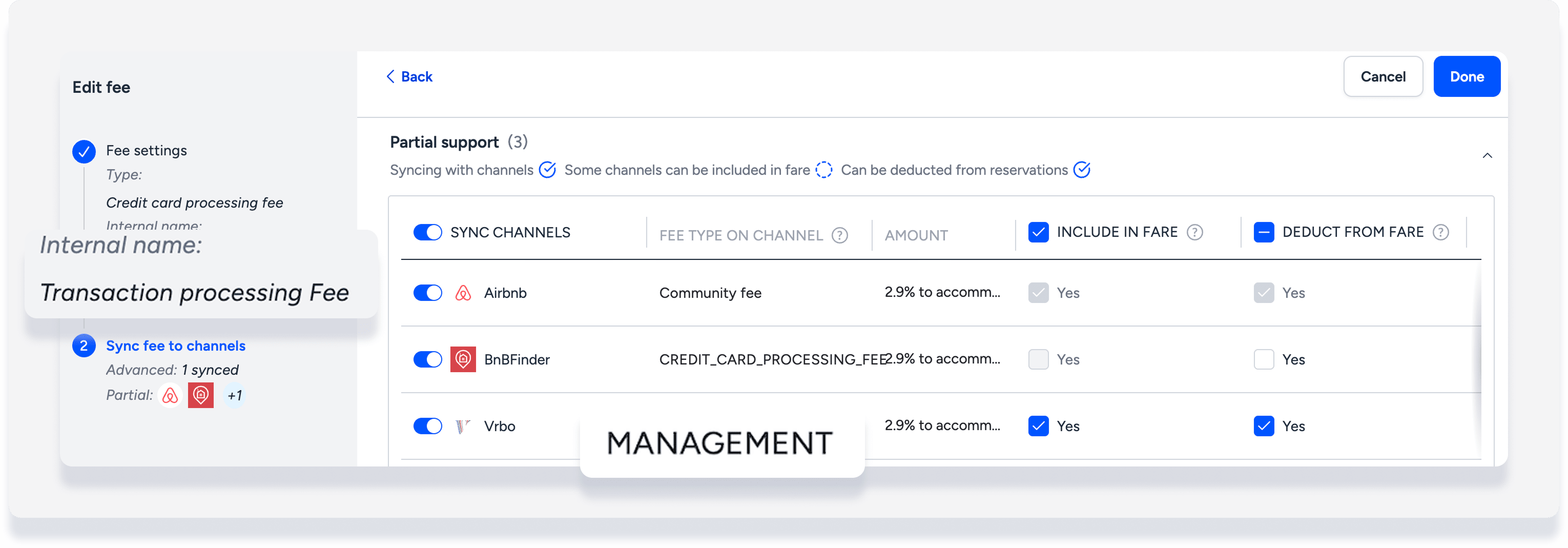
You can show the deducted fee as a separate line item in guest invoice settings by toggling on Include deducted fees breakdown. If a local regulation requires you to hide fees when sharing prices with guests, keep this toggled off.
Vrbo applies weekly or monthly discounts on the accommodation fare before included fees are calculated as a bundled amount. When a reservation is changed in Guesty, the discount is recalculated based on the accommodation fare with included fees.
For example, a reservation is made for 7 nights at $1000, with a damage waiver fee of $100. The fee is included in the accommodation fare, making the bundled amount $1100. When the reservation is made in Vrbo, a weekly discount of 10% is applied only the accommodation fare, taking $100 off.
A pet fee is added in Guesty, triggering a recalculation. The 10% discount is applied to the bundled accommodation fare of $1100, taking $110 off.
