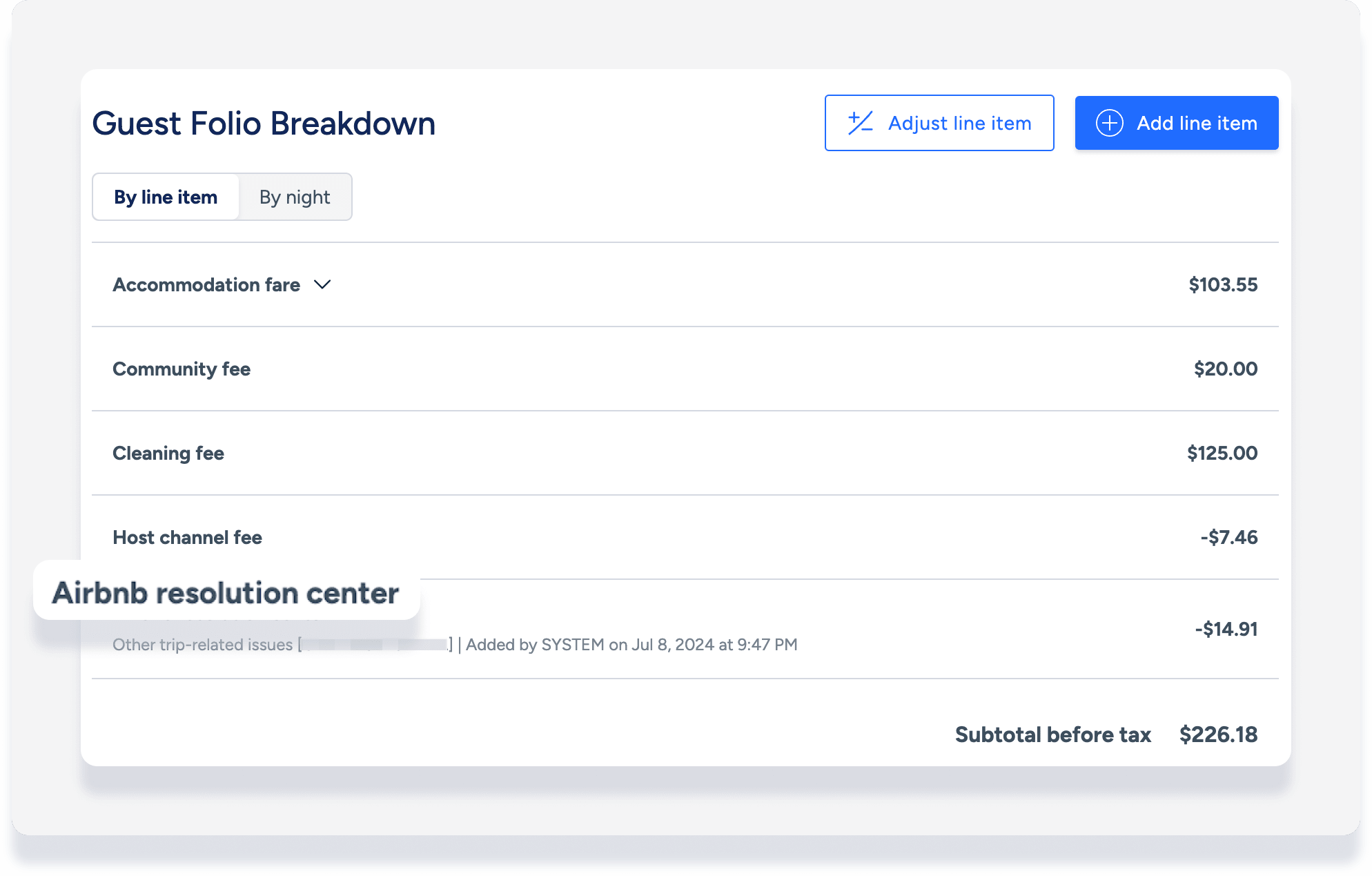
When an "Airbnb resolution center" line item appears in a reservation's guest folio breakdown, it indicates Guesty received a closed resolution from Airbnb. The Airbnb Reseolution Center (ARC) manages refunds and payment requests between guests and hosts.
Tip:
Find reservations with ARC items by downloading a reservations report and including the column "Airbnb Resolution Center". A positive or negative value in this field indicates Guesty received an ARC item.
ARC in Guesty: Notes and limitations
The information syncs to Guesty but is managed entirely by Airbnb. Airbnb doesn't provide real-time syncing for resolutions. Guesty pulls resolution data once per day, so the resolution might not appear in the guest folio until the day after it appears in Airbnb.
Syncing requirements
ARC syncing is only available for reservations created after August 28, 2024.
Airbnb only sends closed resolutions to Guesty. Pending resolutions don't appear in Guesty.
The connected Airbnb account owner must initiate or respond to the request. If they aren't the initiator or responder, the resolution doesn't sync. In this case, manually adjust the guest folio and record the payment or refund in Guesty.
Potential sync issues
Details might not sync to Guesty, or may sync with inaccurate information, in the following scenarios:
The price resolution occurred before the listing connected to Guesty.
The refund occurred via the ARC before August 28, 2024.
The listing is suspended or not API-connected to Airbnb.
The reservation moved to a different listing.
Airbnb made the payment on behalf of the guest.
Handling multiple resolutions
If multiple resolutions are approved, they appear on the same "Airbnb resolution center" line item in the guest folio. The amount increases or decreases depending on the type of resolution received.
Important:
If you manually adjust an ARC line item while a resolution is still being processed, syncing stops for that item. Only adjust the folio once you are certain no further resolutions are pending.
If multiple resolutions are processed and you manually adjusted invoice items from prior resolutions, those items might duplicate in subsequent invoices. For example, if you zero out the first of two resolutions, the second resolution amount might inadvertently include that adjusted amount.
View an ARC item in Guesty
Once a resolution is closed, an "Airbnb resolution center" line item is added to the guest folio, and the balance due is updated accordingly:
Refund from the host: A negative amount
Payment request from the guest: A positive amount
No refund or payment request: No change to the balance
The date on the line item shows when Guesty received the data, not necessarily when the payment occurred. The line item doesn't include the specific reason for the resolution. Check the ARC in Airbnb to see specific details.
ARC in guest folio breakdown
ARC in payments
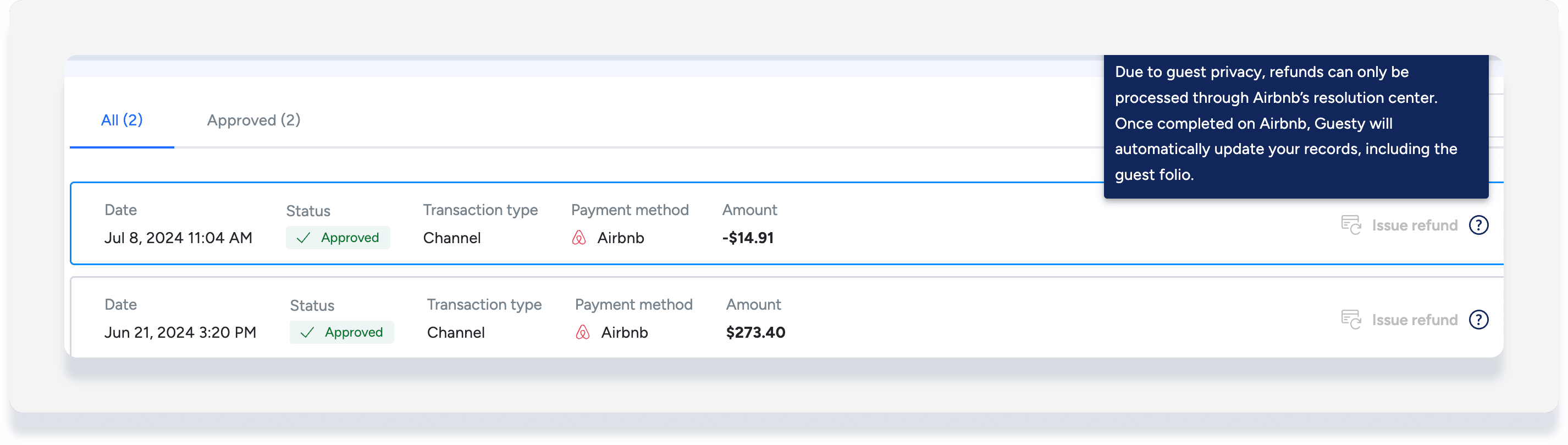
The guest refund or charge can also be seen as a new transaction under the reservation's payments:
ARC item in Accounting
By default, the revenue or expense from an ARC is allocated 100% to the PMC. Learn how to split allocation with an owner or vendor.
If a reservation is canceled before check-in, the ARC value remains in the folio even if the rest of the reservation amount is zeroed out.
Resolving discrepancies
If there's a discrepancy with the resolution amount, don't adjust the ARC line item in Guesty, as this won't sync back to Airbnb. Instead, open a new ARC case directly with Airbnb. Any additional approved amounts then sync with Guesty as a new resolution.
