When integrating your Vrbo account with Guesty, you may encounter several common issues. Below is a detailed guide explaining these issues and how you can resolve them.
You can't log in to Vrbo
If you can't log in to Vrbo, check you are using the correct login credentials. If necessary, reset your password on Vrbo and try again.
The integration page is empty
The Vrbo thumbnail on the Distribution page appears grayed out with a "Connect" button, indicating that the connection process wasn't initiated.
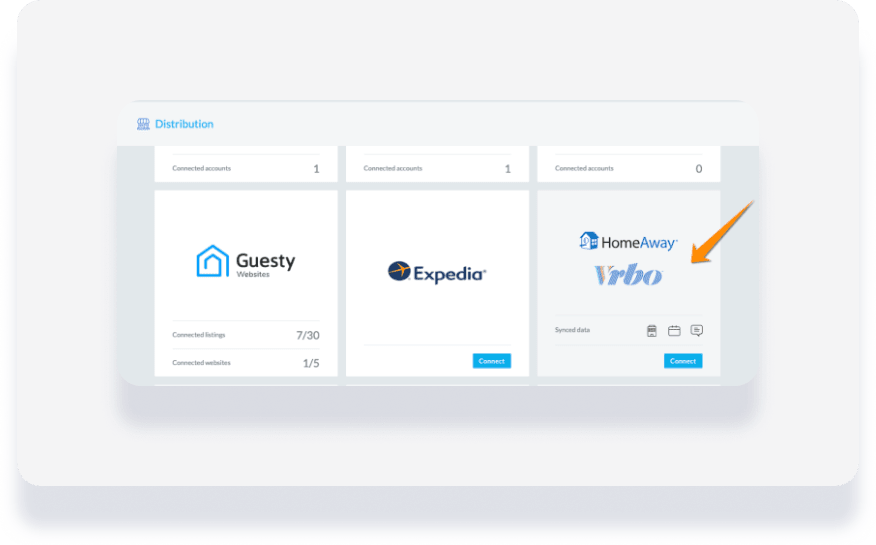
To connect your Vrbo account to Guesty, refresh the page and follow these steps:
- In the side navigation menu, click
 Marketing and sales to open the dropdown menu.
 - Under Channel management, select Distribution.
- Click the grayed-out Vrbo thumbnail and begin the connection process again.
The account exists without listings
This typically occurs when listings haven't been added during the setup process.

Depending on your connection type, note the following:
- "Net New": You must connect at least one listing.
- "PPM to IPM" / "Software Switch": All existing listings must be connected.
- In the side navigation menu, click Marketing and sales and select Distribution.
- Click the Vrbo thumbnail.
- Click Add your listings to publish the required number of listings.
The SSO form wasn't submitted
Your account has listings, but you haven't submitted the onboarding form.

- Complete and submit the Vrbo SSO form.
- If there's an error, contact Vrbo.
Your Vrbo Advertiser ID is stuck in pending
If "Pending" is displayed in the "Advertiser ID" column, it indicates that listings have not yet been published.

Note:
- One Vrbo account is required for each assigned Advertiser ID.
- Do not change your assigned Advertiser ID once integrated, as it is not automatically sent to Vrbo.
