Help Center
Topics
Videos
Articles
English (GB)
Deutsch
Español
Français
Italiano
Sign in
Contact Us
Guesty Help Center
Analytics
Advanced Analytics
Advanced Analytics troubleshooting
Advanced Analytics: Unknown error
Advanced Analytics is a premium feature.
Contact us
to activate it.
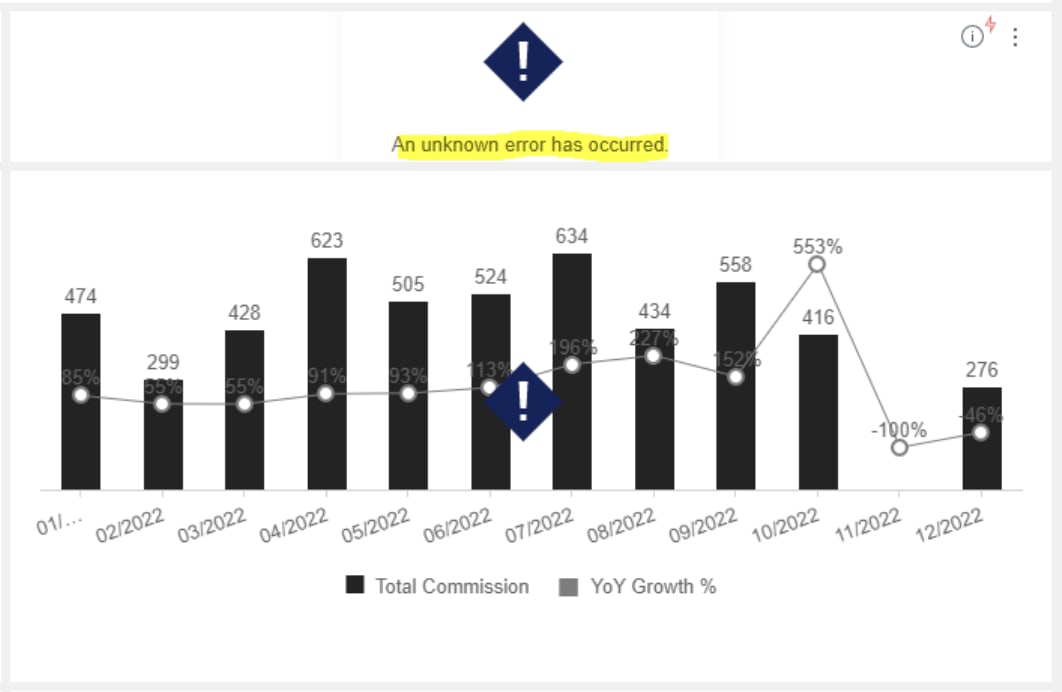
If you encounter an "unknown error" in Advanced Analytics as shown in the screenshot below, the most likely cause is an apostrophe in the listing nickname. Follow the instructions
this article
to update the listing nickname by removing the apostrophe, then go back to Advanced Analytics and run again.
Example:
With apostrophe: A'LISTING
With apostrophe removed: ALISTING
Related to:
GFP: Advanced Analytics
Return to top
Type to search
/hc/theming_assets/01J0FPK0WP01F3YES9Z10BQ116
custom
/hc/theming_assets/01J0FPK158845VMTX414TKTW0J
community
/hc/en-gb/community/topics
/hc/theming_assets/01J0FPK1DS7N8BPEXYMGC0P4MF
custom
/hc/theming_assets/01J0FPK1NV09VK02Q9KPXWNKPB