When you connect a Stripe account to Guesty, the "Business name" you entered in Stripe will appear as the account's name in Guesty. You can change this display name at any time.
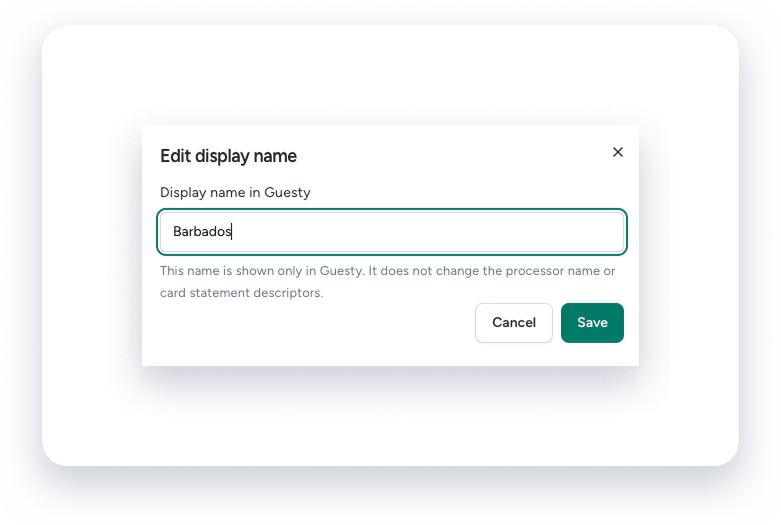
Changing the display name only affects how it appears inside your Guesty account. This change does not impact your business name in Stripe or the statement descriptors that appear on your guests' credit card statements.
To change the Stripe account display name
- Sign in to your Guesty account.
- In the side navigation menu, click
 Guest payments to open the dropdown menu.
- Select Payment processing.
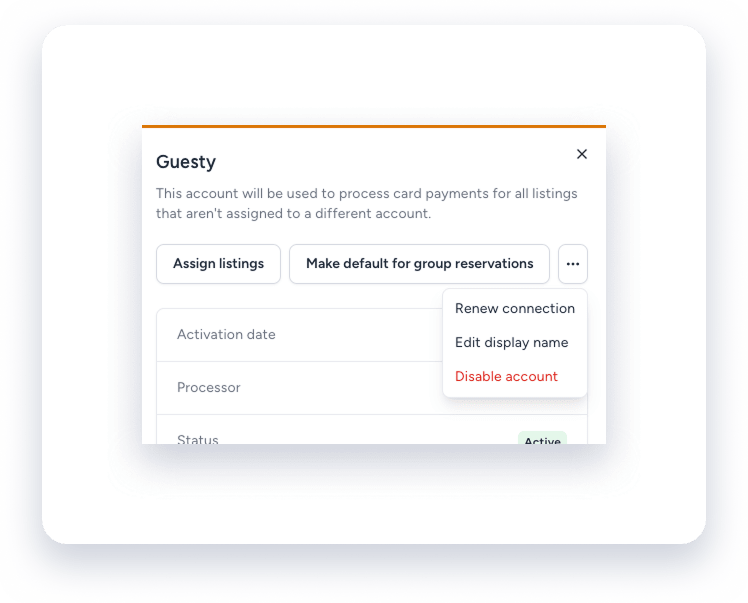
- At the relevant account, click
 to open the menu.
- Select Edit display name.
- In the Edit display name pop-up, enter the new name in the "Display name in Guesty" field.
- Click Save.
Note:
If you do not see the Edit display name option, contact our support team to have the name updated for you. The More options menu also contains an option for renewing a disconnected Stripe account.
x