Regular bank reconciliation is essential for maintaining trust account integrity and meeting regulatory requirements in the property rental industry. This article explains how to create a manual bank reconciliation to review and clear your transactions for a set period.
Before you begin
Before starting a manual or automatic bank reconciliation, learn about ongoing account maintenance, the importance of separate bank accounts, and more in Managing bank reconciliations.
When using bank reconciliation in Guesty for the first time, start by setting up your pre-reconciliation to clear past transactions.
Create a manual reconciliation
Step by step:
- Sign in to your Guesty account.
- In the side navigation menu, click
 Accounting to open the dropdown menu.
 - Under Cash management, select Bank reconciliation.
- At the top right, click New reconciliation.
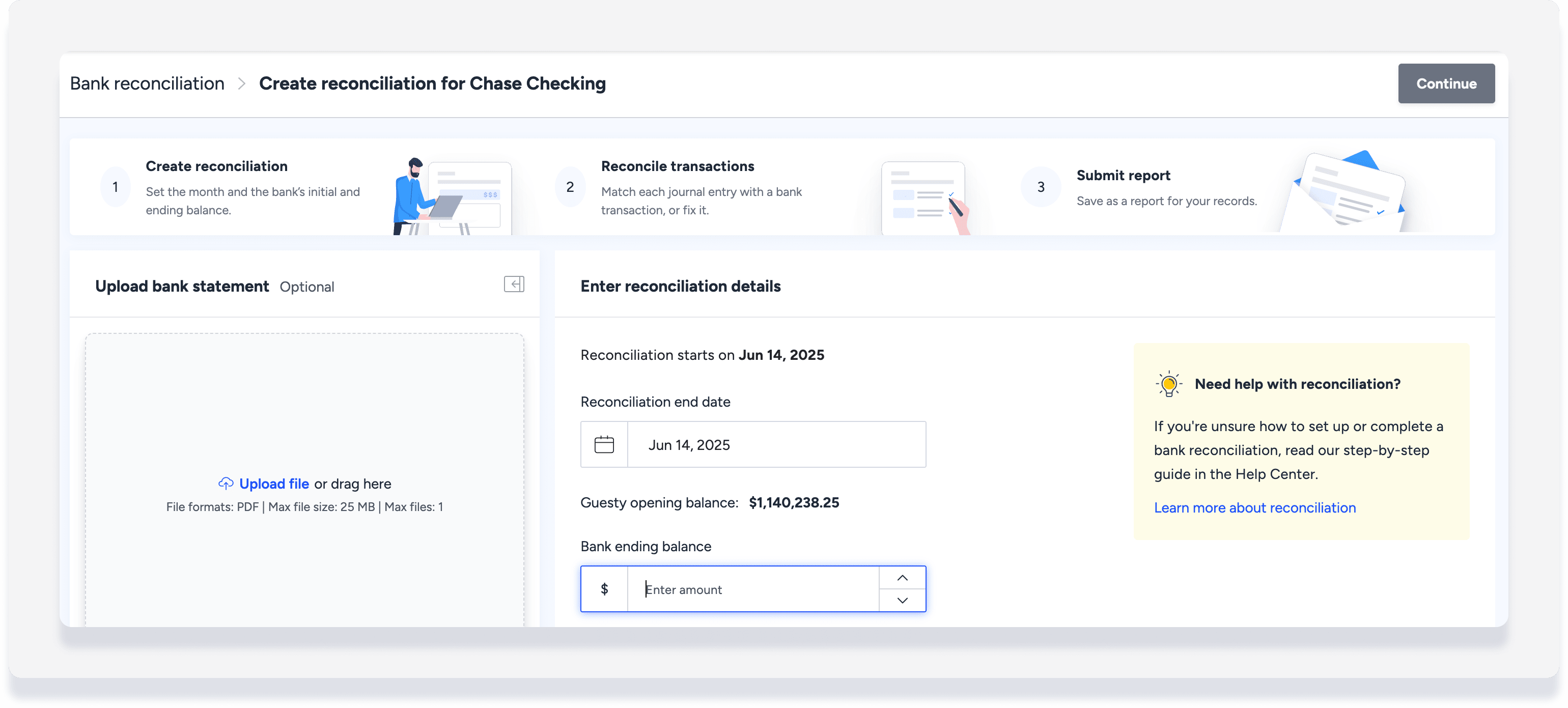
- Enter the reconciliation end date.
- Review the "Guesty opening balance" amount to make sure it aligns with your bank account.
- Enter the Bank ending balance amount.
- (Optional) Click Upload file to upload your bank statement.
- In the top-right corner, click Continue.
- Review each transaction and check if it is cleared on your bank statement:
- If the disbursement is correct and there is an equivalent in your bank account, check the entry to clear it.
- If you do not want to clear the disbursement, click Edit and select Move to next period.
- When all transactions are reviewed, and the difference between the cleared transactions and the bank ending balance is zero, click Submit reconciliation. Alternatively, click Save as draft to complete later.
To create reconciliations for multiple accounts, simply follow the same steps for a different bank account.
Learn how to complete a draft, bulk resubmit, and view reconciliation statements in Managing bank reconciliations.
