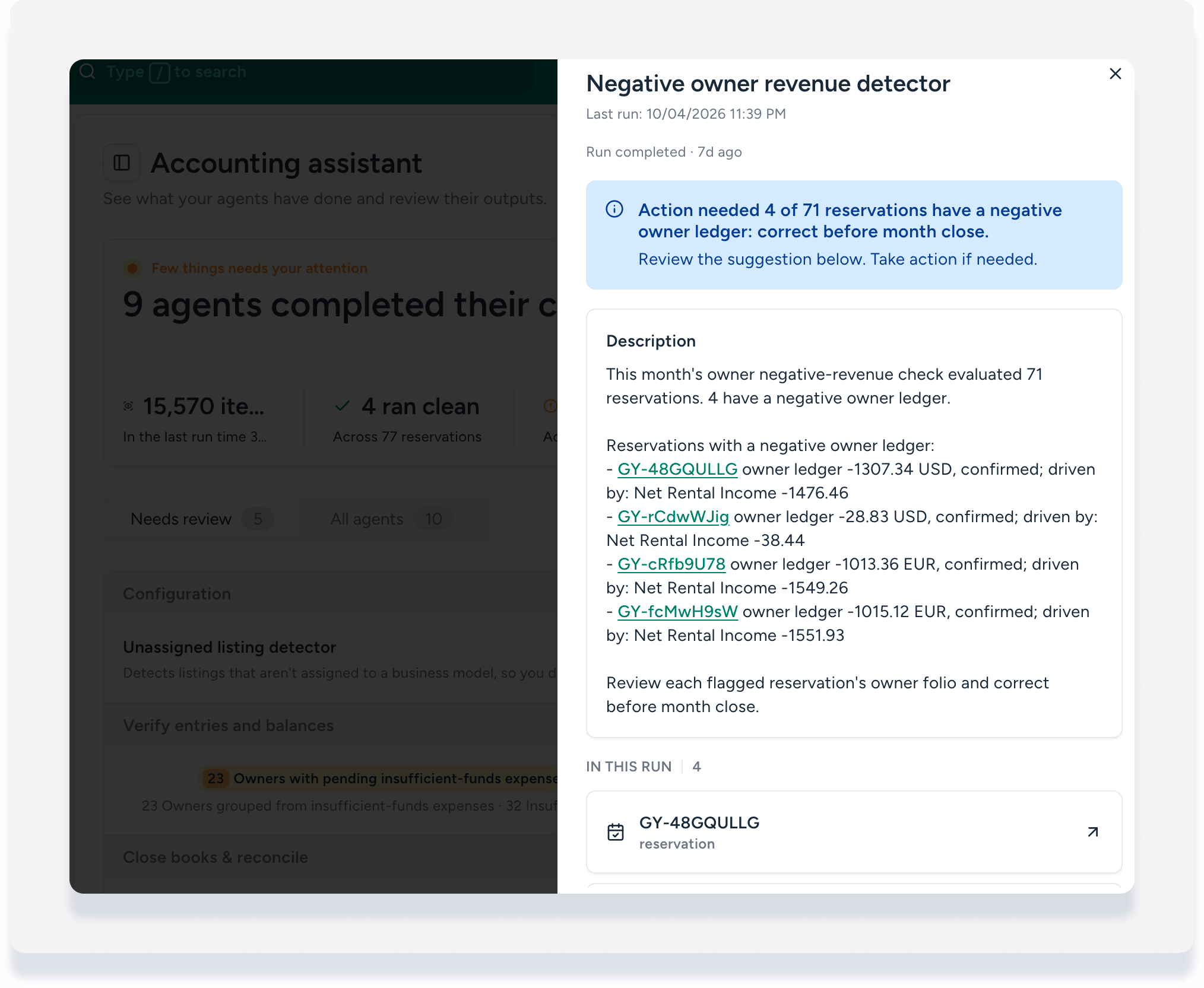
This article explains how to use the Accounting assistant workspace to get real-time financial awareness of your business. You can see the results from your accounting agents, track your month-end closing progress, and review items that need your attention.
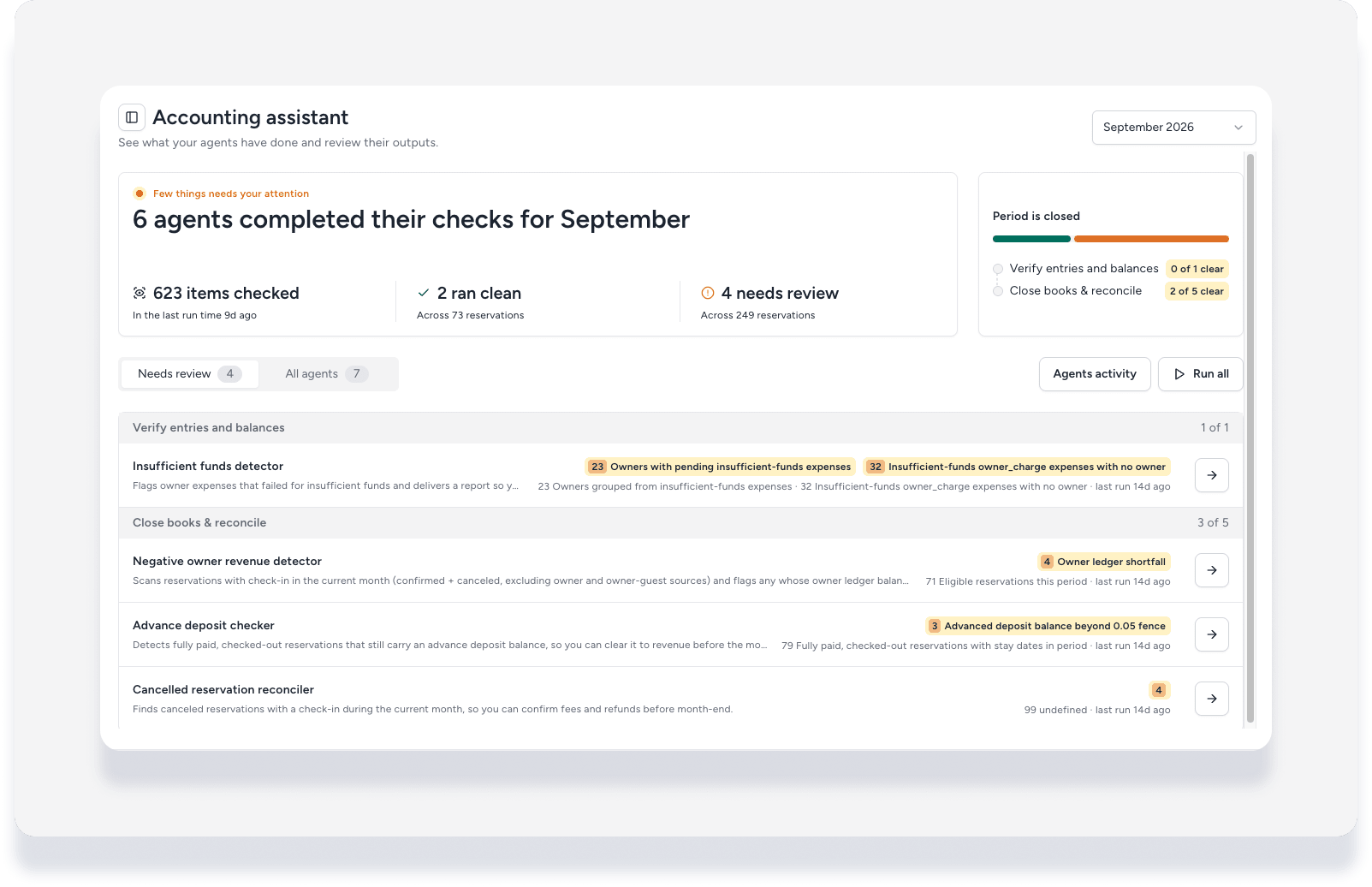
Before you begin
- This feature is available to Guesty Accounting users who have purchased Guesty's AI capabilities.
- You need to turn on any relevant accounting agents before they will appear in the workspace. See the Agents Hub accounting section with articles for each agent.
Access the Accounting Workspace
- Sign in to your Guesty account.
- In the side navigation menu, select
 Agents hub.
 - In the left submenu, click Workspaces, then select Accounting assistant.
Understanding the Accounting assistant page
The workspace header provides a high-level summary of your accounting health for a selected month.
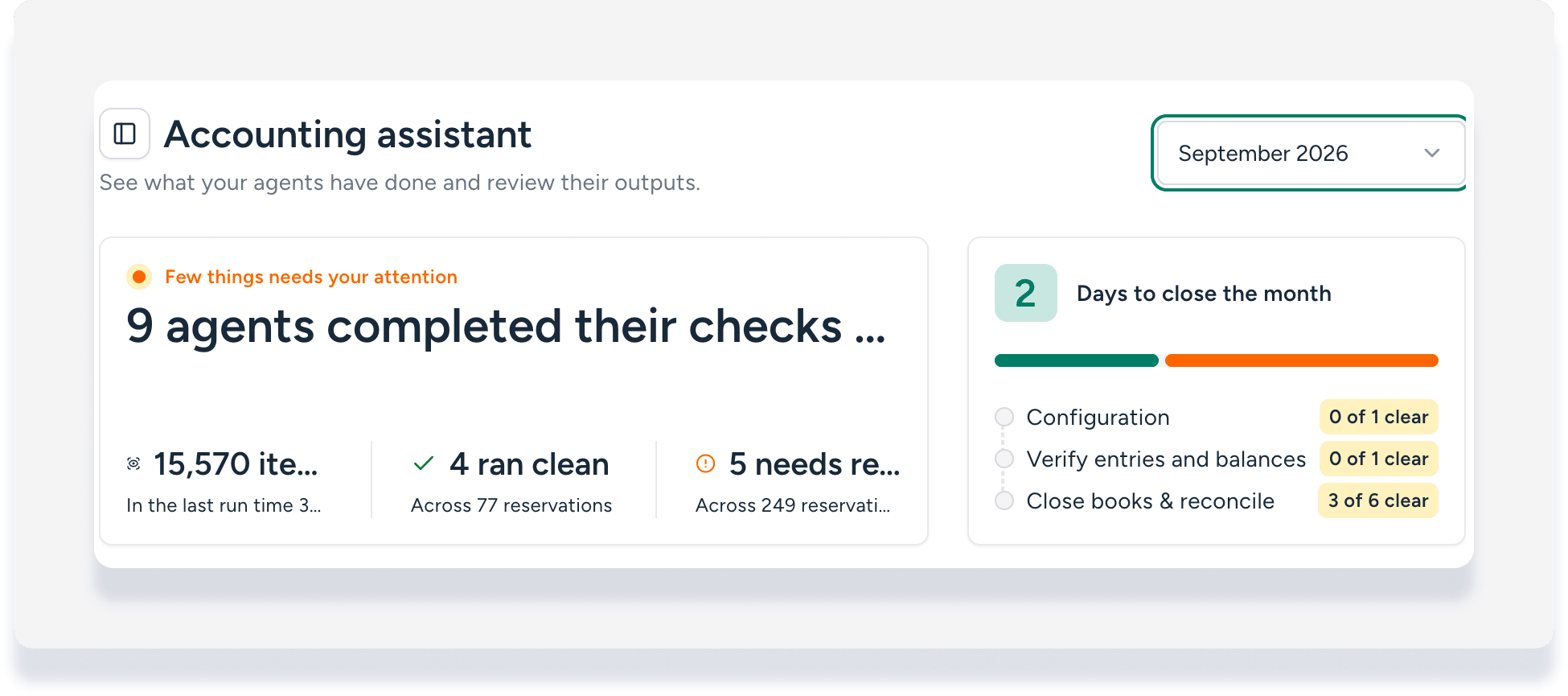
Agents summary
The header shows how many agents completed their checks, the total number of items they scanned, and a summary of their findings. It highlights how many checks ran clean and how many need your review.
Data by month
In the top-right corner, click the dropdown to switch between the current month's data and past results.
Track month-end progress
A dedicated panel shows your progress toward closing the month's books. It includes:
- Days to close the month: A counter that shows how many days are left until the date you set as your locking date.
-
Progress buckets: A breakdown of issues found by agents, grouped into three categories to help you know what to fix:
- Configuration
- Verify entries and balances
- Close books & reconcile
Following a structured monthly closing procedure can help ensure all tasks in these categories are completed. Learn more about accounting best practices for end-of-month tasks.
Reviewing and running agents
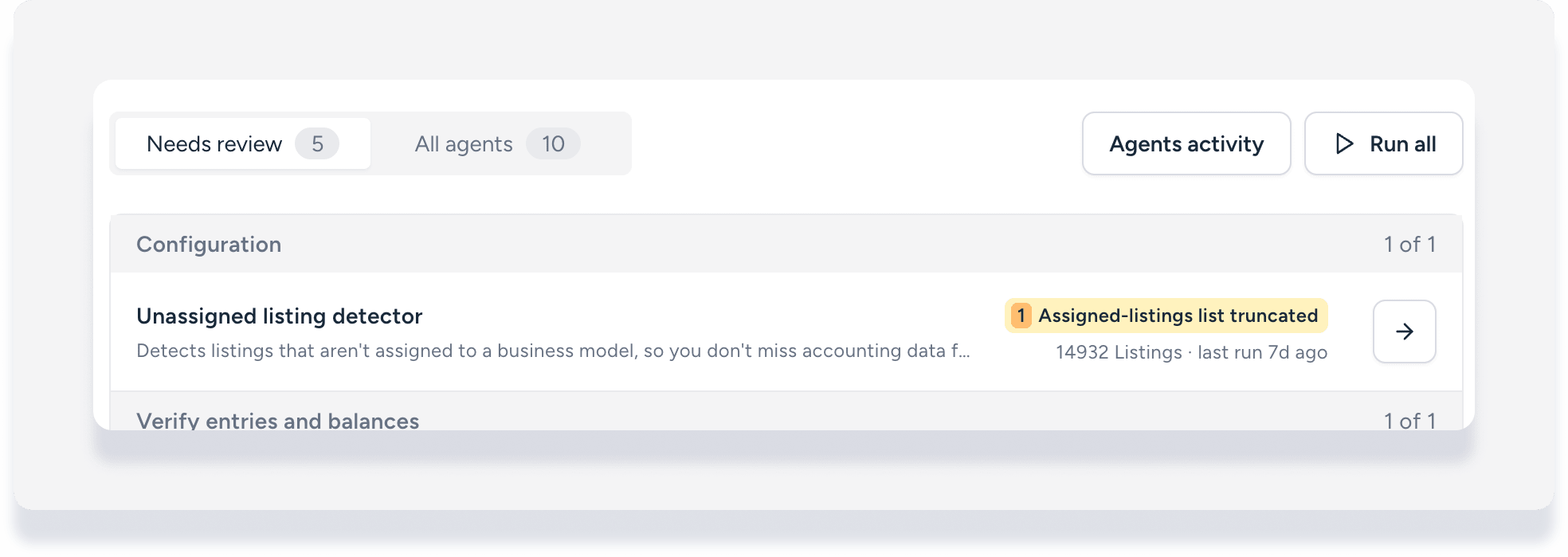
- Click the Needs review tab to see only agents with findings.
- Click the All agents tab to see every agent.
- Click Agents activity to see past results.
- Click Run now to run all agents.
- Click an agent row to review the report details in the right side panel, and take action as needed.