When configuring key settings in Guesty, such as assigning listings to business models in Accounting or creating a Guesty Booking Engine, you define which properties to include. Guesty uses a dynamic selection process across multiple features. Use this guide to understand how to navigate the selection workflow and choose the best assignment option for your portfolio.
Assign listings
To configure property selection across features using dynamic assignment, follow the steps below.
- Navigate to the feature or setting you are configuring and click Select listings.
- In the side panel, choose one of the three assignment options based on your operational needs:
- Specific properties: Manually pick exact properties. Choose this method when you need precise control. Because this method doesn't automate future additions, revisit the selection panel whenever you add new properties.
- Assign by rule: Auto-assign properties based on metadata. While matching happens automatically, newly integrated channels or booking sources require a manual update to your existing rules if you filter by those fields.
- All: Apply the setting universally across your entire portfolio, present and future.
- Review your selected properties or dynamic criteria, then click Save.
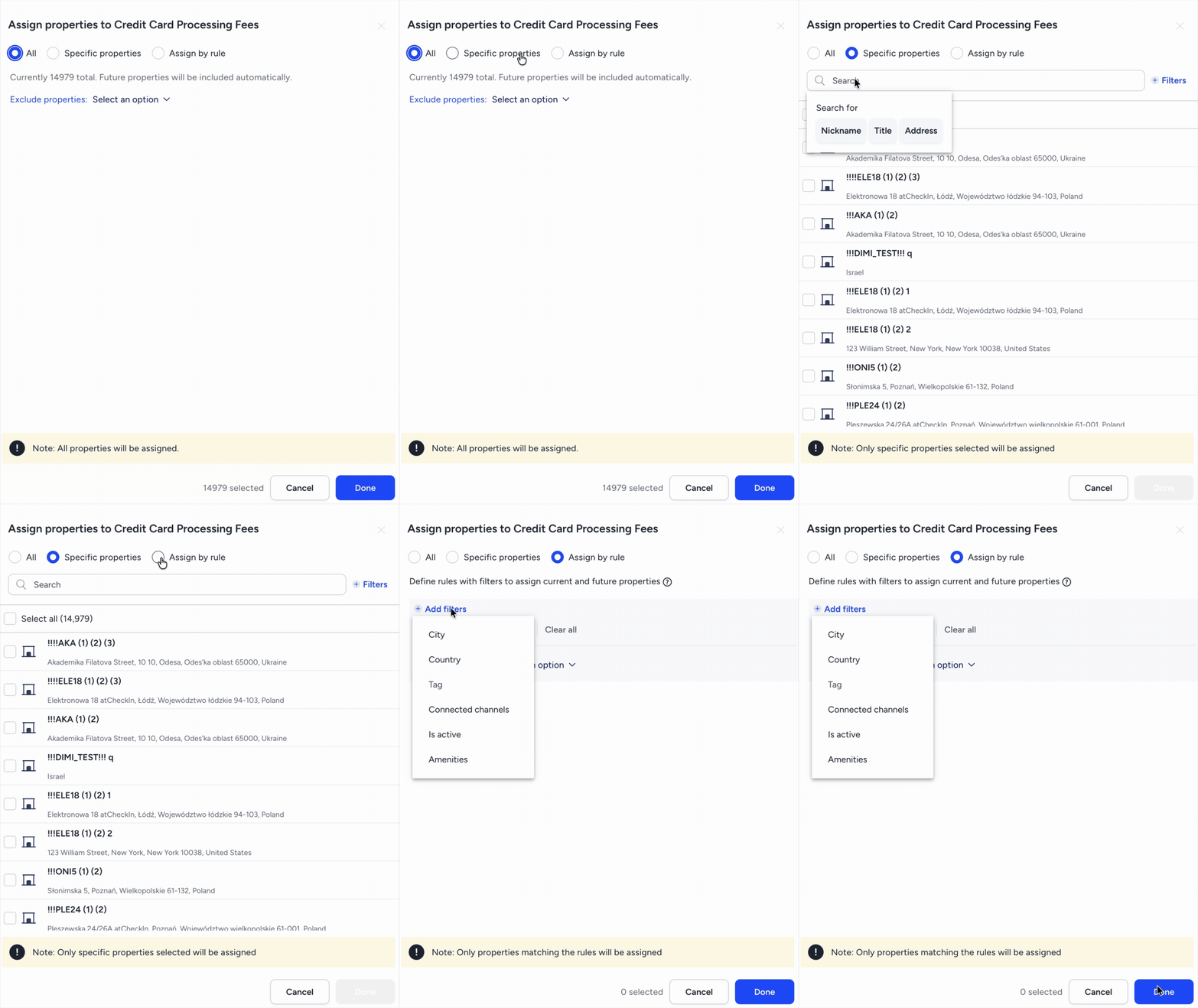
Listing Selection Options Explained
Understanding how each selection method works helps ensure your accounting models, owner reports, and feature settings stay accurate as your portfolio.
| Selection Option | How It Works | Future Updates & Integrations | Best Used When... |
| Specific properties | Manually pick individual listings from your portfolio. | Manual: To include new properties later, click Unassigned and check the boxes for the properties you want to add. | You have unique, non-standard configurations for specific properties (e.g., custom owner accounting models). |
| Assign by rule | Set dynamic filters using criteria such as city, country, tag, connected channel, or brand. | Automatic for matching rules: Properties are added automatically when they match criteria. Note: If filtering by specific channels or sources, any new channels or sources created in the future must be added manually. | You manage properties regionally or by business unit (e.g., grouping all Miami properties or units tagged "Premium"). |
| All | Applies the setting to every current property in your Guesty account. | Fully Automatic: Includes all future properties added, including properties from new channel or source integrations. | Applying account-wide rules that every property must inherit without exception. |