Guesty seasonal cancellation policies allow property managers to set stricter policies during high-demand periods to protect revenue and offer more flexible options during the off-season to attract more guests, without changing the listing’s default policy.
Manage seasonal cancellation policies in Guesty cancellation policy hub for Airbnb and Vrbo.
Understand seasonal cancellation policy
Seasonal cancellation policy overwrites the channel’s default policy on selected dates in a relevant channel.
Assign listings
A seasonal cancellation policy applies at the single-unit or multi-unit level. You can’t assign a seasonal policy to an individual sub-unit. When assigning a seasonal policy to a multi-unit, the policy automatically applies to all sub-units.
Creating and assigning a seasonal policy is possible before connecting to a booking channel. The policy syncs automatically once the listing connects.
Application to reservation
A seasonal cancellation policy applies to new reservations made after creating the policy. Existing reservations keep the cancellation policy used during booking.
The reservation check-in date determines which seasonal cancellation policy applies. If a listing has multiple policies covering the same check-in date, the policy most recently created or modified applies.
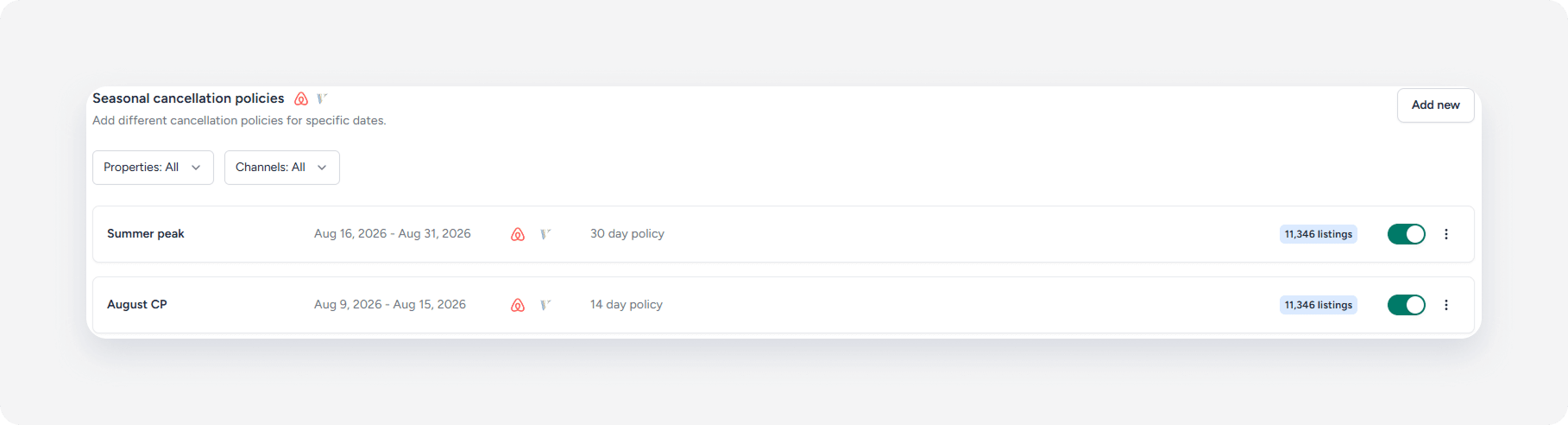
Create a seasonal cancellation policy
Follow the steps below to configure a new seasonal cancellation policy rule for specific dates and listings.
Step by step:
- Sign in to your Guesty account.
- In the side navigation menu, click
Marketing and sales to open the dropdown menu.
- Under Revenue management, select Cancellation policies.
- Click Add new.
-
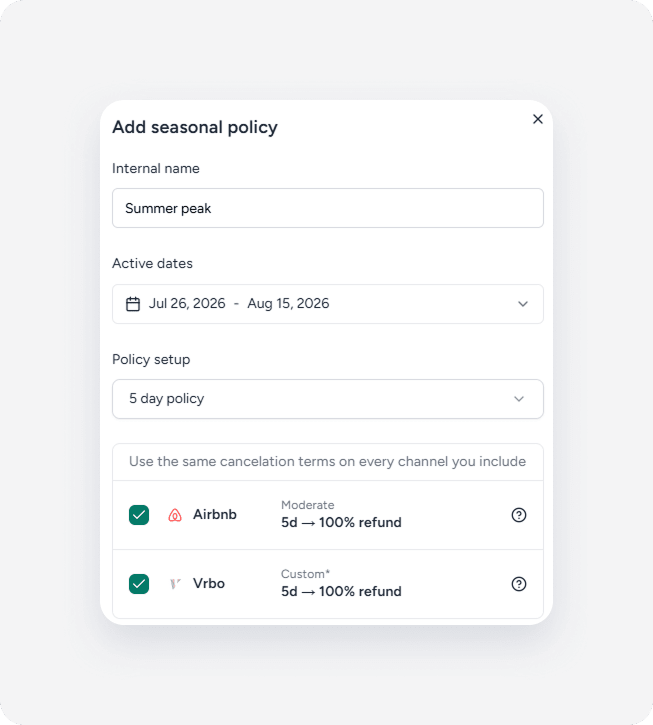
Enter a name in the “Internal name” field.
Note:
The internal name is for management purposes and doesn’t sync with the channels or display to the guest.
- Under "Active dates" section, select the dates when the policy applies.
- Under “Policy setup”, select the relevant cancellation policy from the dropdown.
- Check the boxes next to the channels where the policy applies.
- Click Create and assign listings to add the rule to relevant listings.
- Select the listings you want to assign.
- Click Done.
You can add or remove listings to the policy, delete the policy entirely, or temporarily deactivate and activate the policy.
Supported policies
Cancellation policies vary across the booking channels. Guesty links the cancellation policies as closely as possible to the channel variants.
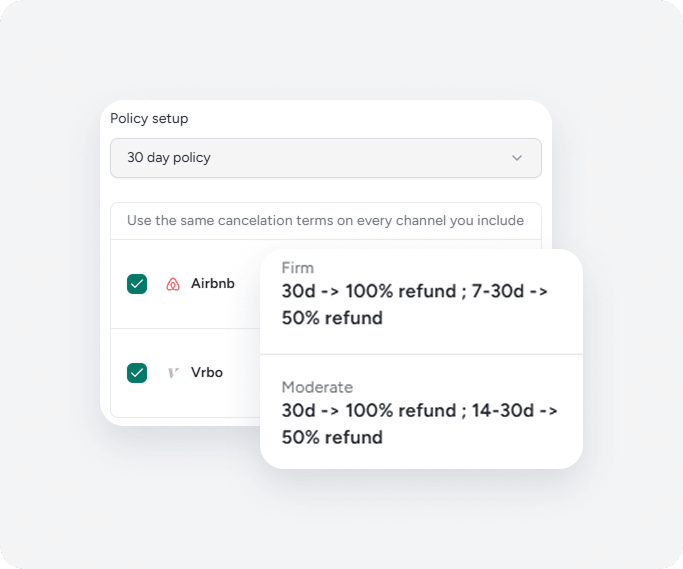
For example, “30 day policy” links to the “Firm” in Airbnb and “Moderate” in Vrbo. The cancellation policy terms differ between the channels, but remain the closest match
- Airbnb: Cancellation at least 30 days before the check-in results in 100% refund. Cancellation between 7 and 30 days before the check-in results in 50% refund.
- Vrbo: Cancellation 30 days before the check-in or earlier results in 100% refund. Cancellation between 14 and 30 days before the check-in results in 50% refund.
Selecting “1 day policy” or “5 day policy” creates a custom cancellation policy in Vrbo.
Channel-specific policies
Some cancellation policies aren’t available for all channels. Policies available for a specific channel display under the channel name in the “Policy setup” dropdown.
After selecting the channel-specific policy, the relevant information displays, and channels where the policy doesn't apply grey out.