Security Deposit Extender prevents coverage gaps by automatically renewing security deposit authorization holds that are about to expire. This is especially important for guests staying longer than 5 nights, as payment holds typically expire after this period.
This article explains how the Security Deposit Extender agent protects your properties during long stays. You learn how the agent works, what to expect after it runs, and when manual action is required.
Refer to this article for information on setting up automated security deposits.
Understand the Security Deposit Extender
The Security Deposit Extender is a fully autonomous agent that performs the following actions to maintain property protection:
- Scans all currently checked-in reservations daily
- Finds reservations where the authorization hold expires on that day
-
Cancels the expiring hold and creates a new hold that extends until 1 day after the guest's checkout date
Note:
The agent caps the new hold at a maximum of 5 days. For longer stays, the agent renews the hold multiple times throughout the reservation until the guest checks out.
The agent skips any reservation where the guest checks out on the same day the agent runs, as the hold renewal is not needed.
Run the payment hold check
The Security Deposit Extender runs every morning at 8:00 a.m. Property managers can trigger the agent on demand, too.
Follow the steps below to run the Security Deposit Extender.
Step by step:
- Sign in to your Guesty account.
- In the side navigation menu, click
Agents hub and select Discover agents.
- Click on the "Finance" tab and select the Security Deposit Extender.
- In the side panel, click Run now.
Review agent's activity
Monitor the Security Deposit Extender's actions through the activity feed and on individual reservations.
In the activity feed
After each run, the Security Deposit Extender posts a compact summary to your activity feed. This summary shows scanned reservations, renewed holds, and your required actions if failures occur.
Step by step:
- Sign in to your Guesty account.
- In the side navigation menu, click
Agents hub and select Agent activity.
-
Navigate to the Security Deposit Extender report and click View.
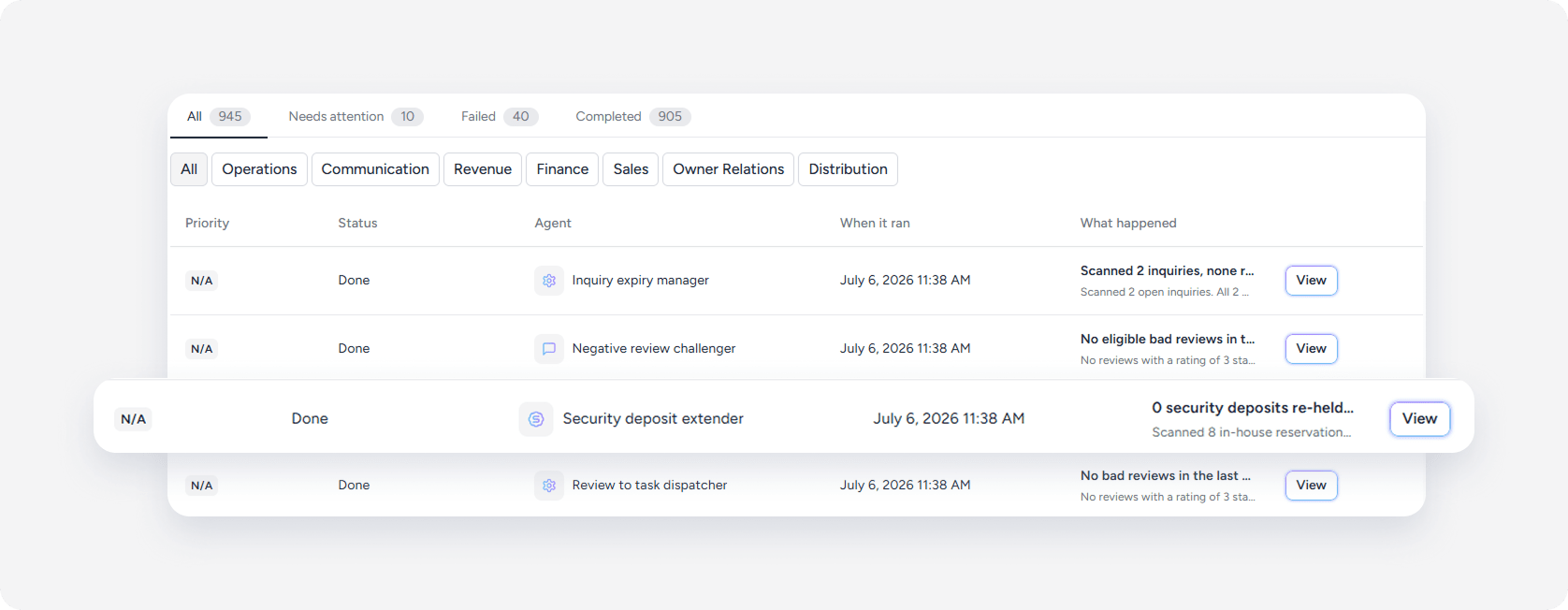
- Review the report's results.
Understand report statuses
The Security Deposit Extender report displays one of the following statuses:
- "Done": The agent renewed all eligible authorization holds successfully.
- "Failed": The agent encountered a system error and could not complete the run.