Guesty blocks active payment automations from applying conflicting payment schedules to the same reservation. When an installments automation overlaps with an existing template, Guesty identifies the conflict and guides you to update your settings before activation.
This article explains why payment schedule overlaps occur and how to resolve them using length of stay filters.
Understanding why templates conflict
An overlap occurs when multiple automation templates target the same reservation conditions. Guesty blocks these conflicts to protect guests from receiving duplicate charges or conflicting payment timelines.
The system triggers an overlap alert when templates share matching criteria. Review these settings to locate the cause of a conflict:
Shared properties
Identical booking sources
Overlapping length of stay day ranges
Overlapping advanced notice conditions
When a conflict occurs, the system identifies and links relevant overlapping templates during the automation setup process.
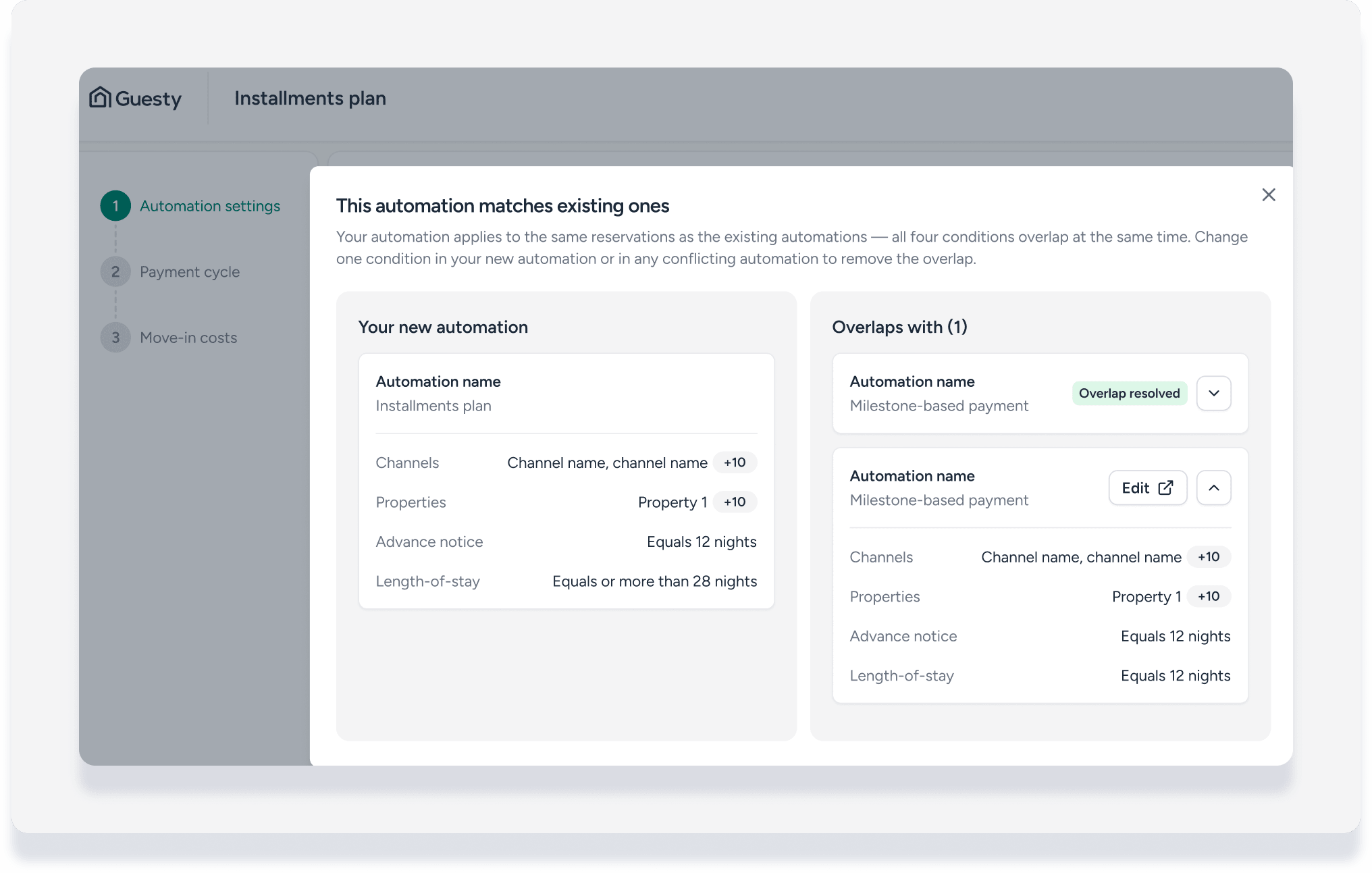
Fix a schedule overlap
To resolve an installments conflict, separate your standard milestone-based templates and installment templates by length of stay. Because payment installments require a minimum reservation length of 28 nights, update your milestone-based templates to 27 nights or fewer.
Resolve conflicts directly from the automation setup page using one of the options below.
Apply the recommended adjustment: Click the system-suggested length of stay fix after reviewing the proposed changes.
Edit the new automation: Adjust the properties, sources, or notice periods on your current installments template manually to clear the conflict area.
Edit conflicting templates: Click the links to the overlapping automations to open and change their conditions directly.
Save as a draft: Save the installments automation as a draft to pause your setup and resolve the overlap later.
