The SiteMinder integration supports syncing multiple rate plans, giving you more flexibility and control over your revenue management. You can continue using the default calendar rate or choose to use "rate plans mode" to sync multiple rate plans and manage enhanced restrictions like minimum or maximum nights, CTA (Closed to Arrival), and CTD (Closed to Departure).
Understanding the integration modes
The integration has two modes for managing your rate plans.
- Single rate plan mode (default): Guesty syncs only the default calendar rate with SiteMinder. Existing users remain in this mode by default with no changes to their workflow.
- Multiple rate plan mode: This mode allows you to map and sync multiple parent and independent rate plans for each property. To use this mode, at least one rate plan must be mapped for each relevant property.
Enable and use multiple rate plan sync
Follow the steps below to enable multiple rate plans with SiteMinder.
Step by step:
- Sign in to your Guesty account.
- In the side navigation menu, click
 Marketing and sales.
 - Under Revenue management, Select Rate plans.
-
Edit the relevant rate plans to link with SiteMinder
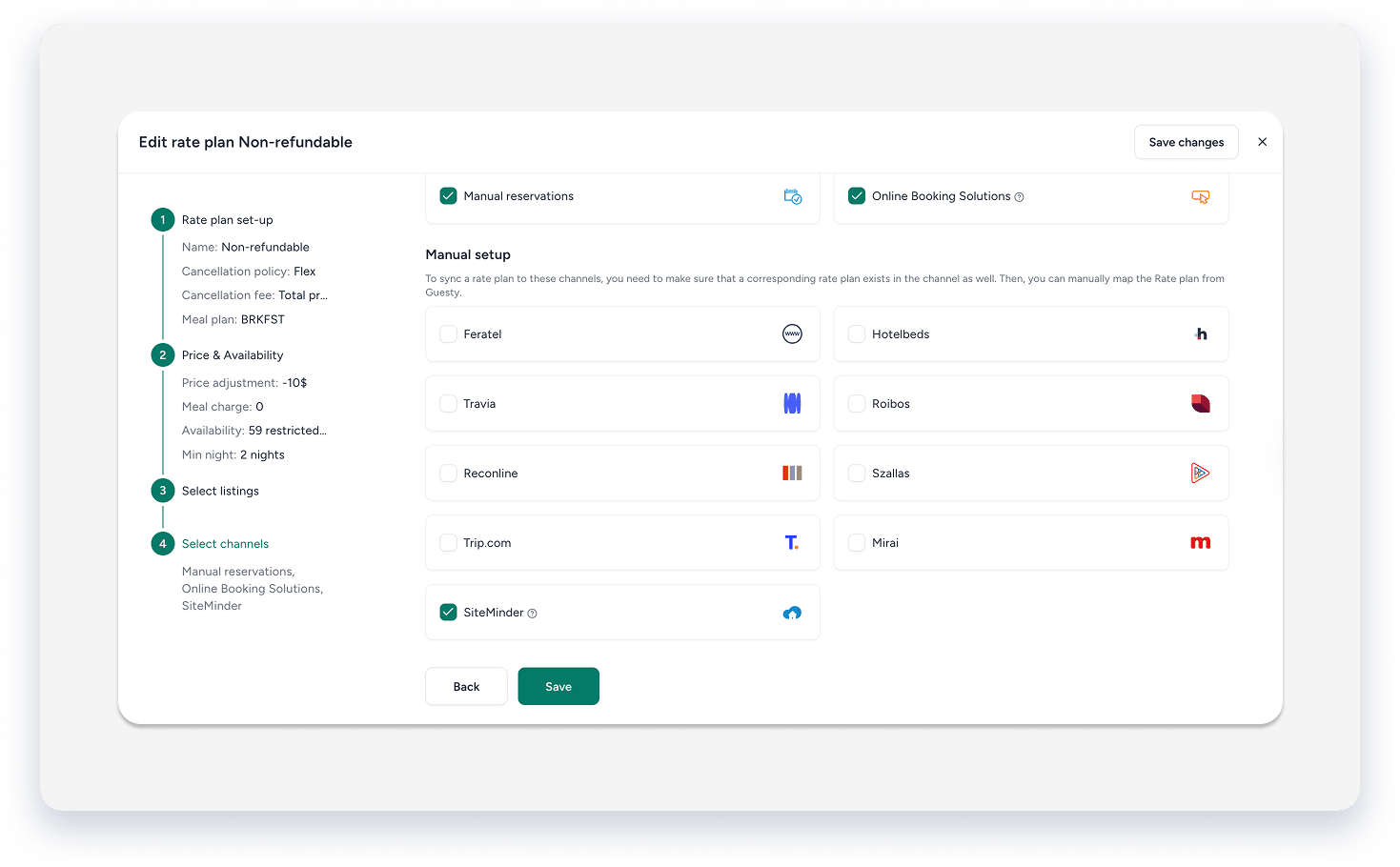
- Create the relevant parent rate plans in your SiteMinder complex.
- Contact Guesty support to switch your property to "rate plans mode" and to generate the SiteMinder onboarding file.
- Add the rate plan codes from the Guesty onboarding file into your SiteMinder integration to begin syncing.
Note:
Once a rate plan is assigned, a SiteMinder icon appears next to it in the rate plans section of Guesty.
What information is synced
When using multiple rate plan mode, the integration syncs the following information for each rate plan:
- Availability
- Stop Sell
- CTA (Closed to Arrival)
- CTD (Closed to Departure)
- MinLOS (Minimum Length of Stay)
- MaxLOS (Maximum Length of Stay)
Delete a linked rate plan
If you try to delete a rate plan that is linked to SiteMinder, a confirmation message appears to explain the impact. If you confirm the deletion, the sync with SiteMinder stops and Guesty removes the mapping from the system.
