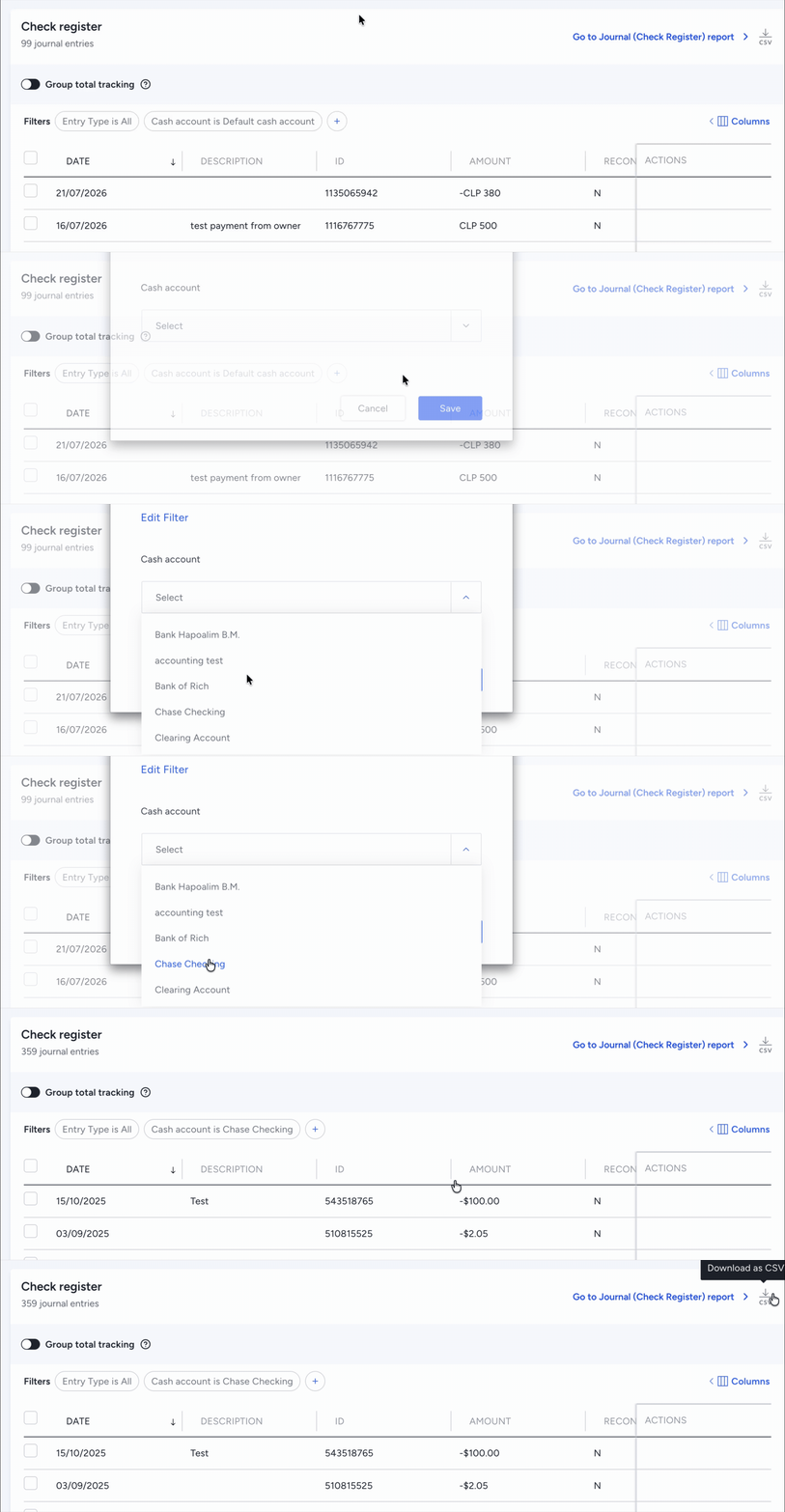
After you've added cash accounts in Guesty, the transactions are kept separate to avoid grouping transactions or otherwise mixing transactions that belong to separate accounts. Follow the steps below to filter transactions by specific cash accounts to prevent mixing account transactions, and download custom data directly into a spreadsheet for simplified reporting.
Step by step:
- Sign in to your Guesty account.
- In the side navigation menu, click
 Accounting to open the dropdown menu.
 - Under Cash management, select Check register.
- The default account is displayed automatically under "Filter". To change to a different account:
- Click the Cash account filter.
- Select the relevant account from the dropdown menu.
- Click Save.
- To download as a file, click
 in the top-right corner.