Use these frequently asked questions to understand how the guest folio, Airbnb resolutions, and accounting adjustments work within Guesty.
General guest folio and reservations
Nightly rates are locked at the moment of booking to protect the financial integrity of the reservation. If a channel doesn’t send specific nightly data, Guesty uses the ratio of your calendar prices at the time of booking to distribute the total fare. For example, if a guest books a $600 stay for three nights and your calendar rates were $100, $200, and $300, Guesty assigns those same ratios (16%, 33%, and 50%) to the actual fare paid.
Guesty calculates markups and markdowns based on the accommodation fare within your Guesty account. This calculation might differ slightly from the channel's method. These internal breakdowns are for your information and don't appear on the guest invoice.
Guesty displays taxes as separate invoice items for accounting purposes. Because Booking.com includes taxes in the total accommodation fare, Guesty automatically deducts the tax amount from the fare and lists it as a separate item to ensure your records remain accurate.
This usually happens if a tax or fee was updated after the booking or if there is a synchronization discrepancy. If you recently changed a tax setting to "% per stay," the system may recalculate the total. For Booking.com, Guesty often separates taxes that were previously bundled in the "Accommodation Fare." Check the "Adjusted line items" in the folio breakdown to see if an automatic tax recalculation occurred. You may need to manually adjust the folio to match the channel's total.
You can't edit a specific guest invoice once it is generated. While you can't remove items, you can adjust the guest folio to bring a value to zero, though the line item still appears on the invoice. If you update the guest folio, you must send a new invoice link to the guest, as the original link is static and won't update.
The guest folio is a permanent financial record. While you can't delete or remove a line item, you can adjust its price or add a new line item with a negative value to offset the cost.
You can't manually set the accommodation fare to zero if the reservation has percentage-based adjustments, such as coupons, markups, or commissions. In this case, contact Guesty Support with the reservation ID and guest name so our team can perform a backend override.
Adjusting the guest folio is a record-keeping action and doesn’t trigger a bank transfer. If you reduce the price to apply a refund, you must also manually process the refund through your payment processor in the Payments section of the reservation to clear the "overpaid" status.
Additional fees set to "deduct from fare" are linked to the accommodation fare and cannot be directly adjusted. To zero this out, adjust the Accommodation fare by adding the fee amount as a positive value, then add a new Additional fee line item with the fee amount as a negative value.
Airbnb Resolution Center (ARC)
Airbnb does not provide real-time syncing for resolutions. Guesty pulls this data once per day, so a closed resolution may take 24 to 48 hours to appear. Only "Closed" resolutions sync; pending requests or resolutions handled by someone other than the connected Airbnb account owner won't appear.
Once a resolution is closed, an "Airbnb resolution center" line item is automatically added. A negative amount indicates a refund from the host, while a positive amount indicates a payment request from the guest. This also appears as a transaction in the Payments section of the reservation.
Don't manually adjust the ARC line item in Guesty, as this won't sync back to Airbnb. Instead, open a new case directly in the Airbnb Resolution Center. Any additional amounts granted will sync to Guesty as a new line item.
Accounting and owner statements
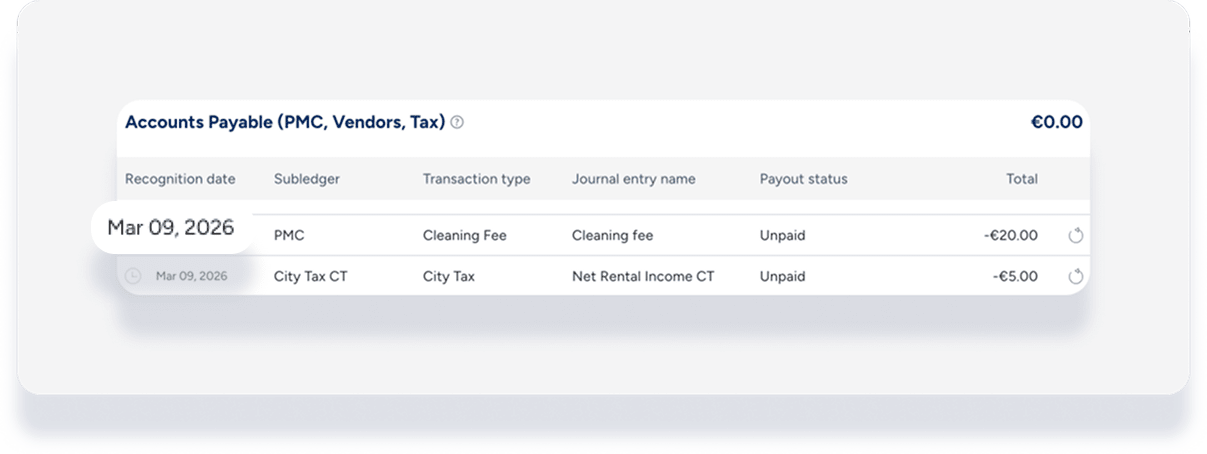
The realization date determines when revenue is recognized in your accounting reports and owner statements. To keep your books clean, check the related business model and apply the same logic for the recognition date (check-in, check-out, or nightly). If this isn’t possible, find the original item in the PMC sub-ledger of the accounting folio and use the same "recognition date" listed there.
When adding or adjusting a line item, select Break the amount to be realized nightly in the pop-up. This spreads the value across all nights of the reservation. If a reservation spans two different months, the revenue will be split across the owner statements for both months based on the number of nights in each.
When you add or adjust a taxable line item, Guesty automatically recalculates the related taxes. To avoid unintended recalculations for taxes set to “% of stay,” we recommend reversing the transaction or adding a manual journal entry instead of adjusting the guest folio.
This typically happens for two reasons. If the period is "Locked," you must click Reprocess Reservation after making the adjustment. Alternatively, if the selected realization date is in a different month, the change will appear on the statement for that specific month.
Guesty Accounting is a double-entry system. When you adjust a guest-facing amount, the system automatically triggers the necessary adjustments to the owner's ledger and your commission to ensure the owner isn't overcharged for a discounted fee.
Yes, but use caution. If the period is locked and you have already issued the payout, making an adjustment and clicking Reprocess Reservation creates a "Balance Carried Forward" or an adjustment on the next available owner statement.
